Social media
Iphone or android whatsapp creation

Iphone or android whatsapp creation. On both Android and iPhone, setting up a WhatsApp account is easy. After downloading the app from the Google Play Store or Apple App Store, accept the terms and send an SMS confirming your current phone number. Entering your name, granting contact access, and creating a profile image are all steps in the process.
IPHONE OR ANDROID WHATSAPP CREATION
Download “WhatsApp Messenger” from the App Store, accept the terms, then use SMS to confirm your phone number in order to set up a WhatsApp account on an iPhone. Once you’ve set your profile name and photo and granted contact access, you can begin chatting.
How to create a WhatsApp account;
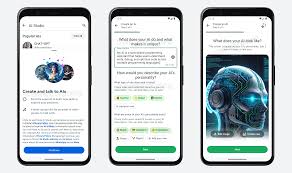

Both Android and iphone users can create a WhatsApp account in the same way.
1. If you haven’t already, install WhatApp For IOS or WhatApp for Android on your mobile phone and then start the app.
2. The first time you open the app, you’ll need to agree to the app terms of service. Tap “Agree & Continue.”
3. Enter your phone number. WhatsApp uses your phone number to identify you, and you find other users by their phone numbers. After a moment, WhatsApp will ask you to confirm your number.


Iphone or android whatsapp creation
4. A text message is thereafter sent to that phone number by the WhatsApp service. Put the code in.
If your iphone is running IOS, it should detect the code immediately and allow you to input it with single press; if not, open Messages, note the code, and then go back to WhatApp to enter it.
5. Enter your name and, if you want, add a photo. Then click “Done.”
Your account is now complete. You can now use the app to send text messages and place calls.

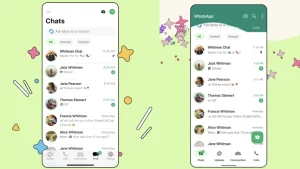
Iphone or android whatsapp creation
You simply need access to the phone in order to validate the text message during setup. The phone number you link to your WhatApp account doesn’t have to be the same as the phone on which you’re downloading the app.
Summary
Download the software from the Google Play Store, agree to the rules, and input your phone number to set up a WhatsApp account on an Android device. After using the SMS code you received to confirm the number, create a profile with your name and optional photo. You can install WhatsApp on a phone with no active cellular plan at all, if you you’d like. You may text and make calls using WhatsApp as long as you have Wi-Fi access.