Uncategorized
Tips for creating Youtube channel

Tips for creating Youtube channel. Google owns YouTube, an American website where users can share videos. On February 14, 2005, Chad Hurley, Jawed Karim, and Steve Chen—all former PayPal employees founded YouTube. With its headquarters located in San Bruno, California, it is the second most popular website worldwide, after Google.
TIPS FOR CREATING YOUTUBE CHANNEL
A watermark is a small image that shows up in the lower-right corner of every video. When people click or hover over the image, they will be prompted to subscribe to your YouTube channel. This image can be used as the logo for your channel or for any other branding reason you think would be appropriate for your content.
1. Create a Google Account;
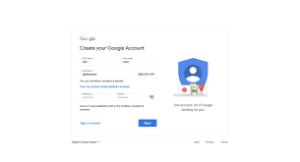

Here’s where it all starts. It’s really easy to create a Google account if you haven’t already. All you have to do is fill in your nam
You next need to submit a few additional basic details about yourself.
2. Create a YouTube Channel in 4 Steps;
Setting up your YouTube channel won’t require much time. Simply adhere to the instructions below!
2. From the menu that appears, click your profile photo in the upper right corner and choose Create a Channel
3. Enter the name of your channel and upload a profile image.
4. In the lower right corner, select “Create Channel.”
Verify Your Phone Number with YouTube;
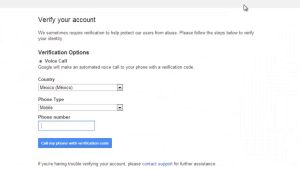

Verifying your phone number is the next step after creating your channel. You can now upload custom thumbnails, live stream, make films longer than fifteen minutes, and contest Content ID claims.
1. Click your profile image once more, then choose YouTube Studio from the menu to confirm your phone numbe
2. From the navigation bar on the left, select Settings
3. Click the Channel tab, then select Feature Eligibility
4. Select Verify Phone Number under Intermediate Features, then adhere to the on-screen instructions.
3. Find Your YouTube Niche;
The primary subject you’ll cover on your YouTube channel is your niche. The majority of viewers will watch your content for this reason as well, since certain viewers are drawn to particular subjects.
4. Identify Your Target Audience;

Tips for creating Youtube channel
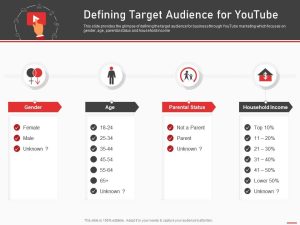
Identifying your target audience for your videos becomes lot simpler once you’ve located your niche. You should take action on that as soon as possible.
5. Create a Value Proposition for Your Viewers;
You now know the subject matter of your channel and who your audience is. It’s time to promise everyone who views your material what you intend to do now.
6. Find Your Competitors on YouTube;
It’s critical for YouTube video creators to be aware of their rivals. It’s not like you have to fight with them constantly. Alternatively, attempt to outshine their films so that your channel receives more views than theirs.
7. Create a List of Video Ideas;

Tips for creating Youtube channel
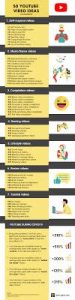
After compiling a list of potential videos, it’s time to see how popular each one is on YouTube. Researching potential keywords is one approach to achieve this. This is how you find out what terms people use to look for videos on YouTube.
8. Test Your Video Ideas with Keyword Research;
Having compiled a list of potential videos, it’s time to see how well-liked they are on YouTube. Researching keywords is one method you can accomplish this. This is the procedure for identifying the terms that users use to look for videos on YouTube.
Summary
A channel banner is an extended, horizontal image that appears at the top of your YouTube channel’s website. It will immediately communicate the subject of your videos if it is well-designed.