Social media
Tips for Creating Youtube Account

Tips for creating youtube account. You may access a world of creativity, education, and enjoyment by setting up a YouTube account. You can quickly create your own YouTube account and start browsing the enormous selection of content on the site by following these easy steps. YouTube provides countless chances for interaction and expression, whether you’re a creative ready to share your voice or a consumer looking for amusement. What are you waiting for, then? Make an account on YouTube right now to begin taking advantage of everything the site has to offer.
TIPS FOR CREATING YOUTUBE ACCOUNT
YouTube, which provides a platform for creators to share their hobbies, expertise, and inventiveness with the world, has come to represent online video content. Making a YouTube account is the first step if you’re excited to join the community of content creators or just want to browse the enormous selection of videos accessible. We’ll lead you through the simple process of creating your own YouTube account in this article, opening up countless opportunities for expression and amusement.
Step 1: Visit the YouTube Website
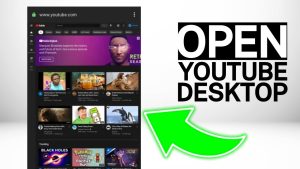

To begin the account creation process, open your web browser and navigate to the YouTube website. You can do this by typing “www.youtube.com” into the address bar and pressing Enter.
Step 2: Click on the “Sign In” Button
Once on the YouTube homepage, locate the “Sign In” button at the top right corner of the screen. Click on this button to initiate the sign-in process.
Step 3: Choose the Option to Create an Account

TIPS FOR CREATING YOUTUBE ACCOUNT
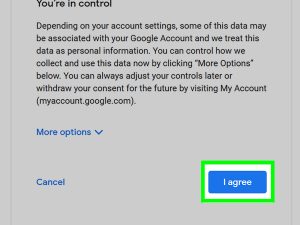
On the sign-in page, you’ll see options to sign in with an existing Google account or create a new one. Since YouTube is owned by Google, you’ll need a Google account to access its features. If you already have a Google account, you can sign in with those credentials. If not, click on the “Create account” link to proceed with creating a new account.
Step 4: Provide Your Information
Follow the prompts to enter your personal information, including your first and last name, desired email address, and password. You’ll also need to provide additional details such as your phone number and date of birth for security and verification purposes.
Step 5: Verify Your Account
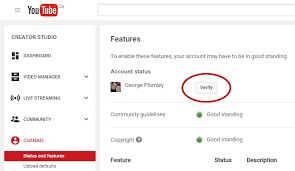

After providing your information, Google will send a verification code to the email address or phone number you provided. Enter the code in the designated field to verify your account and complete the registration process.
Step 6: Customize Your YouTube Experience


TIPS FOR CREATING YOUTUBE ACCOUNT
Once your account is verified, you’ll have the option to customize your YouTube experience. You can choose your interests, subscribe to channels, and adjust your privacy settings according to your preferences.
Step 7: Start Exploring and Creating Content


TIPS FOR CREATING YOUTUBE ACCOUNT
With your YouTube account set up, you’re ready to dive into the world of online video content. Explore trending videos, subscribe to channels that interest you, and even start creating and uploading your own videos to share with the world.
Summary
In order to keep personal and professional activities apart, create a YouTube account and log in with a specific Gmail address. To start a new channel, click your profile picture and select a catchy handle and name. To access lengthier movies and personalized thumbnails, quickly validate your account under Settings with your phone number.