TECHNOLOGY
Tips for TV Casting Performance

Tips for TV casting performance. Making sure both devices are connected to the same 5GHz Wi-Fi network, keeping the router and screen close together (less than 15 feet), and turning on hardware acceleration are all necessary for optimizing TV casting speed. Reducing network congestion, upgrading software, and utilizing wired connections like Ethernet for reliable streaming are ways to lessen high-latency problems (lag).
TIPS FOR TV CASTING PERFORMANCE
You may enhance the speed and dependability of TV casting and have a more seamless streaming experience by taking care of these issues and putting the recommended fixes into practice. TV casting performance may be sluggish for a number of reasons, such as:


1. Network Connectivity Issues
2. Network Congestion
3. Device Compatibility: Incompatibility between your casting device (e.g., smartphone, tablet, computer) and your smart TV can cause casting to be slow or unreliable. Different casting technologies may require specific hardware or software support, and using incompatible devices may result in suboptimal performance.
4. Software or Firmware Updates:


Outdated software or firmware on your smart TV, casting device, or casting app can lead to compatibility issues and performance degradation. Ensure that both your casting device and smart TV are running the latest software updates to optimize casting performance.
5. Distance or Interference: The distance between your casting device and smart TV, as well as physical obstacles or interference, can affect the speed and stability of TV casting. If there are obstructions or interference between the devices, such as walls or other electronic devices, it can weaken the Wi-Fi signal and impact casting performance.
To address slow TV casting issues, consider the following steps:
1. Improve Network Connectivity:
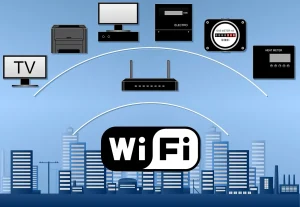
– Move your casting device and smart TV closer to your Wi-Fi router to improve signal strength.

– Use a wired Ethernet connection if possible for a more stable and reliable connection.
– Upgrade to a higher-speed internet plan if your current plan is insufficient for streaming and casting.
2. Reduce Network Congestion to improve tv casting performance:
– Limit the number of devices connected to your Wi-Fi network, especially during peak usage times.
– Prioritize casting traffic by using Quality of Service settings on your router, if available.
– Consider investing in a dual-band or tri-band router to separate devices and reduce congestion.
3. Ensure Device Compatibility to improve tv casting performance:


Tips for TV casting performance
-Verify that your casting device and smart TV are compatible with the casting technology you’re using (e.g., Google Cast, AirPlay, Miracast).
– Update the firmware or software on both devices to the latest versions to ensure compatibility and performance optimization.
4. Update Software and Firmware to improve tv casting performance:
– Check for and install software updates on your casting device, smart TV, and casting app regularly.
– Ensure that your router firmware is up to date to maintain optimal performance and security.
5. Optimize Distance and Reduce Interference:


Tips for TV casting performance
– Minimize physical obstacles between your casting device and smart TV to improve Wi-Fi signal strength.
– Avoid placing electronic devices that may cause interference (e.g., microwaves, cordless phones) near your Wi-Fi router or smart TV.
– Consider using Wi-Fi range extenders or mesh Wi-Fi systems to expand coverage and improve signal strength in larger homes.
6. Troubleshoot Specific Issues:

Tips for TV casting performance
– Restart your casting device, smart TV, and Wi-Fi router to resolve temporary glitches or software issues.
– Clear the cache and data of your casting app or try using a different casting app to see if performance improves.
– Contact customer support for your casting device, smart TV, or router manufacturer for further assistance if the issue persists.
Summary
Optimizing your network, devices, and casting techniques to reduce lag and buffering is necessary to get a high-performance TV casting experience. Rather than slow internet speeds, network congestion or a weak Wi-Fi connection are the most frequent causes of bad performance.