
Media
All the possible ways to join a Google Meet

All the possible ways to join a Google Meet
Join Google Meet using a direct link

You can join the meeting by just clicking on the link if you have one. You can use your mobile device or laptop for this. As an alternative, you can copy the URL and paste it into your browser’s URL bar.
You will notice choices to turn off your camera and mute your microphone after you are sent to the joining page. Navigate to the ‘join’ button on the right-hand side of your screen when you’re ready. You may join the Google Meet conference right away by clicking the “join now” button.
Access Google Meet through a calendar invitation

Go to your calendar and find the appropriate invitation if you have a prearranged appointment. Press the link of the scheduled event. You will see a button that says “Join with Google Meet” on the pop-up
Join a meeting directly from the Google Meet website.
Go to the Google Meet page and enter a code, nickname, or link in the designated field. Click ‘Join’ after that. You must click “Join Now” on the joining screen that appears after clicking the link.
Access Google Meet on mobile devices with or without using the mobile app.

You can sign up for Google Meet on a mobile device by using the Google Meet website, a direct link, or the calendar. Downloading the Google Meet app—available for iOS and Android devices—may improve your experience.
Join a Google Meet meeting directly from Gmail.

Open Gmail and select the ‘Meet’ icon from the left column. Click ‘Join now’ after selecting the meeting you want to attend.
Join Google Meet even without a Google account
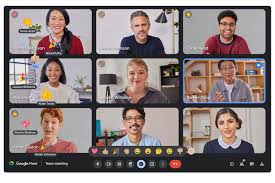
The meeting host must provide a conference link or code for the attendee to access a Google Meet without having a Google Account. It’s crucial to remember that these users are unable to call meetings on their own. Additionally, individuals can only join a meeting through the Google Meet desktop app because the mobile app cannot be used without a Google Account.
Let’s walk through the steps together:
- Get the joining code or link from your meeting host.
- Head over to the Google Meet website.
- Look for the ‘Enter a code or link’ box near the bottom of the screen.
- Paste the meeting link or code into the box.
- Click ‘Join‘.

Motion graphics tips. Motion graphics are a dynamic and adaptable visual narrative tool that offers countless creative opportunities across media platforms and industries. Regardless of your level of experience as an animation graphics artist. Investigating this environment reveals a realm of artistic expression, creativity, and invention. So gather your supplies, let your creativity run wild, and explore its fascinating universe.
MOTION GRAPHICS TIPS
Giving static graphic designs the appearance of movement is the goal of motion graphics, often known as “mograph” and a subset of animation. It entails animating text, logos, images, shapes, and charts to convey a concept, amuse, or promote a product instead of using conventional character narrative.
What are Motion Graphics?

Animated graphics that combine sound, visual effects, and movement to improve narrative, elicit strong feelings, and transmit information are called motion graphics. As opposed to conventional animation, which frequently include characters and storylines. They are are primarily concerned with animated graphical elements—such as typography, shapes, and imagery—that provide captivating visuals.
Origins of Motion Graphics:
They have their origins in the early stages of cinema. where moving images were produced using methods like optical effects and stop-motion animation. With the advent of computer technology and digital animation software in the late 20th century. It evolved into a distinct art form, finding applications in film, television, advertising, and digital media.
Applications of Motion Graphics:

Many different media outlets and sectors use it, including:
1. Advertising: They are a popular choice for advertising campaigns, allowing brands to convey messages and showcase products in visually compelling ways. From animated logos to explainer videos, it help brands stand out and engage audiences in crowded markets.
2. Film and Television: It plays a crucial role in film and television productions, from title sequences and visual effects to informational graphics and animated infographics. They help set the tone, enhance storytelling, and create immersive viewing experiences for audiences.
3. Digital Media:

Motion graphics tips
In the digital age, motion graphics are everywhere, from social media posts and website banners to online presentations and interactive content. They grab attention, convey information quickly, and drive engagement, making them an essential tool for digital marketers and content creators.
4. Education and Training: They are also used in educational and training materials to explain complex concepts, visualize data, and engage learners. Animated tutorials, instructional videos, and interactive simulations help make learning more accessible and engaging.
Creative Possibilities:
One of the most exciting aspects of it is its creative versatility. With the right tools and imagination, it’s artists can bring virtually any idea to life. From abstract animations and experimental art to corporate branding and commercial projects, the possibilities are endless.

Motion graphics tips
Motion graphics artists use a variety of software tools, including Adobe After Effects, Cinema 4D, and Blender. To create stunning visual effects, intricate animations, and seamless motion sequences. They combine design principles such as typography, color theory. And composition with animation techniques such as keyframing, easing, and timing to craft compelling motion graphics.
Summary
With their dynamic animations, breathtaking visuals, and flawless text-graphics integration, motion graphics have developed into a potent medium for visual storytelling. We’ll go into the intriguing realm of motion graphics in this piece, examining its history, uses, and creative potential.

Overcoming social media addictions. Social media has become an essential aspect of our lives in the digital age, providing us with instant access to information and connections. However, it can be difficult to distinguish between addiction and appropriate use, which can have an adverse effect on mental health. It may be time to kick the habit of continually checking your social media accounts or scrolling endlessly. This article will assist you in taking back control of your online presence and developing a more positive relationship with it.
OVERCOMING SOCIAL MEDIA ADDICTIONS
Increasing awareness, establishing time constraints, and substituting offline pastimes for scrolling are all necessary to overcome social media addiction. To control screen usage and lessen anxiety, important tactics include turning off notifications, removing apps from your phone, doing digital detoxes, and using 12-step programs or therapies like CBT.
1. Acknowledge the Issue:

The first step towards change is acknowledging the problem. Reflect on your social media habits and be honest with yourself about the impact it has on your daily life, productivity, and overall well-being.
2. Set Clear Boundaries:
Establish clear and realistic boundaries for social media usage. Designate specific times of the day to check your accounts and avoid mindless scrolling during work or personal time. Create a balance that suits your lifestyle.
3. Turn Off Notifications:

Constant notifications can be a significant trigger for social media use. Take control by turning off non-essential notifications. This step reduces the urge to check your accounts every time your device pings.
4. Designate Screen-Free Zones:
Create designated areas in your home where the use of smartphones and social media is prohibited. This helps in breaking the automatic response of reaching for your device in every free moment.
5. Introduce Digital Detox Days:

OVERCOMING SOCIAL MEDIA ADDICTIONS
Schedule regular digital detox days where you intentionally disconnect from all social media platforms. Use this time to engage in activities that bring you joy, connect with friends and family offline, or pursue hobbies that have taken a backseat.
6. Curate Your Feed:
Be mindful of the content you consume. Unfollow accounts that contribute to negative emotions or trigger unhealthy comparisons. Curate your feed to include content that inspires, educates, and uplifts you.
7. Find Offline Alternatives:
Replace social media activities with offline alternatives. Instead of scrolling through your feed, read a book, go for a walk, or engage in a hobby. Redirecting your focus to real-life experiences helps break the cycle of addiction.
8. Seek Support:

OVERCOMING SOCIAL MEDIA ADDICTIONS
Breaking a habit is often more successful with support. Share your intention to reduce social media use with friends or family, and encourage each other to create a healthier digital lifestyle.
9. Mindfulness and Meditation:
Incorporate mindfulness and meditation practices into your routine. These techniques can help you become more aware of your impulses and develop the ability to redirect your attention to the present moment.
10. Professional Help if Needed:

OVERCOMING SOCIAL MEDIA ADDICTIONS
If social media addiction significantly impacts your mental health, consider seeking professional help. Therapists and counselors can provide guidance tailored to your situation.
Summary
Recall that overcoming a social media addiction is a slow process that calls for self-compassion and patience. You can take back control of your digital habits and develop a more balanced, healthful lifestyle by putting these techniques into practice.
TIPS FOR WRITING NEWS REPORT
Tips for writing news report. Everybody reads the newspaper as part of their routine. Sometimes, all we do is read the headlines. We only choose to read the entire news story if the title catches our attention. Additionally, the body must be captivating enough or sound intriguing; else, we will overlook the news. The composition of a news report differs greatly from that of a general article. Instead of being an opinion piece, a news story is an instructive report.

TIPS FOR WRITING NEWS REPORT
Gathering of Data
Prior to drafting a news story, gathering accurate information is the most important step. Writing a report is mostly done to give readers accurate information about an event. You must give the readers accurate information backed up by appropriate evidence. Thus, gathering as much information as you can to support your argument is crucial.
Site Visiting
A fascinating method of obtaining all the information about the event is to visit the site or visit the site. It will assist you in locating the precise details. You can take pictures to present as proof and record what you observe.
Interviewing Eyewitnesses
You can locate a lot of people nearby when conducting a survey in order to gather information from the witnesses. Be wise enough to distinguish between fact and fiction, as their stories may occasionally seem a bit over the top. All of your interviews can be recorded to make sure you don’t miss anything.
Interviews
The Interviews’ Transcripts Once you have gathered all of the interviews, you can transcribe them so that readers can comprehend.
Writing the Report
A Guide to the Process In a news report, the headline and the opening line contain the most crucial information. The first paragraph of a news article should contain the most crucial information, following the structure of an inverted pyramid. Other details and supporting material on the event are covered in the report’s body. The final paragraph must also include the less significant facts.
Writing in Brief Phrases
Keep in mind that sentences in a report should be clear and succinct. Don’t write complicated sentences. Additionally, it will help you use appropriate terminology and make fewer mistakes.
Foods Rich in Zinc

Appetite Enhancement Tips

Nutritional Value of Rolled Oats

A Step-by-Step Guide to Deleting Reels on Instagram

A Comprehensive Guide to Setting Up a YouTube Premiere

How to Create a WhatsApp Group
-

 Health4 weeks ago
Harmful side effects of earphones
-
 Self esteem4 weeks ago
Tips for self esteem improvement
-

 Exercise4 weeks ago
Regular physical activities importance
-

 Health4 weeks ago
Headphones safety tips
-

 Business3 weeks ago
Local business promotion
-

 Entertainment3 weeks ago
Women and British dance music