
TECHNOLOGY
Advantages of using Chatgpt


ADVANTAGES OF USING CHATGPT
Advantages of using chatgpt. In every way, technology has completely changed our world. One such recent development in the IT sector is ChatGPT. Artificial Intelligence (AI) is revolutionizing how we communicate with one another. One of the most recent types of text-based AI tools that can be used to learn new things about a variety of subjects is ChatGPT. A machine learning tool based on artificial intelligence, ChatGPT is made to communicate with people in a conversational manner.
ADVANTAGES OF USING CHATGPT
Although it might appear that ChatGPT is just a sophisticated chatbot, that is untrue. A simple chatbot is not nearly as sophisticated as ChatGPT. OpenAI released ChatGPT, a generative artificial intelligence chatbot. At the moment, the GPT-4o large language model serves as its foundation. Users can fine-tune and guide a conversation towards a desired length, format, style, level of detail, and language using ChatGPT, which can produce conversational responses that resemble those of a human.
1. Increases Productivity

You can count on ChatGPT to deliver critical information to you quickly and effectively. For instance, if you are researching English literature from the 18th century for a college essay, you can ask ChatGPT specific questions and get information that will help you finish your project.
2. Economical
You don’t have to pay anything to use ChatGPT because it’s currently a free program. Therefore, anyone can use ChatGPT for any reason they think appropriate. Businesses, self-employed individuals, working professionals, and students can all use ChatGPT for a variety of free tasks.
3. Improves the User Experience

ChatGPT can be used by businesses to enhance the customer experience. ChatGPT’s human-like interaction can significantly increase customers’ sense of being heard. Additionally, it can gather pertinent data and customer feedback to facilitate problem-solving.
4. Offers Correct Information

Because ChatGPT can discriminate between accurate and false information, you will be able to access systematic and accurate information. This differs from a standard Google chat in that it is your responsibility to determine the reliable source of a given assertion. However, ChatGPT only absorbs reliable information, reducing the need for further study on a given subject.
5. Makes education more accessible
By lowering barriers for non-native English speakers and those with disabilities, ChatGPT increases educational accessibility. For example, students who are blind or visually impaired can hear the responses spoken by ChatGPT. For students with learning disabilities, it can also provide a summary of subjects or ideas from a course. Additionally, it allows students who struggle with keyboarding or typing to express their questions vocally.
6. Customizes Education

ChatGPT offers a customized learning experience by comprehending students’ learning preferences. It has the ability to assess students’ academic performance and adapt the course to suit their needs. Students can learn at their own pace and fully comprehend difficult concepts with Chat GPT. Through ChatGPT, they can engage in unique text-based research or learning experiences, giving them access to more educational materials.
7. Supports the Preparation of Exams

ChatGPT can assist students with their exam preparation. With a focus on important terms, it can summarize their class notes. It can assist them in formulating the perfect response to a crucial query. Additionally, based on the subject matter, it can produce practice questions to assist students in identifying their areas of strength and weakness.
Summary
These are a few of ChatGPT’s benefits and applications. We may still discover more about the program in the future because this is a relatively new invention. We live in very exciting times, and if you’re interested in these technologies, you might want to think about a career in computer science engineering.






How to turn off iphone. It’s crucial to know how to correctly shut down your iPhone for a number of reasons, such as extending battery life, resolving problems, or just taking a break. You may confidently turn off your iPhone anytime needed by following the instructions in this article. Gaining proficiency with this fundamental feature will guarantee a more seamless interaction with your iPhone, regardless of your level of experience.
HOW TO TURN OFF IPHONE
Shutting down your iphone might seem like a straightforward task, but with the absence of a physical button dedicated solely to this function, it can sometimes be confusing. Whether you need to conserve battery life, troubleshoot a problem, or simply power down your device for a while, knowing the correct method to shut down your iPhone is essential. In this article, we’ll guide you through the steps to properly power off your iPhone.
Step 1: Locate the Side Button;
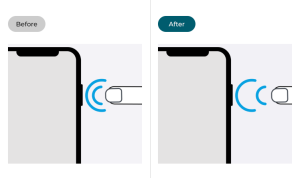
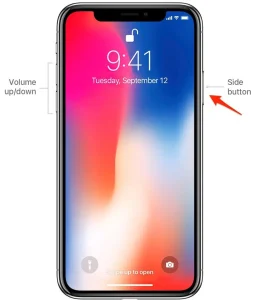
The side button, located on the right side of your phone, serves multiple functions, including powering on/off your device, activating Siri, and taking screenshots. It’s important to differentiate between a quick press and a long press for shutting down the device.
Step 2: Simultaneously Press Side Button and Volume Button;
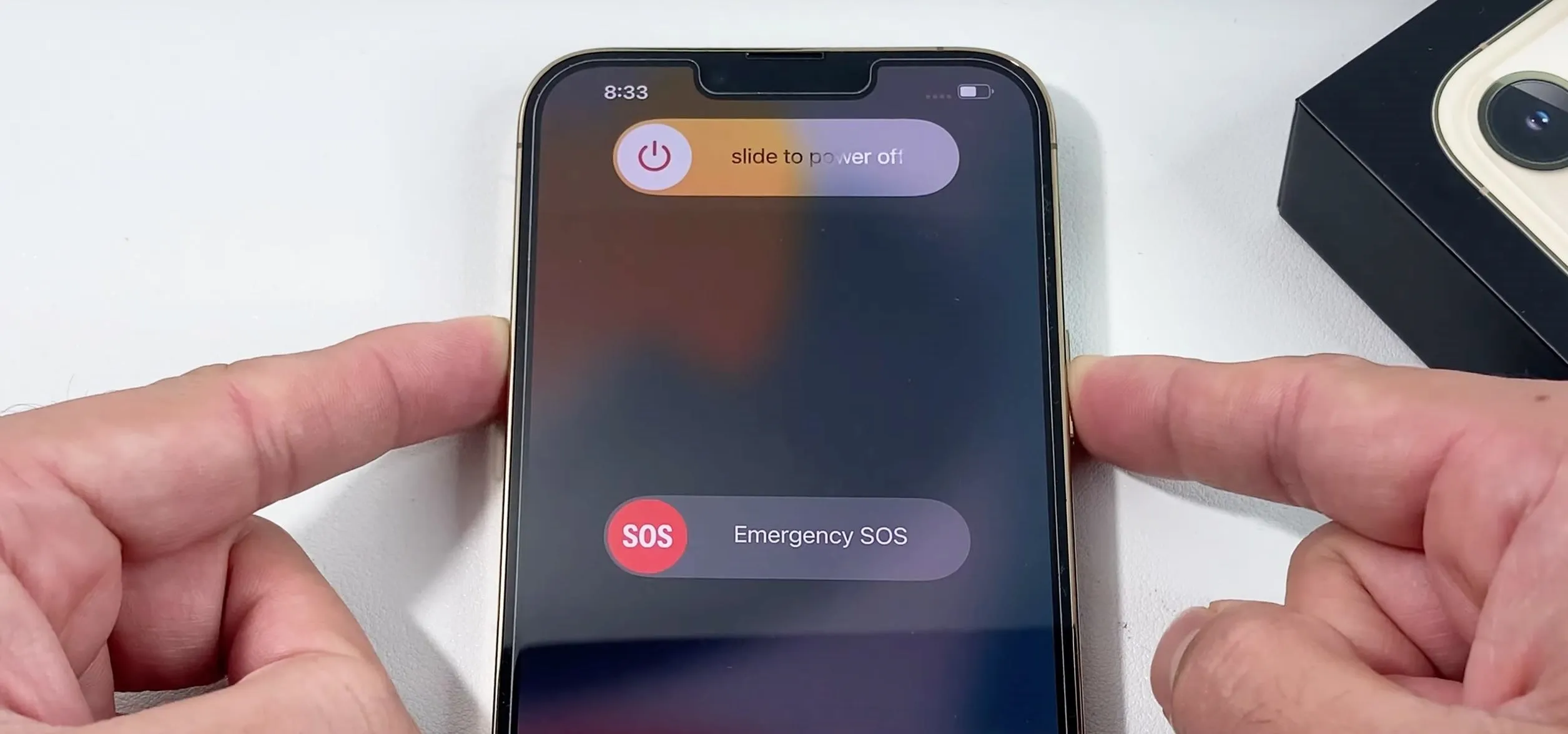
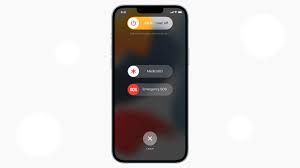
To initiate the power off process, simultaneously press and hold the side button and one of the volume buttons (either the volume up or volume down button) on it. Hold both buttons down at the same time until the “slide to power off” slider appears on the screen.
Step 3: Slide to Power Off;
How to turn off iphone
Once the “slide to power off” slider appears, release the side button and volume button. You can then use your finger to slide the slider from left to right to power off.
After sliding the power off slider, your phone will begin the shutdown process. Depending on your device model and any ongoing tasks, this process may take a few moments. Once shut down, your iPhone’s screen will go completely black, indicating that it is powered off.
Power On Your iPhone;
How to turn off iphone
To power on again, simply press and hold the side button until the Apple logo appears on the screen. Your device will then boot up, and you can use it as usual.
Summary
utilize the physical buttons, go through Settings, or utilize Siri to quickly shut off your phone.

Tips for resettting refrigerator compressor. Resetting your refrigerator compressor is a fairly easy procedure that can assist fix a lot of typical problems with your equipment. You may securely reset your compressor and get your refrigerator operating again by following the instructions in this guide. Always put safety first, and seek professional advice if you run into any challenges or ongoing issues with your refrigerator.
TIPS FOR RESETTING REFRIGERATOR COMPRESSOR
A malfunctioning refrigerator compressor can be a real headache, causing your food to spoil and your energy bills to soar. Fortunately, many compressor issues can be resolved by simply resetting the unit. Unplug the refrigerator (or switch the circuit breaker) for ten minutes to clear electrical faults and recalibrate the sensors in order to reset a refrigerator compressor. Make sure the internal temperature controls are correctly adjusted when the power is restored, and listen for the compressor to hum and vibrate smoothly.
In this guide, we’ll walk you through the steps to reset your refrigerator compressor safely and effectively.
Step 1: Unplug the Refrigerator

Before attempting any repairs or resets, always unplug the refrigerator from the power source. This step is crucial for your safety and prevents any electrical mishaps.
Step 2: Locate the Compressor
The compressor is typically located at the back of the refrigerator, near the bottom. It’s a large, cylindrical component with metal tubes and wires attached to it. Once you’ve located the compressor, take a moment to inspect it for any visible signs of damage or wear.
Step 3: Access the Reset Button
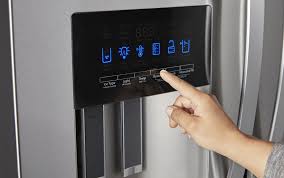
Some refrigerators come equipped with a reset button on the compressor itself. Look for a small button or switch near the base of the compressor. If your compressor has a reset button, proceed to step 4. If not, skip to step 5.
Step 4: Press the Reset Button;
Using a small tool such as a pen or pencil, press and hold down the reset button for approximately 10-15 seconds. You may hear a clicking sound as the compressor resets. Once you’ve held the button down for the specified time, release it and proceed to step 6.
Step 5: Power Cycle the Refrigerator

Tips for resettting refrigerator compressor
If your refrigerator does not have a reset button on the compressor, you can perform a manual reset by power cycling the unit. To do this, leave the refrigerator unplugged for at least 10-15 minutes. This allows the compressor to fully discharge any built-up electrical charge. After the waiting period, plug the refrigerator back in and proceed to step 6.
Step 6: Test the Refrigerator
Once the compressor has been reset, plug the refrigerator back in and wait for it to power up. Listen for any unusual noises or vibrations coming from the compressor. Additionally, monitor the temperature inside the refrigerator to ensure that it begins to cool properly.
Step 7: Monitor for Continued Issues

Tips for resettting refrigerator compressor
After resetting the compressor, keep an eye on your refrigerator for any signs of recurring problems. If the compressor continues to malfunction or if you notice any other issues with your refrigerator, it may be time to consult a professional technician for further diagnosis and repair.
Summary
The “heart” of your refrigerator is the compressor. It serves as a pump that moves refrigerant throughout the system, compressing it from a cool, low-pressure state to a hot, high-pressure state. Through this process, heat from the refrigerator is absorbed and released outside.
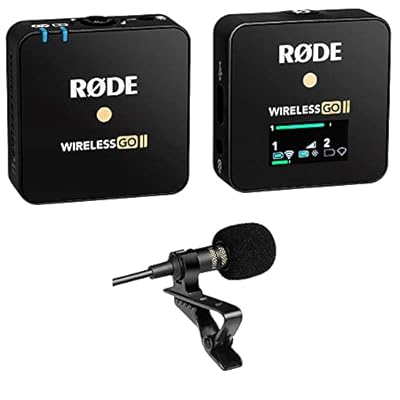
Best podcast microphone. Because of its portability, the Rode Wireless Go has made a name for itself in the podcasting industry. dependable performance, flexible connectivity, sound quality, and ease of use. It is the perfect option for podcasters who want to improve their audio production because of these capabilities. without the limitations and complications of conventional wired systems. Tools like the Rode Wireless Go will probably continue to be crucial for producers looking to create excellent content as podcasting grows as a medium.
BEST PODCAST MICROPHONE
Your setup and money will determine which podcast microphone is ideal for you. The Fifine K688 and Samson Q2U are excellent choices for novices. The Rode PodMic USB is a great all-in-one option, but the Shure SM7B is the industry standard for high-quality, broadcast-style audio. In the rapidly evolving world of podcasting, audio quality remains paramount. Among the myriad of microphone options available, the Rode Wireless Go has emerged as a favorite for many podcasters. Here are five compelling reasons why this wireless microphone system is a top choice.
1. Portability and Convenience;
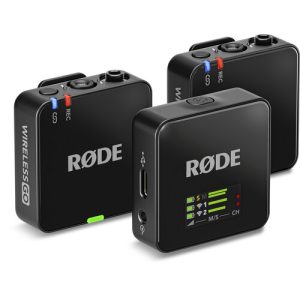
The Rode Wireless Go is renowned for its compact and lightweight design, making it incredibly easy to transport and set up. Each unit is roughly the size of a matchbox, which means podcasters can carry it anywhere without the bulk typically associated with high-quality audio equipment. This portability is particularly beneficial for podcasters who frequently record on the go or in various locations, ensuring they can maintain professional sound quality without being tethered to a studio.
2. Exceptional Sound Quality;
Despite its small size, the Rode Wireless Go delivers impressive sound quality. It features a built-in omnidirectional condenser microphone, which captures clear and natural audio. Additionally, it offers a high signal-to-noise ratio, reducing background noise and ensuring that voices come through crisply and cleanly. This level of audio fidelity is crucial for podcasters aiming to provide their audience with a professional listening experience.
3. User-Friendly Operation;
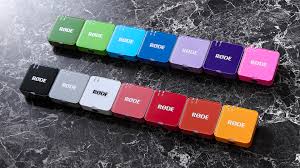
Best podcast microphone
One of the standout features of the Rode Wireless Go is its ease of use. The system includes a transmitter and receiver that pair instantly upon activation. There’s no need for complicated setups or technical know-how, making it accessible for beginners and experienced podcasters alike. The intuitive LCD screen on the receiver displays all essential information, such as battery life and signal strength, allowing users to monitor their setup effortlessly.
4. Versatile Connectivity;
However, the Rode Wireless Go offers versatile connectivity options, which is a significant advantage for podcasters. It can be used with a variety of devices, including DSLR cameras, smartphones, tablets, and computers. This flexibility is facilitated by the 3.5mm TRS output on the receiver, which can be connected to a wide range of recording devices with the appropriate cables.
5. Reliable Performance;
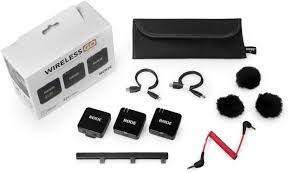
Best podcast microphone
Also, for podcasters, reliability is key. The Rode Wireless Go boasts a stable and robust wireless connection with a range of up to 70 meters (about 230 feet) in optimal conditions. This ensures that the audio remains consistent and uninterrupted, even when the podcaster moves around. The built-in rechargeable batteries provide up to 7 hours of operation on a single charge.
Summary
A transducer that transforms sound waves into electrical impulses is called a microphone. Telecommunications, broadcasting, content creation, live sound, and consumer electronics like laptops and smartphones are just a few of the applications that use it to record, transmit, and collect audio.

Nivea body wash for men

Business maintenance

Athlete conviction of murder

A Step-by-Step Guide to Deleting Reels on Instagram

A Comprehensive Guide to Setting Up a YouTube Premiere

How to Create a WhatsApp Group
-

 Health4 weeks ago
Carbonated drinks side effects
-

 Business4 weeks ago
Smart ideas for business startups
-

 Deodorants4 weeks ago
Reasons for wearing deodorants
-

 Deodorants3 weeks ago
Reviewing tom ford oud
-

 Deodorants4 weeks ago
Review for saint laurent black
-

 Deodorants3 weeks ago
Varieties of perfumes for men
Pingback: Things Fall apart review