TECHNOLOGY
Phone charging mistakes

Phone charging mistakes. Use original or high-quality chargers, prevent excessive heat, and maintain charge levels between 20% and 80% to extend the life of your phone’s battery. Lithium-ion batteries are sometimes stressed when they are charged to 100% or allowed to drop to 0%, but their lifespan can be greatly increased—or even doubled—by restricting it to 80–85% (using built-in phone capabilities).
PHONE CHARGING MISTAKES
To charge your phone, insert a USB-C or Lightning cable that is compatible with the phone’s port and attach it to a power adapter that is plugged into a wall outlet. Use the original charger, store the phone somewhere cool, don’t use it, or activate Airplane Mode for quicker charging. By setting compatible devices on a charging base, wireless charging is another option.
1. Using Your Phone While It’s Being Charged;


Our dependence on our phones is great that we use them constantly, even when they are charging. When our mobile phones are charged, we use them a lot, which can strain the batteries. So try unplugging a call or sending someone a message.
2. Leaving Charger Attached To The Socket After Removing Mobile From It;
Maintaining a cellphone charger permanently plugged into the power can raise your electricity costs. In addition, it continues to release hear, which harm your charger and may possibly result in a short circuit.
3. Leaving Your Phone In A Case While Charging;


Phone charging mistakes
Our phone’s battery heats up during charging, and if we keep it covered or in a case, the heat gets trapped inside the device and damages the battery.
4. Installing Battery Saving Apps ;
The Google Play Store offers a wide selection of free battery-saving apps. You download them in the hopes that they may extend the life of your battery. However, in actuality, the majority of them likely to drain your battery more. Therefore, downloading these kinds of apps to your phone is not advised.
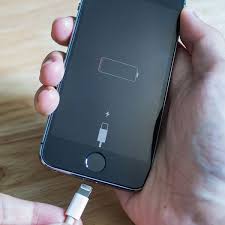
5. Allowing The Battery To Die Fully Before Charging;

Phone charging mistakes
As you may know, a notification to charge your phone appears when the battery is less than 20%. Consider the alert carefully, and make sure your phone is completely charged before using it again.This will shorten the battery’s lifespan. Additionally, avoid charging your battery more than 80% for regular use. However let your phone’s battery run completely flat for a month and then recharge it to 100% again.
Summary
We can prolong the charging process and increase the battery’s lifespan by avoiding the mistakes outlined below when charging our cellphones.