Social media
Tactics on how to Increase Snapchat Views


Tactics on how to increase snapchat views. Snapchat’s significance cannot be understated, even though Instagram and TikTok appear to be ruling the social media landscape. It boasts upscale brands, fervently devoted users, and the capacity to naturally engage with niche markets. Similar to Instagram, Snapchat’s economy is based on how many followers and views your photos get.
TACTICS ON HOW TO INCREASE SNAPCHAT VIEWS
Many businesses have been quick to recognize that Snapchat is still one of the most popular social media platforms in the world today. There are many different ways to start using Snapchat to support your marketing efforts, ranging from promoting forthcoming events to strengthening their relationship with their community.
1. The spotlight

Following suit, Snapchat now offers Spotlight, a tool for short-form videos. Instagram Reels and TikTok are different in that Spotlight compensates you for your performance. There is a dedicated creative fund that will compensate you if your video is the most viewed that week after you post it and it becomes viral. Therefore, you can share a humorous video on Spotlight and earn money rather than sharing it with a friend or follower.
2. Snapchat+

Join the Snapchat+ membership program if you’re serious about using growth hacking and elevating Snapchat to a top platform. With the special features and content that the subscription delivers, you’ll have a leg up in impressing your followers. Additionally, Snapchat is still focused on its users’ development, so a bit more support can’t hurt.
3. Collective Narratives
You might collaborate with friends and family to create a series of stories using Custom Stories. Not useful if you’re attempting to expand your following, but ideal for a wedding or reunion. With Snapchat’s “Shared Stories,” followers can now contribute to the topic of your story. This is the ideal tool for product demonstration, audience collaboration, and feedback gathering. Giving members or Patreon supporters access to your unique Shared Story is another application concept.
4. Modify your profile images
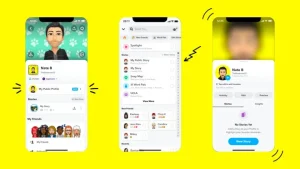
Getting people to visit your account is the first step to increasing the number of views on Snapchat. Since Snapchat doesn’t have an organic search feature outside of Spotlight, finding other users can be challenging. However, you can add users who are not on your contact list by using their username or “Snapcode.” In essence, a Snapcode is a QR code that is specific to your account and coincidentally serves as your Snapchat profile picture. Your account will be instantly added by Snapchat if someone snaps a photo of your Snapcode. This implies that you should update your profile photos right away if you want to increase your Snapchat following.
5. Share Content
Regularly Similar to Instagram, you will gain more followers and views the more posts you make. The most recent public story on Snapchat appears first in your followers’ feed and is arranged chronologically. This implies that you should publish as often as you can to be at the top of your followers’ feeds if you want more views on Snapchat. However, that doesn’t mean you should bombard your followers with snap after snap of ill-considered content that only serves to irritate them. Developing a strong content strategy is essential to any successful social media marketing approach.
6. Always Provide Value

When it comes to producing high-quality content, However, the characteristics of your business and your target market will determine what constitutes exceptional value. You can get away with posting pictures of your personal life if you’re famous since your admirers will appreciate your regular antics. You might want to reconsider that content strategy if you’re not a star. As usual, educating your audience is the simplest method to add value.
Summary
The kind of audience you want to build will determine the kind of material you share on Snapchat. People will be more eager to interact with you if you embrace your eccentricities, opinions, and style. Additionally, consider the specialized audiences and subjects in which you can engage given your background or areas of interest.

The Good and Bad of Facebook. This media handle is a helpful tool for promoting businesses, occasions, and products. Because it gives you instant access to a big number of potential customers, it is also an excellent tool for marketing research. It has also given people a way to interact with friends and family, socialize, and create new relationships.
THE GOOD AND BAD OF FACEBOOK
Facebook makes it easier for individuals, companies, and students to communicate. It’s a place where people may talk to each other about their lives. However, there are additional disadvantages to using the social media site, such as the potential for harassment and theft of personal information. The following are other Facebook Advantages and Disadvantages:
1. Establishing contact

The Good and Bad of Facebook
It is possible to communicate with students worldwide using Facebook. Friends and relatives can stay in touch with you no matter where you are in the world. Students can utilize it to communicate with fellow students..
2. Information
The most popular medium for people to regularly share information is Facebook. The same is applicable to educational settings as well. By setting up a Facebook group, kids will be able to communicate with their peers.
3. News Unlike our ancestors
students can watch news without turning on the TV or reading the morning papers. Students only need to follow a Facebook page to get the most recent headlines and news.
4. Expressing Talent

The Good and Bad of Facebook
Students can use Facebook as a forum to display both their academic work and other talents. It may be a means of revealing your latent abilities. For example, students can make a Facebook page where they showcase their photographic abilities.
Demerits
1. Substance abuse
It has many positive consequences on our access to news and information, but it can also have detrimental affects on students’ education. It is well known that Facebook is an extremely addictive platform.
2. Intolerant
The majority of it users are teenagers who are more interested in their own world. In their haste to get more friends and followers, they may neglect to engage with the actual world.
3. Profanity
There is still some vulgarity on it. It is possible for minors, especially teens, to be exposed to such offensive content without their parents’ awareness. It makes every precaution to avoid vulgarity, yet some sites and groups continue to disseminate obscene content and encourage violence.
4. Bullying on the Internet

On Facebook, some students also experience cyberbullying. Online, people can engage in the same kinds of body-shaming, racial, and religious abuses that occur in communities and schools. Children are more frequently subjected to these forms of harassment than adults.
Summary
It is a major player in the modern world, with almost 2 billion active users each month. Additionally, it’s still growing, and as more people rely on their social media accounts for news, this tendency is certain to continue.

Networking Sites for Social Media. Social networking services are meant to help people who have similar interests and hobbies interact and form networks. These websites let users to create online profiles that include personal information such as name, age, hobbies, place of origin, and, sometimes in the case of Myspace, musical preferences. This allows users to search for specific types of people to connect with.
NETWORKING SITES FOR SOCIAL MEDIA
Internet-based tools and platforms that enable individuals to interact, exchange ideas, and create online communities are referred to as social media. Most social networking sites have a messaging feature that allows users to share information and communicate with friends.
Positive Implications;

1. Improved Interaction and Communication In the study, enhanced communication is defined as “the kind of communication that is more improved, advanced in a certain way,” while connectivity is defined as “the capacity to be connected to the various forms of communication in various ways at various times.” It’s clear that social networking has improved and progressed communication beyond all previous levels.
2. Although, chances for Development on the Personal and Professional Level First of all, it is acknowledged that the different experiences and opportunities offered by social networking sites can promote and enhance both professional and personal growth.
Negative implications;

Networking Sites for Social Media
1. However, dependency and Time Investment The first section of the study focuses on the excessive usage of social networking sites and highlights many of their harmful effects. Numerous people have been reported to have developed an addiction to social media platforms including Facebook, Instagram, and Twitter.
More Implications;

Networking Sites for Social Media
2. Also, concerns about Security and Privacy Social media contributes to privacy invasions in addition to the privacy issues already discussed. Users provide their personal information voluntarily, however any information obtained without consent raises a privacy breach complaint. Due to the online discussion that social networking sites foster, younger users may not grasp or may not understand the importance of privacy. The amount of time spent on social sites is astounding.
Summary
Social networking sites are online platforms that facilitate communication, content sharing, and community building.

Social Media Influencer Requirements. To become a social media influencer, pick a topic you are passionate about, pick one or two platforms, such as Instagram or TikTok, and regularly share entertaining or useful videos. Responding to comments can help you establish a genuine relationship with your audience. You can also master audience building tactics by taking digital marketing courses.
SOCIAL MEDIA INFLUENCER REQUIREMENTS
A social media user who has built credibility in a particular area is known as a social media influencer. Because of their reach and credibility, these content producers can influence others and increase social media engagement by disseminating information to a wide audience.
Who is an Influencer?

An influencer, often known as a social media influencer, What Are Influencers? is a person who uses social media platforms to sway purchasing decisions. Promising influencers usually provide value on social media by way of high-quality material.
How to Become an Influencer
1. Finish the fundamental business tasks. Starting your influencer brand with the same mindset as a business is a crucial first step. Using business strategies will help you consistently draw in customers and make money. 2. Determine your specialty. An influencer can target a highly precise consumer market segment online by creating a niche. In addition to the demographics (age, geography, income, etc.) and psychographics (values, beliefs, interests, etc.) of your target audience, your niche may be founded on a certain type of material that you would post on social media.

2. Learn about your target group. After you’ve determined your specialty, study your target market through market research. In this manner, you can establish a strong relationship with your audience and provide insightful material that aligns with their objectives and areas of interest.
3. Establish your influencer company. Consider your influencer brand as an extension of your own personality, values, and passions; it’s a logical way to showcase your expertise in a certain field and open doors to commercial opportunities.
4. Examine your approach to content creation. Your social media posts are a major component of your influencer brand. Create a list of distinct content pieces that address various aspects of your category to begin developing a content strategy.

Social Media Influencer Requirements
5. Influencers can stimulate business expansion. The marketing potential is what gives influencers their power.
6. Write an outline of a business plan that meets your goals, summarizes what you offer, and analyzes competitor influencers in your category.
Summary
Discover how to develop your brand, motivate an audience, and understand the current social media landscape in order to become a social media influencer.

Adult Games for House Parties

Health Components of Citrus Fruits

Health Components of Lemon Fruits

A Step-by-Step Guide to Deleting Reels on Instagram

A Comprehensive Guide to Setting Up a YouTube Premiere