Camera
Tips for Bridge Cameras

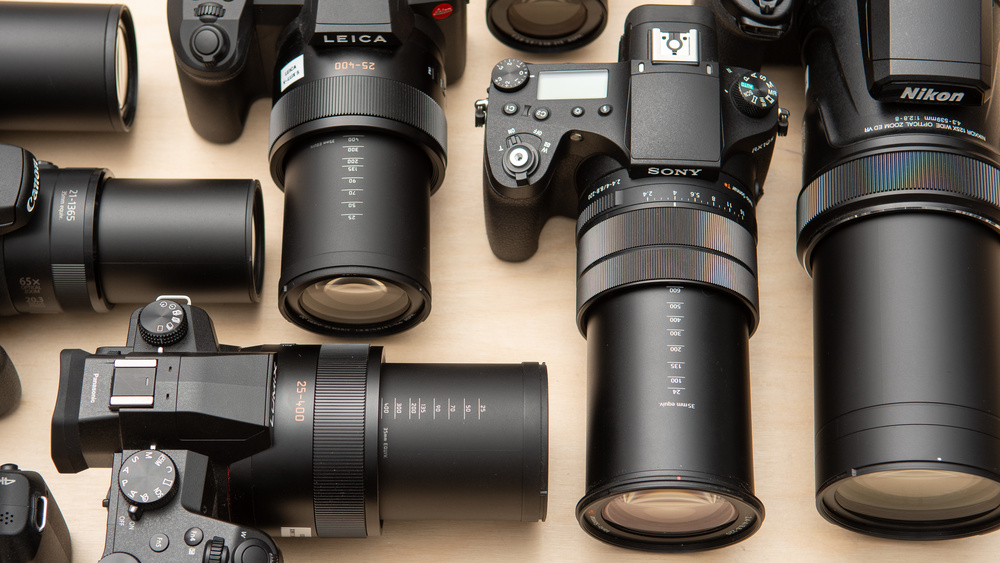
Tips for bridge cameras. To maximize the performance of a bridge camera, tuck it in at the elbows, use your non-dominant hand to support it, and utilize a tripod or monopod for extra stability, particularly when using high zoom. Avoid using your lens’s maximum zoom, which might produce softer images, and instead learn to use its entire range. For artistic effects, use camera settings like burst mode, focus peaking, and a tiny aperture () for depth of field. Additionally, don’t forget to use accessories like external flashes and polarizing filters.
TIPS FOR BRIDGE CAMERAS
Bridge cameras hold a special place in the photographic industry. providing a multipurpose, all-in-one solution that connects sophisticated interchangeable lens systems with small point-and-shoot cameras. because of their remarkable zoom powers, ergonomic designs, and features that are easy to use. Photographers who want simplicity, adaptability, and high-quality images prefer bridge cameras. Let’s look at some of the top choices if you’re looking to buy a bridge camera so you can make an informed choice:
1. Sony Cyber-shot RX10 IV;
TIPS FOR BRIDGE CAMERAS
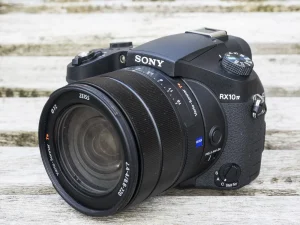
– Widely regarded as one of the best bridge cameras on the market, the Sony RX10 IV boasts a powerful 24-600mm equivalent zoom lens with a fast f/2.4-4 aperture.
– It features a 20.1-megapixel 1-inch Exmor RS stacked CMOS sensor, BIONZ X image processor, and advanced autofocus system with 315 phase-detection points for lightning-fast focusing.
– The RX10 IV offers 4K video recording, 24 frames per second continuous shooting, built-in Wi-Fi and NFC connectivity, and a tilting touchscreen LCD for easy composition and navigation.
2. Panasonic Lumix FZ1000 II;
TIPS FOR BRIDGE CAMERAS
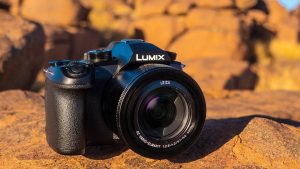
– The Panasonic FZ1000 II combines a versatile 16x zoom lens (25-400mm equivalent) with a 20.1-megapixel 1-inch MOS sensor and Venus Engine image processor for stunning image quality.
– It features 4K video recording at 30 frames per second, 5-axis Hybrid Optical Image Stabilization (OIS), and a high-resolution electronic viewfinder (EVF) with 0.39-inch OLED display.
– The FZ1000 II offers intuitive manual controls, customizable function buttons, built-in Wi-Fi and Bluetooth connectivity, and a 3-inch free-angle LCD touchscreen for flexible shooting angles.
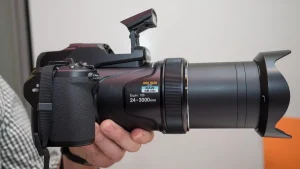
3. Nikon Coolpix P1000;
TIPS FOR BRIDGE CAMERAS
– The Nikon P1000 stands out for its impressive 125x optical zoom lens, equivalent to 24-3000mm in 35mm terms. Making it the ultimate superzoom bridge camera for capturing distant subjects.
– It features a 16-megapixel back-illuminated CMOS sensor, EXPEED image processor. And Dual Detect Optical VR (Vibration Reduction) for sharp, blur-free images and videos.
– The P1000 offers 4K UHD video recording, RAW file support, built-in GPS and Wi-Fi connectivity, and a high-resolution electronic viewfinder (EVF) with 0.39-inch OLED display.
4. Canon PowerShot SX70 HS;
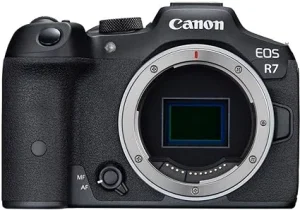
– The Canon SX70 HS combines a versatile 65x optical zoom lens (21-1365mm equivalent) with a 20.3-megapixel CMOS sensor and DIGIC 8 image processor for excellent image quality.
– It features 4K UHD video recording at 30 frames per second, 10 frames per second continuous shooting, and Dual Sensing IS for steady handheld shooting.
– The SX70 HS offers built-in Wi-Fi and Bluetooth connectivity, a 3-inch vari-angle LCD touchscreen. And a high-resolution electronic viewfinder (EVF) with 0.39-inch OLED display.
5. Fujifilm FinePix HS50EXR;

– The Fujifilm HS50EXR features a 42x optical zoom lens (24-1000mm equivalent) with optical image stabilization and a 16-megapixel 1/2-inch EXR CMOS II sensor for impressive image quality.
–
Summary
Take into account aspects like zoom range, image quality, performance, functionality, and price when selecting the ideal bridge camera for your requirements. Bridge cameras come in a variety of styles to fit your needs and make it easy for you to take beautiful pictures and movies, whether you’re an experienced photographer searching for a multipurpose travel companion or a novice looking for a simple all-in-one solution.




 Business registration tips. Choose a distinctive name (with backups!), use a business email, collect legitimate IDs (JPEG/PDF), fill out forms carefully to prevent mistakes, and be prepared for online payments and document uploads via your nation’s corporate register (such as Nigeria’s CAC) for a seamless business registration process. To avoid time wastage and expensive errors, always start with a name search and think about hiring an expert for complicated structures.
BUSINESS REGISTRATION TIPS
Choosing a structure (sole proprietorship, partnership, company), choosing and reserving a unique name, preparing documents (ID, address, objectives), applying online through a portal such as Nigeria’s CAC, paying fees (stamp duty, filing), and submitting everything for approval to obtain your legal certificate, granting your business legal identity and enabling financial/market access, are all steps in the business registration process.
Steps To Register Business;

Step 1:
Also, Look Up Names in CAC No two companies may operate under the same name.
You can simply perform a public check on the official website to make sure the name you have proposed is not already in use.
Step 2:

However, verify Availability and Make a Name Reservation It is imperative to acknowledge.
This is only the beginning and not the end. you have to apply for confirmation and permission that the name is not in use following the public search.
These are referred to as availability checks.
More;
Step 3:

BUSINESS REGISTRATION TIPS
However, Provide Information A variety of documents and certain information must be submitted with the Statutory form for registration.
These are listed in the following order: The approved name, the basic nature of the business,
the entire address of the main office and each subsidiary location, the projected start date of the firm,
passport-size photos of the proprietors, and the proficiency certificate are the first six requirements.
More Steps:
Step 4:

BUSINESS REGISTRATION TIPS
Upload Document CAC You must upload the application form.
Although, The application will be authorized after the reviews the supporting materials, and you will be notified of this.
Meanwhile, in Phase Five, Registration Certificate On the website, the owner of the newly registered business name would be able to download the following documents;
First, Certificate of Business Name Registration. Second, The Certificate of Trade Name Registration Application
In Nigeria, Renaming Business;

BUSINESS REGISTRATION TIPS
Also, prompt download of the documents and safe storage on a cloud storage account that you may later access is crucial.
Following an introductory period. After your business has been registered successfully, it is very important to register the domain name
Summary
Although, Nigerian business names and registrations. CAC in Nigeria may be the easy answer if you want to formalize your business at a fair price. The requirements are straightforward, there aren’t many technicalities, and there aren’t many compliance reporting requirements.

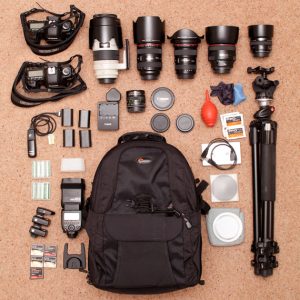
Tips for keeping cameras safe. Camera equipment is not easily replaceable and is not cheap. Additionally, although some of the types are more durable than others, they are still quite prone to breaking. In other words, neglecting your equipment could result in a challenging situation where you have to pay thousands of dollars or, worse, have your trip ruined. It’s essential to photography to keep your camera equipment safe and in working order. To ensure that your camera stays in top shape even when you travel in dry, dangerous, or damp conditions, I’ve listed five tips below.
TIPS FOR KEEPING CAMERAS SAFE
Use a cushioned camera bag, keep equipment on you at all times, and take preventative measures against weather and theft to keep cameras safe. Use accessories like lens hoods and UV filters to prevent damage to your equipment, and make sure you store it properly by cleaning it and taking the batteries out before putting it away for a long time. Be mindful of your surroundings at all times, and think about purchasing insuranc
1. Regularly clean, repair, and service;
TIPS FOR KEEPING CAMERAS SAFE
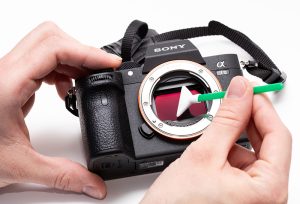
There is an old proverb that states, “Prevention is better than cure.” Therefore, maintaining the state of your camera is the first step towards making sure it is in good operating order. Develop the routine of cleaning your camera on a regular basis. It just takes a few minutes to clean a camera, and there are many excellent products available.
Just give your camera a quick wipe to remove any remaining dust and particles. Additionally, you should clean your lenses, but use caution—lens elements are easily scratched—and only use materials that are suitable with lenses.
Just give your camera a quick wipe to remove any remaining dust and particles. Additionally, you should clean your lense, but use
2. Be aware of the elements;

TIPS FOR KEEPING CAMERAS SAFE
Two of the main hazards your camera will encounter are water and sand. A few grains of sand may be very problematic, as anyone who has ever had their lens or sensor scraped by sand knows. Water, especially sea spray, can also create major problems. Thankfully, there are techniques to reduce the risk of sand and water damage to your camera when working in desert or coastal conditions.
3. Know your surroundings;
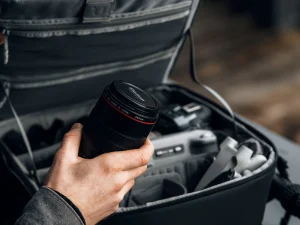
Theft can pose a serious risk to cameras, just as sand and water. Fortunately, you can prevent becoming a victim if you use a little prudence and common sense. Understanding your environment and acting appropriately in it are crucial
4. Store your equipment safely;
TIPS FOR KEEPING CAMERAS SAFE
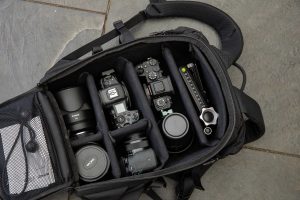
When not in use, take great care when storing it, ultimately, no of how often you snap pictures, there will be periods of time when you are without your camera (even of it’s only for the evening). Furthermore, sunshine and humidity can be problematic if you’re not careful. Steer clear of high humidity areas like damp basements and laundry rooms while keeping your equipment. Fungus can grow on your lens elements due to moisture, and it can cause havoc.
Summary
By no means is camera equipment inexpensive. This is an investment. More than that, though, it’s your ticket to documenting the beauty, history, and memories of the locations you visit. The last thing you want is to neglect a few basic safety measures and miss a shot—or worse, damage your camera.
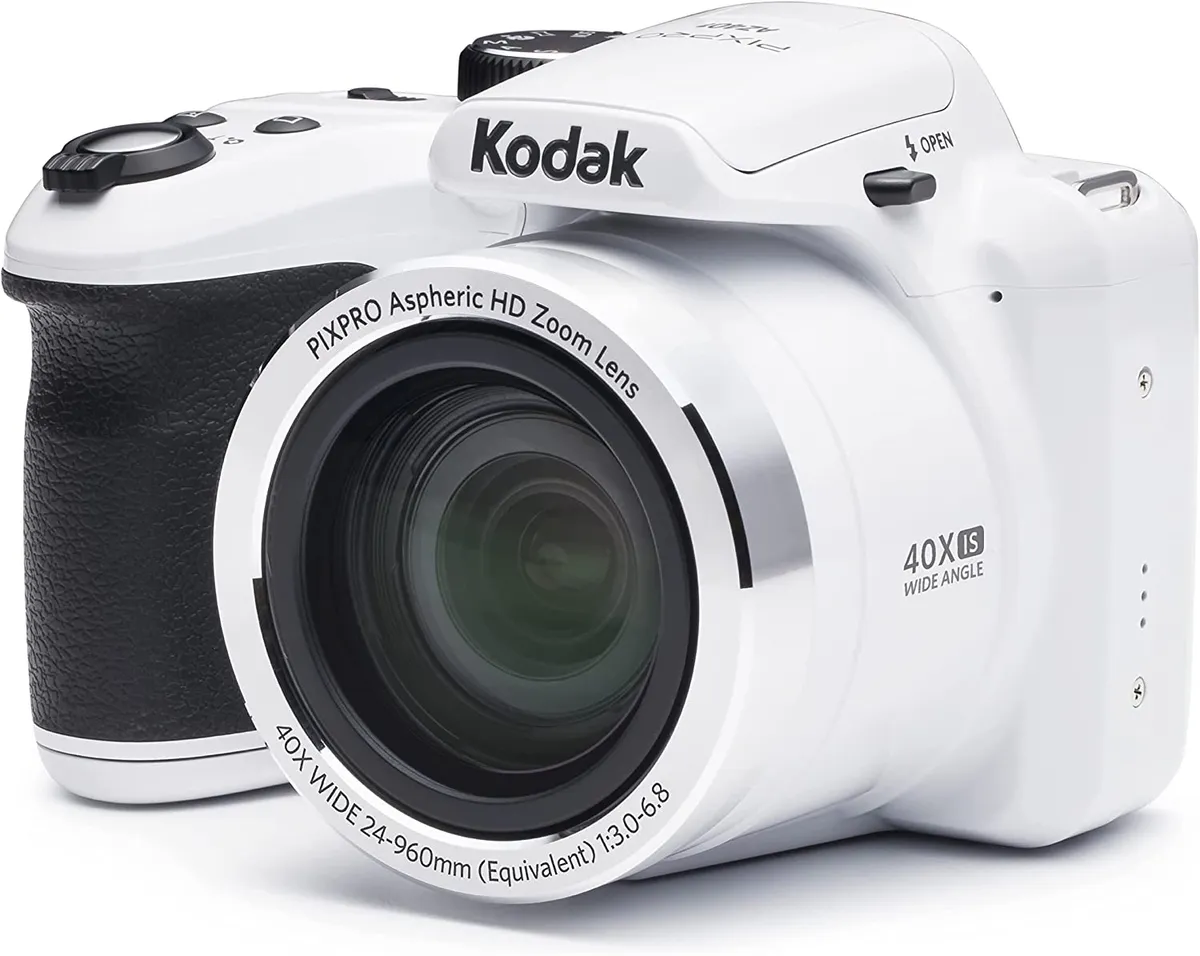
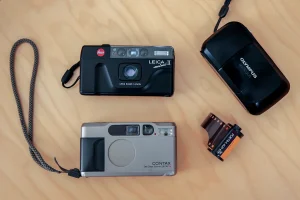
Tips for using point and shoot cameras. Point-and-shoot camera images can be improved by using natural light wherever possible, stabilizing the camera to reduce blur, and knowing how to utilize your flash (use it in low light, avoid it in bright daylight). Other pointers include reading your camera’s handbook to become familiar with its features, playing with different perspectives, utilizing optical zoom instead of digital zoom, and holding the shutter button halfway to lock focus.
TIPS FOR USING POINT AND SHOOT CAMERAS
Using a compact point-and-shoot camera can be straightforward, but there are common mistakes that users often make. Avoiding these pitfalls can help you get the most out of your camera and capture better photos. Here are six mistakes to avoid when using compact point-and-shoot cameras:
1. Ignoring Composition:
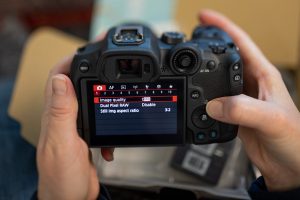
One of the most common mistakes is neglecting composition. Even with a compact camera, paying attention to composition principles like the rule of thirds, leading lines, and framing can significantly improve the quality of your photos. Take a moment to consider the framing and arrangement of elements within your frame before pressing the shutter button.
2. Not Adjusting Settings:
Compact cameras often have automatic modes that adjust settings like aperture, shutter speed, and ISO automatically. While convenient, relying solely on these modes can limit your creative control and result in suboptimal settings for certain situations. Take the time to explore the manual settings of your camera and learn how to adjust them to suit different lighting conditions and subjects.
3. Using Digital Zoom:

Tips for using point and shoot cameras
Compact cameras often come with digital zoom capabilities, which can extend the reach of your lens. However, digital zoom degrades image quality by interpolating pixels, resulting in loss of detail and increased noise. Instead of relying on digital zoom, try to get closer to your subject whenever possible or invest in a camera with optical zoom for better results.
4. Ignoring Lighting Conditions:

Tips for using point and shoot cameras
Lighting plays a crucial role in photography, and compact cameras can struggle in low-light situations. Avoid shooting in harsh midday sunlight or poorly lit environments without considering the impact on your photos. Experiment with different lighting conditions and learn how to use features like exposure compensation to adjust the brightness of your images.
7. Not Utilizing Image Stabilization:
Many compact cameras come with built-in image stabilization technology to reduce camera shake and blur, especially in low-light conditions or when using longer zoom lengths. However, some users may forget to activate this feature or may not realize its importance. Make sure to enable image stabilization when shooting handheld to ensure sharper images, particularly in situations where camera shake is more likely, such as when using slower shutter speeds or shooting at longer focal lengths.
8. Neglecting to Clean the Lens:

Tips for using point and shoot cameras
Compact cameras are often carried around in pockets, bags, or purses, which can expose the lens to dust, fingerprints, and smudges. These contaminants can degrade image quality by causing glare, flare, or softness in photos. To avoid this, regularly clean the lens with a soft microfiber cloth to remove any dirt or smudges. Additionally, consider using a lens cap or protective filter to shield the lens when not in use.
Summary
You can optimize your small point-and-shoot camera’s capabilities and make sure you’re always prepared to confidently and easily capture special moments by avoiding these extra blunders and exercising proactive control over your camera’s settings, upkeep, and accessories.

Water Contaminants

Rain Water Relevance

Amethyst Importance

A Step-by-Step Guide to Deleting Reels on Instagram

How to Create a WhatsApp Group