Camera
Tips for Bridge Cameras

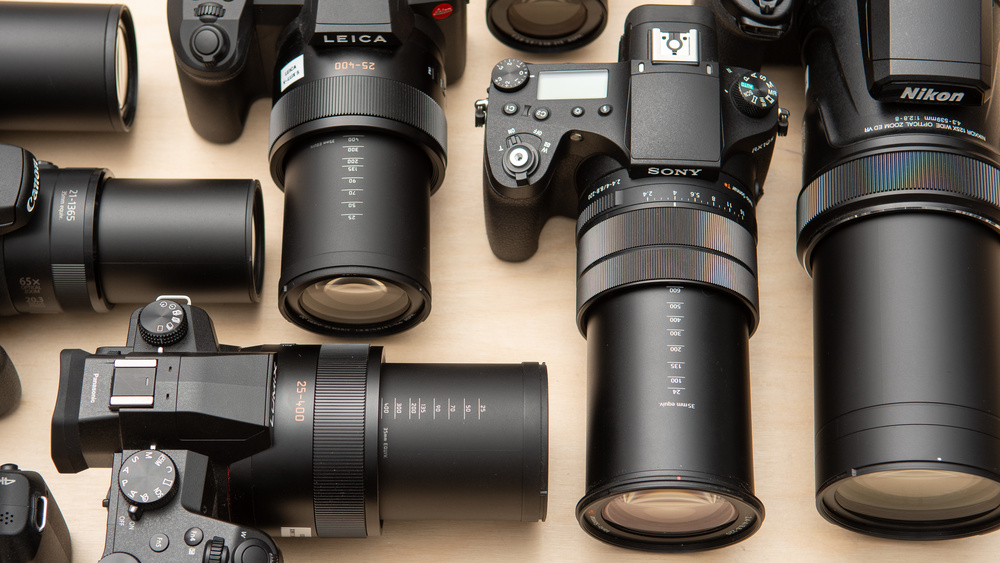
Tips for bridge cameras. To maximize the performance of a bridge camera, tuck it in at the elbows, use your non-dominant hand to support it, and utilize a tripod or monopod for extra stability, particularly when using high zoom. Avoid using your lens’s maximum zoom, which might produce softer images, and instead learn to use its entire range. For artistic effects, use camera settings like burst mode, focus peaking, and a tiny aperture () for depth of field. Additionally, don’t forget to use accessories like external flashes and polarizing filters.
TIPS FOR BRIDGE CAMERAS
Bridge cameras hold a special place in the photographic industry. providing a multipurpose, all-in-one solution that connects sophisticated interchangeable lens systems with small point-and-shoot cameras. because of their remarkable zoom powers, ergonomic designs, and features that are easy to use. Photographers who want simplicity, adaptability, and high-quality images prefer bridge cameras. Let’s look at some of the top choices if you’re looking to buy a bridge camera so you can make an informed choice:
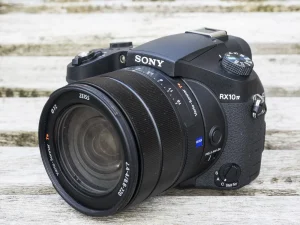
1. Sony Cyber-shot RX10 IV;
TIPS FOR BRIDGE CAMERAS
– Widely regarded as one of the best bridge cameras on the market, the Sony RX10 IV boasts a powerful 24-600mm equivalent zoom lens with a fast f/2.4-4 aperture.
– It features a 20.1-megapixel 1-inch Exmor RS stacked CMOS sensor, BIONZ X image processor, and advanced autofocus system with 315 phase-detection points for lightning-fast focusing.
– The RX10 IV offers 4K video recording, 24 frames per second continuous shooting, built-in Wi-Fi and NFC connectivity, and a tilting touchscreen LCD for easy composition and navigation.
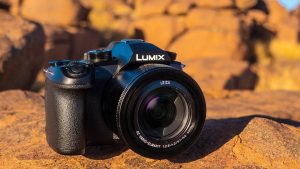
2. Panasonic Lumix FZ1000 II;
TIPS FOR BRIDGE CAMERAS
– The Panasonic FZ1000 II combines a versatile 16x zoom lens (25-400mm equivalent) with a 20.1-megapixel 1-inch MOS sensor and Venus Engine image processor for stunning image quality.
– It features 4K video recording at 30 frames per second, 5-axis Hybrid Optical Image Stabilization (OIS), and a high-resolution electronic viewfinder (EVF) with 0.39-inch OLED display.
– The FZ1000 II offers intuitive manual controls, customizable function buttons, built-in Wi-Fi and Bluetooth connectivity, and a 3-inch free-angle LCD touchscreen for flexible shooting angles.
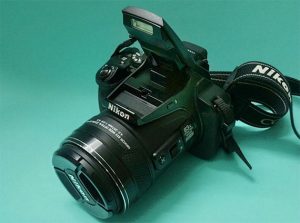
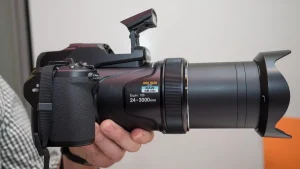
3. Nikon Coolpix P1000;
TIPS FOR BRIDGE CAMERAS
– The Nikon P1000 stands out for its impressive 125x optical zoom lens, equivalent to 24-3000mm in 35mm terms. Making it the ultimate superzoom bridge camera for capturing distant subjects.
– It features a 16-megapixel back-illuminated CMOS sensor, EXPEED image processor. And Dual Detect Optical VR (Vibration Reduction) for sharp, blur-free images and videos.
– The P1000 offers 4K UHD video recording, RAW file support, built-in GPS and Wi-Fi connectivity, and a high-resolution electronic viewfinder (EVF) with 0.39-inch OLED display.
4. Canon PowerShot SX70 HS;
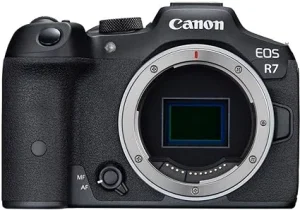
– The Canon SX70 HS combines a versatile 65x optical zoom lens (21-1365mm equivalent) with a 20.3-megapixel CMOS sensor and DIGIC 8 image processor for excellent image quality.
– It features 4K UHD video recording at 30 frames per second, 10 frames per second continuous shooting, and Dual Sensing IS for steady handheld shooting.
– The SX70 HS offers built-in Wi-Fi and Bluetooth connectivity, a 3-inch vari-angle LCD touchscreen. And a high-resolution electronic viewfinder (EVF) with 0.39-inch OLED display.
5. Fujifilm FinePix HS50EXR;

– The Fujifilm HS50EXR features a 42x optical zoom lens (24-1000mm equivalent) with optical image stabilization and a 16-megapixel 1/2-inch EXR CMOS II sensor for impressive image quality.
–
Summary
Take into account aspects like zoom range, image quality, performance, functionality, and price when selecting the ideal bridge camera for your requirements. Bridge cameras come in a variety of styles to fit your needs and make it easy for you to take beautiful pictures and movies, whether you’re an experienced photographer searching for a multipurpose travel companion or a novice looking for a simple all-in-one solution.



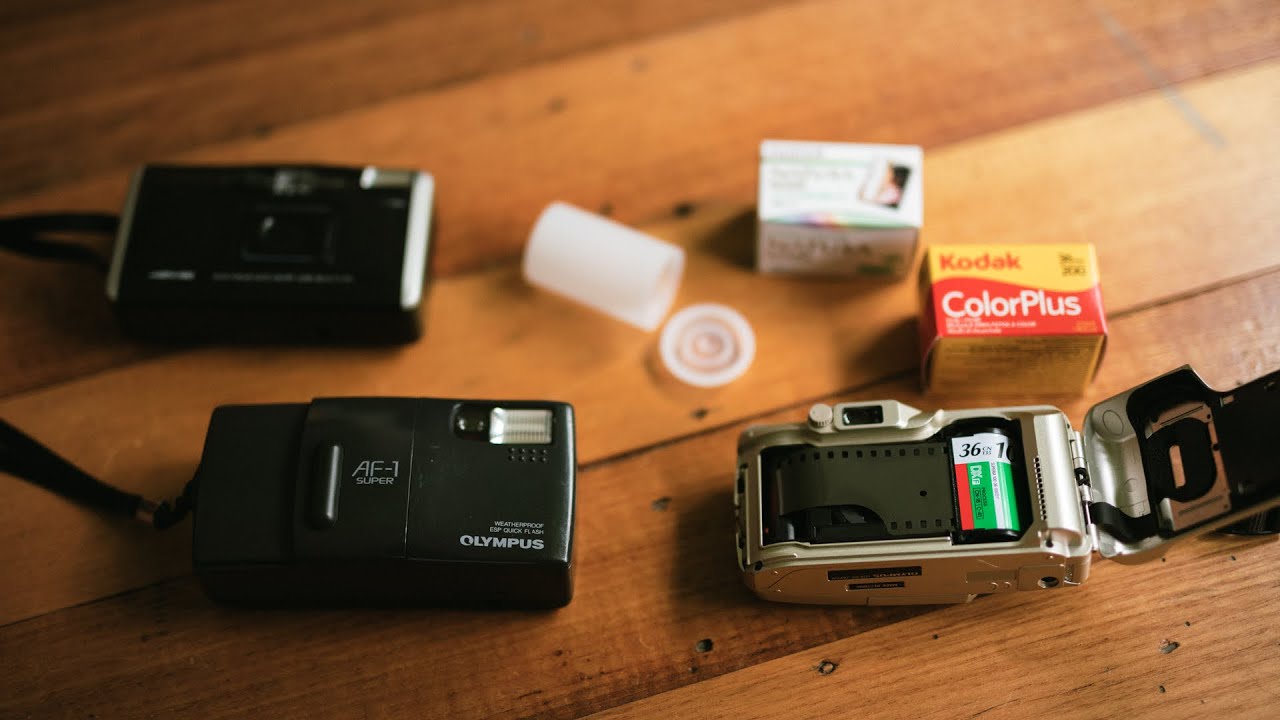
Tips for using point and shoot cameras. Numerous small cameras have adjustable menus, buttons, and settings that let users customize the camera to suit their shooting style and preferences. Nevertheless, some users might ignore or fail to utilize these customisation possibilities. Spend some time figuring out how to customize your camera to fit your shooting style. This can involve preserving user-defined shooting modes for particular situations, changing the menu structure for better navigation, or creating custom function buttons for fast access to frequently used parameters.
TIPS FOR USING POINT AND SHOOT CAMERAS
Using a compact point-and-shoot camera can be straightforward, but there are common mistakes that users often make. Avoiding these pitfalls can help you get the most out of your camera and capture better photos. Here are six mistakes to avoid when using compact point-and-shoot cameras:
1. Ignoring Composition:
One of the most common mistakes is neglecting composition. Even with a compact camera, paying attention to composition principles like the rule of thirds, leading lines, and framing can significantly improve the quality of your photos. Take a moment to consider the framing and arrangement of elements within your frame before pressing the shutter button.
2. Not Adjusting Settings:
Compact cameras often have automatic modes that adjust settings like aperture, shutter speed, and ISO automatically. While convenient, relying solely on these modes can limit your creative control and result in suboptimal settings for certain situations. Take the time to explore the manual settings of your camera and learn how to adjust them to suit different lighting conditions and subjects.
3. Using Digital Zoom:
Tips for using point and shoot cameras
Compact cameras often come with digital zoom capabilities, which can extend the reach of your lens. However, digital zoom degrades image quality by interpolating pixels, resulting in loss of detail and increased noise. Instead of relying on digital zoom, try to get closer to your subject whenever possible or invest in a camera with optical zoom for better results.
4. Ignoring Lighting Conditions:
Lighting plays a crucial role in photography, and compact cameras can struggle in low-light situations. Avoid shooting in harsh midday sunlight or poorly lit environments without considering the impact on your photos. Experiment with different lighting conditions and learn how to use features like exposure compensation to adjust the brightness of your images.
7. Not Utilizing Image Stabilization:

Tips for using point and shoot cameras
Many compact cameras come with built-in image stabilization technology to reduce camera shake and blur, especially in low-light conditions or when using longer zoom lengths. However, some users may forget to activate this feature or may not realize its importance. Make sure to enable image stabilization when shooting handheld to ensure sharper images, particularly in situations where camera shake is more likely, such as when using slower shutter speeds or shooting at longer focal lengths.
8. Neglecting to Clean the Lens:
Compact cameras are often carried around in pockets, bags, or purses, which can expose the lens to dust, fingerprints, and smudges. These contaminants can degrade image quality by causing glare, flare, or softness in photos. To avoid this, regularly clean the lens with a soft microfiber cloth to remove any dirt or smudges. Additionally, consider using a lens cap or protective filter to shield the lens when not in use.
Summary
You can optimize the potential of your tiny point-and-shoot camera and make sure that you’re always prepared to confidently and easily record special moments by avoiding these extra errors and being proactive in managing your camera’s settings, maintenance, and accessories.
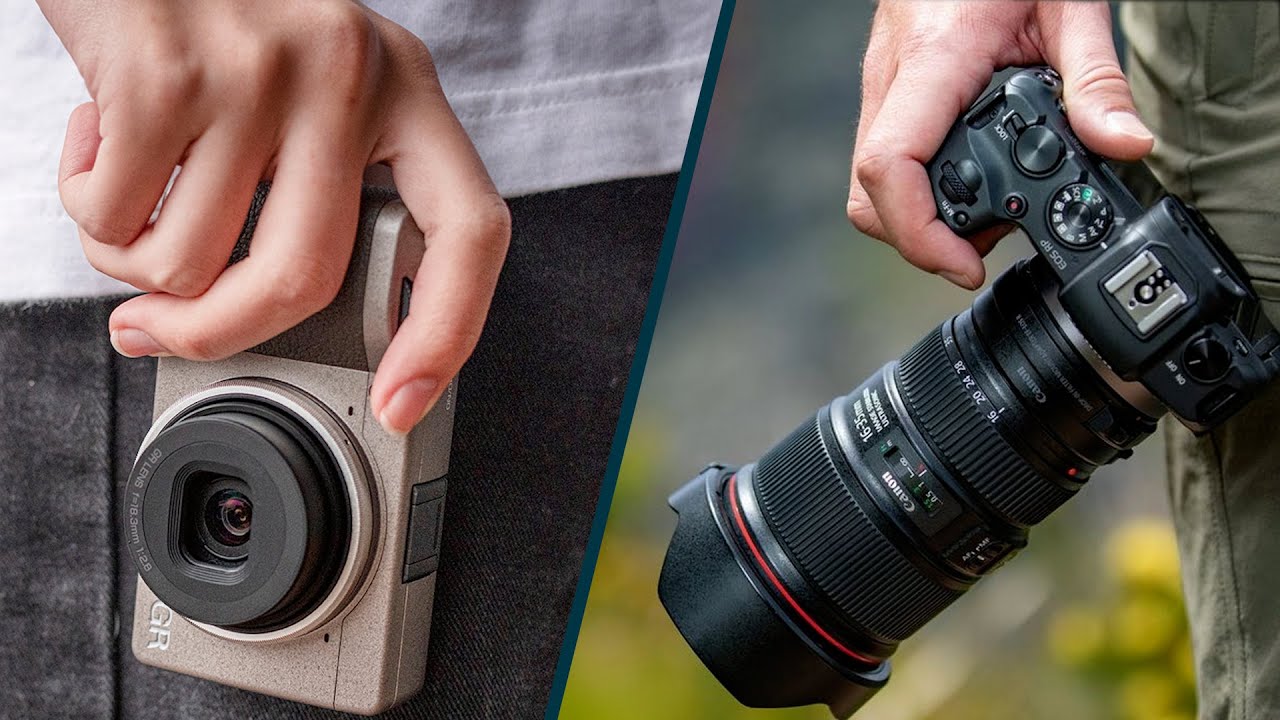
Demerits of compact cameras in photography. Compact cameras are portable and convenient, but they have a number of drawbacks that can make them unsuitable for some kinds of photography. Slower performance, limited zoom capabilities, and smaller sensor sizes are just a few examples. For more difficult photographic activities, a compact camera might not offer the versatility and image quality needed. However, these drawbacks might be acceptable trade-offs given the simplicity of use and convenience provided by small camera systems for travelers and casual photographers looking for a portable and user-friendly camera solution.
DEMERITS OF COMPACT CAMERAS IN PHOTOGRAPHY
The choice of camera ultimately comes down to the photographer’s preferences, shooting style, and particular needs for taking striking pictures.Travelers and casual photographers frequently use compact cameras, also known as point-and-shoot cameras, because of their portability and ease of use. Nevertheless, these cameras have several drawbacks that might make them unsuitable for more sophisticated photography, despite their small size and simplicity of use.
1. Limited Manual Controls;
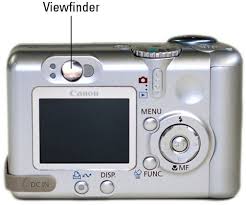
Unlike DSLR (Digital Single-Lens Reflex) or mirrorless cameras, which provide extensive manual control over settings such as aperture, shutter speed, and ISO, compact cameras often have limited manual controls. Although some models have some manual adjustment capabilities, these are usually limited, making it difficult for the photographer to fine-tune settings for best results under various shooting scenarios.
2. Small Sensor Size;
Compact cameras are equipped with smaller image sensors compared to their DSLR and mirrorless counterparts. This smaller sensor size can result in reduced image quality, especially in low-light conditions, as smaller sensors tend to produce more noise and have lower dynamic range. Additionally, compact cameras may struggle to achieve the shallow depth of field desired for creative effects like bokeh.
3. Limited Optical Zoom Range;
Demerits of compact cameras in photography
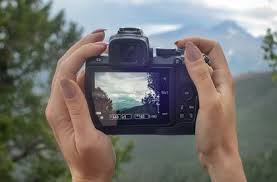
While compact cameras are designed to be lightweight and portable, this often comes at the expense of optical zoom capabilities. Many compact cameras feature fixed or modest zoom lenses with limited focal lengths, making them less versatile for capturing distant subjects or achieving dramatic perspectives. While digital zoom can extend the apparent zoom range, it often compromises image quality and detail.
4. Slower Performance;
Compact cameras are generally slower in terms of autofocus speed, shutter lag, and overall responsiveness compared to more advanced camera systems. This can be particularly frustrating when photographing fast-moving subjects or trying to capture spontaneous moments, as the delay between pressing the shutter button and capturing the image may result in missed opportunities.
5. Limited Creative Control and Customization;
Demerits of compact cameras in photography
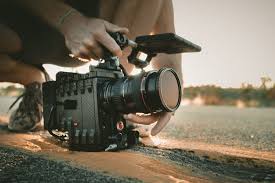
While compact camera excel in simplicity and ease of use, they may lack the advanced features and customization options desired by experienced photographers. Features such as interchangeable lenses, customizable function buttons, and advanced shooting modes are often absent or limited in compact camera models, restricting creative expression and adaptability in various shooting scenarios.
Summary
Although small sensors limit low-light performance and dynamic range, fixed lenses limit creative versatility, and the lack of sophisticated manual controls can impede professional-level photography, compact cameras are incredibly portable and convenient.
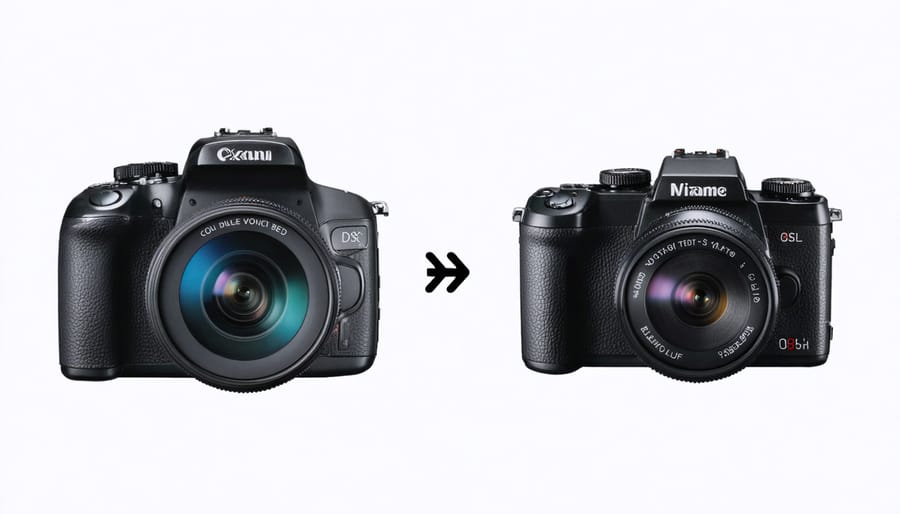
Mirrorless cameras demerits in photography. Despite these drawbacks, mirrorless cameras are a popular option for many photographers due to their many benefits, which include silent shooting, real-time exposure previews, and compactness. However, before purchasing a mirrorless camera system, it’s crucial to thoroughly analyze the advantages and disadvantages as well as your unique photographic requirements and preferences. These drawbacks might eventually lessen as mirrorless technology continues to progress and camera makers’ support grows, further establishing mirrorless cameras as a practical choice for photographers of all skill levels.
MIRRORLESS CAMERAS DEMERITS IN PHOTOGRAPHY
Modern photography is dominated by mirrorless cameras, yet there are clear trade-offs because of their reliance on continuous electrical systems. Significantly reduced battery life, extremely sensitive sensors during lens changes, and the absence of an optical viewfinder (OVF) are some of the main drawbacks.
1. Limited Battery Life;
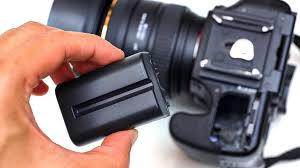
Mirrorless cameras rely on electronic viewfinders (EVFs) or rear LCD screens for composing and reviewing images, which consume more power compared to optical viewfinders found in DSLR cameras. As a result, mirrorless cameras often have shorter battery life, requiring photographers to carry extra batteries or recharge more frequently, especially during extended shooting sessions or when using power-intensive features like continuous autofocus.
2. Limited Lens Selection and Availability;
While the lens ecosystems for mirrorless camera have expanded rapidly in recent years, they may still lag behind DSLR systems in terms of lens variety and availability, particularly for specialized or niche lenses. Additionally, some mirrorless camera manufacturers offer proprietary lens mounts, limiting compatibility with third-party lenses and accessories compared to the more established DSLR lens market.
3. Potential for Overheating;
Mirrorless cameras demerits in photography
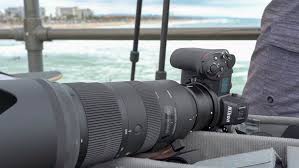
Mirrorless camera employ electronic viewfinders and sensor-based autofocus systems that can generate heat during prolonged use, particularly when shooting high-resolution video or capturing bursts of images in rapid succession. In certain environmental conditions, such as extreme heat or direct sunlight, mirrorless cameras may be prone to overheating, leading to performance degradation or temporary shutdowns to prevent damage to internal components.
4. Ergonomic Considerations;
Mirrorless cameras demerits in photography
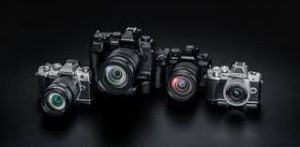
While mirrorless camera are praised for their compact size and lightweight design, these attributes can also be a double-edged sword in terms of ergonomics and handling comfort, especially for photographers with larger hands or those accustomed to the grip and balance of traditional DSLR cameras. The smaller form factor of mirrorless cameras may make them less stable when paired with larger lenses, leading to potential hand fatigue or difficulty maintaining steady shots over extended periods.
Summary
Because of their small size, cutting-edge technology, and adaptability, mirrorless cameras have become more and more popular in recent years. Before making a purchase, photographers should take into account their disadvantages, just like any other camera system.

Torchlight Selection

Best Practices for Face Exfoliation

Chemical Face Exfoliation

A Step-by-Step Guide to Deleting Reels on Instagram

A Comprehensive Guide to Setting Up a YouTube Premiere