Scheduling
Tips for Using Calendly


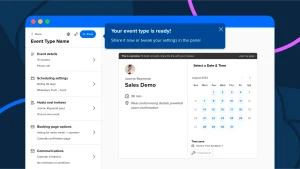
Tips for using calendly. Connect your calendar or calendars to Calendly in order to prevent double booking and to provide your precise availability hours. For smooth virtual meetings, connect to a conferencing platform like Zoom or Google Meet and use Workflows to automate emails before and after meetings. To manage your schedule, think about including buffer intervals before and after meetings. You may also construct distinct Event Types for different meeting needs.
TIPS FOR USING CALENDLY
It is essential to effectively manage schedules in the fast-paced world of today. The procedure can be laborious and error-prone, whether you’re setting up personal appointments, team catch-ups, or client meetings. Presenting Calendly, a potent scheduling tool made to streamline the procedure and conserve your time. We’ll look at how to utilize Calendly efficiently in this article to improve productivity and organize your calendar.
1. Sign Up and Set Up
TIPS FOR USING CALENDLY
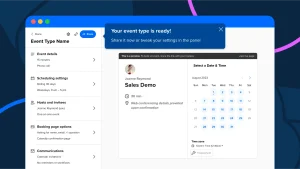
Begin by signing up for a Calendly account. Once you’re logged in, you’ll need to set up your availability preferences. This includes specifying your working hours, preferred meeting durations, and any buffer times you need between appointments.
2. Customize Your Calendly Page
Personalize your Calendly page to reflect your brand and personality. You can customize the colors, add your logo, and write a brief bio or description to give visitors an overview of what you offer.
Scheduling Meetings with Calendly;
1. Share Your Calendly Link
TIPS FOR USING CALENDLY
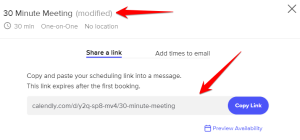
Once your Calendly page is set up, share the link with clients, colleagues, or anyone you need to schedule meetings with. You can include the link in your email signature, social media profiles, or directly in emails.
2. Set Meeting Types
Create different meeting types based on your needs, such as initial consultations, follow-up calls, or brainstorming sessions. For each meeting type, specify the duration, location (in-person or virtual), and any required information or forms attendees need to provide.
3. Automated Scheduling

TIPS FOR USING CALENDLY
With Calendly, you can say goodbye to the back-and-forth emails trying to find a suitable time for a meeting. Simply share your availability, and attendees can book a time that works for them from your calendar.
Managing Your Schedule;
1. Sync with Your Calendar
Calendly seamlessly integrates with popular calendar apps like Google Calendar, Outlook, and iCloud. This ensures that your schedule is always up-to-date, and avoids double bookings.
2. Set Limits
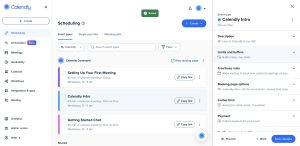
Prevent scheduling conflicts and burnout by setting limits on the number of meetings you’ll take per day or week. Calendly allows you to specify your availability and avoid overbooking yourself.
Enhancing the User Experience;
1. Personalized Invitations
Customize the email invitations sent to attendees to provide a warm and personalized touch. Include relevant details about the meeting and any additional instructions they may need.
2. Follow-Up Actions

After a meeting is scheduled, set up automated follow-up actions such as reminder emails or sending meeting agendas. This helps keep everyone on track and ensures a productive meeting.
Analyzing Your Performance;
1. Analytics and Insights
Calendly provides analytics and insights into your scheduling habits. You can track metrics like meeting volume, conversion rates, and popular meeting times to optimize your schedule and improve efficiency.
2. Feedback and Reviews
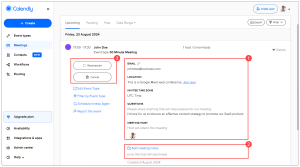
Collect feedback from attendees to gauge their experience with scheduling and attending meetings via Calendly. Use this feedback to make adjustments and enhance the user experience further.
Summary
Calendly is a useful tool for optimizing your productivity and organizing your schedule. You may save time and concentrate on what really matters by automating the scheduling process, controlling your availability, and evaluating your performance. It can help you take charge of your calendar and easily accomplish your goals, regardless of whether you’re a busy professional, freelancer, or business owner.


The Causes of Political Apathy

Child Neglect and Causes

Environment Care Tips

A Step-by-Step Guide to Deleting Reels on Instagram

A Comprehensive Guide to Setting Up a YouTube Premiere

How to Create a WhatsApp Group
-

 Business3 weeks ago
How to Promote your Business
-

 Fashion3 weeks ago
Fashion Guide for Beginners
-

 Business2 weeks ago
Business Name Selection Tips
-

 Business1 week ago
Customers Satisfaction
-

 Business3 weeks ago
Tips for Running Online Business
-

 TECHNOLOGY3 weeks ago
Artificial Intelligence and the Future