
Uncategorized
How to archive post on instagram

Instagram is not just a platform for sharing fleeting moments but also a digital scrapbook of memories. However, not every post needs to be permanently displayed on your profile. Whether it’s to declutter your feed, maintain a cohesive aesthetic, or hide posts from public view temporarily, archiving offers a convenient solution. In this guide, we’ll walk you through the simple steps to archive posts on Instagram.
Step 1: Open Instagram and Navigate to Your Profile
Launch the Instagram app on your mobile device and log in to your account. Once logged in, tap on your profile picture or username at the bottom right corner of the screen to access your profile.
Step 2: Select the Post You Want to Archive
Scroll through your profile to find the post you wish to archive. Tap on the post to open it and view the full details.

Step 3: Archive the Post
In the top right corner of the post, you’ll see three dots arranged vertically. Tap on these dots to open a menu of options. From the menu, select “Archive” (iOS) or “Archive post” (Android). Instagram will then confirm that the post has been successfully archived.
Step 4: Access Your Archived Posts
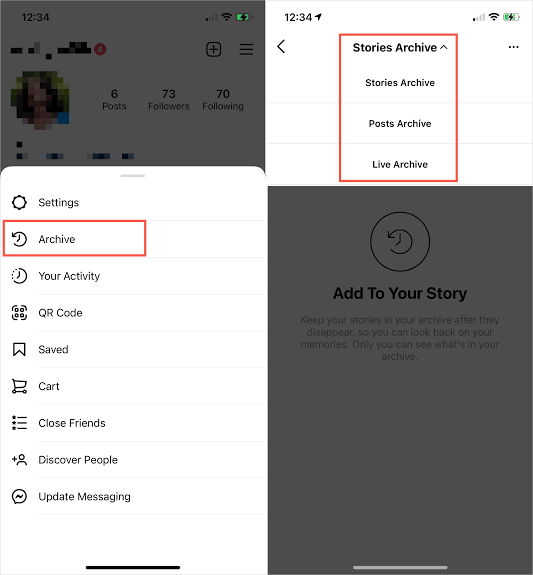
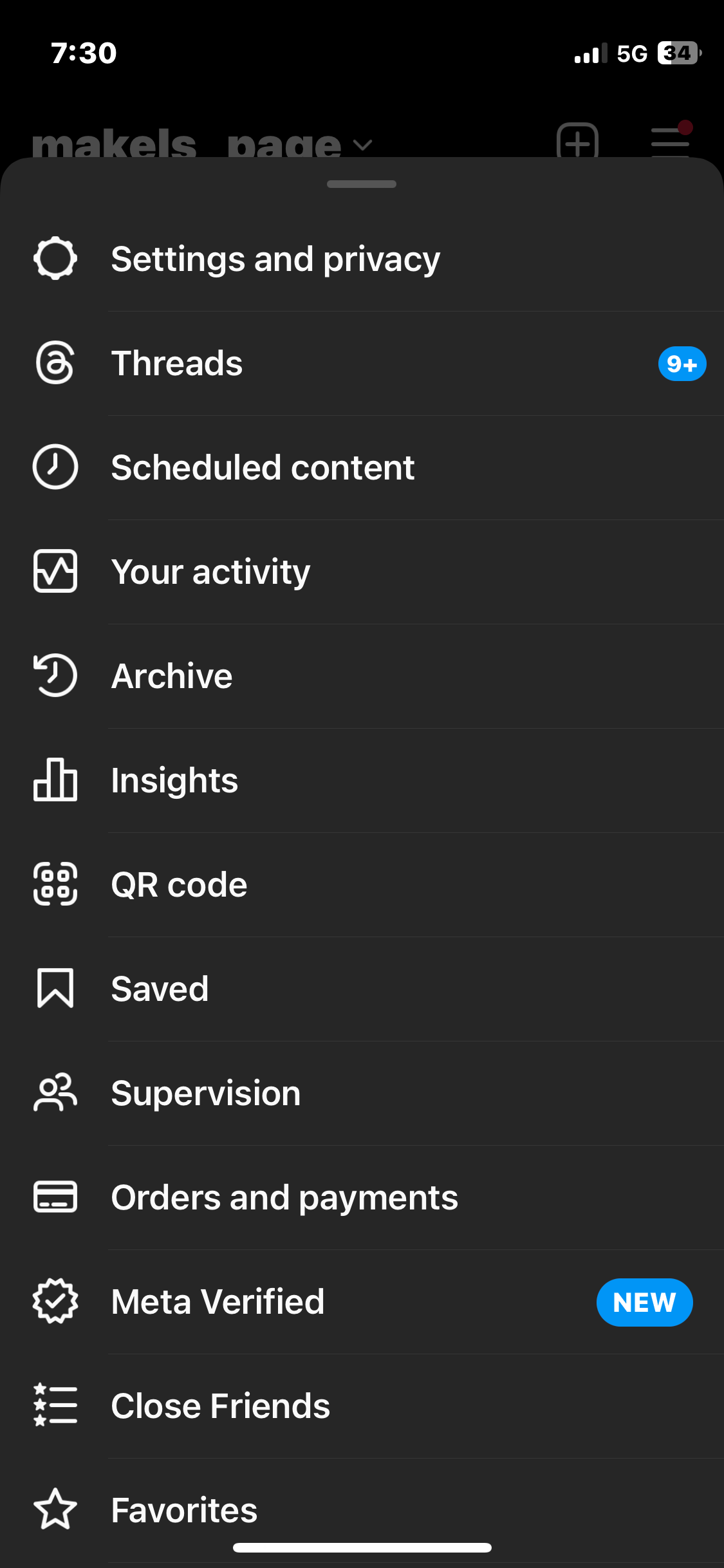
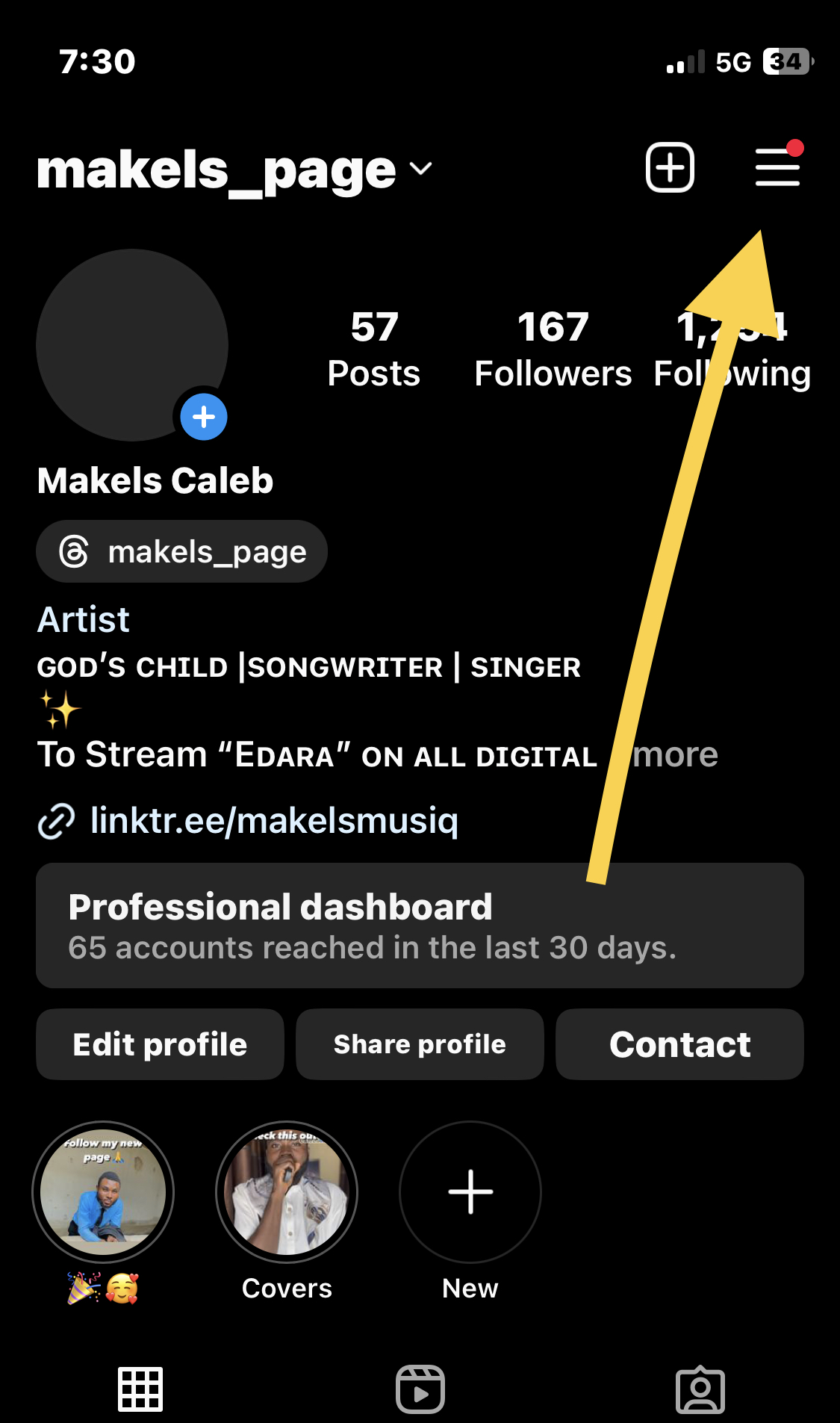
To access your archived posts, navigate back to your profile and tap on the menu icon (three horizontal lines) at the top right corner of the screen. From the menu, select “Archive.” Here, you’ll find two tabs: “Posts” and “Stories.” Tap on “Posts” to view all your archived posts.
Step 5: Restore or Permanently Delete Archived Posts
In the “Posts” tab of your archive, you’ll see a collection of all the posts you’ve archived. To restore a post to your profile, tap on it to open it, then tap on the three dots at the top right corner and select “Show on Profile” (iOS) or “Show on profile” (Android). The post will be restored to its original location on your profile.
If you wish to permanently delete an archived post, follow the same steps to open the post, but this time select “Delete” (iOS) or “Delete post” (Android) from the menu. Confirm the deletion, and the post will be removed from your archive permanently.
Archiving posts on Instagram is a valuable tool for managing your profile’s content and maintaining a curated aesthetic. Whether you’re tidying up your feed, hiding posts from public view temporarily, or simply organizing your digital memories, archiving offers flexibility and control over your Instagram content. By following these straightforward steps, you can effortlessly archive and manage your posts on Instagram, ensuring that your profile reflects the best of your digital self.






How to restore deleted videos on Iphones. Although losing priceless images can be upsetting, lost photos on iPhones can be recovered with the correct information and resources. There are ways to restore those treasured memories, whether you’re using third-party software, iCloud, iTunes, or the “Recently Deleted” album. To ensure that your images are always safe and secure and to prevent potential data loss, don’t forget to routinely backup your iPhone.
HOW TO RESTORE DELETED VIDEOS ON IPHONES
In the age of smartphones, our devices serve as our digital albums, capturing cherished memories in the form of photos and videos. But what happens when those precious moments are accidentally deleted? Don’t fret – if you’re an iPhone user, there are ways to restore deleted photos and retrieve those special memories. In this comprehensive guide, we’ll walk you through the step-by-step process of recovering deleted photos on iPhones.
1. Check Recently Deleted Album:
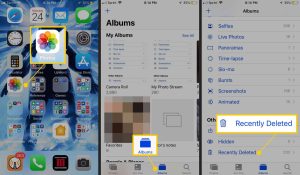
– When you delete a photo on your iPhone, it doesn’t immediately disappear permanently. Instead, it gets moved to the “Recently Deleted” album, where it stays for a specified period before being permanently deleted.
– Open the Photos app on your iPhone and navigate to the “Albums” tab.
– Scroll down and look for the “Recently Deleted” album. Tap on it to open.
2. Restore Photos from Recently Deleted Album:
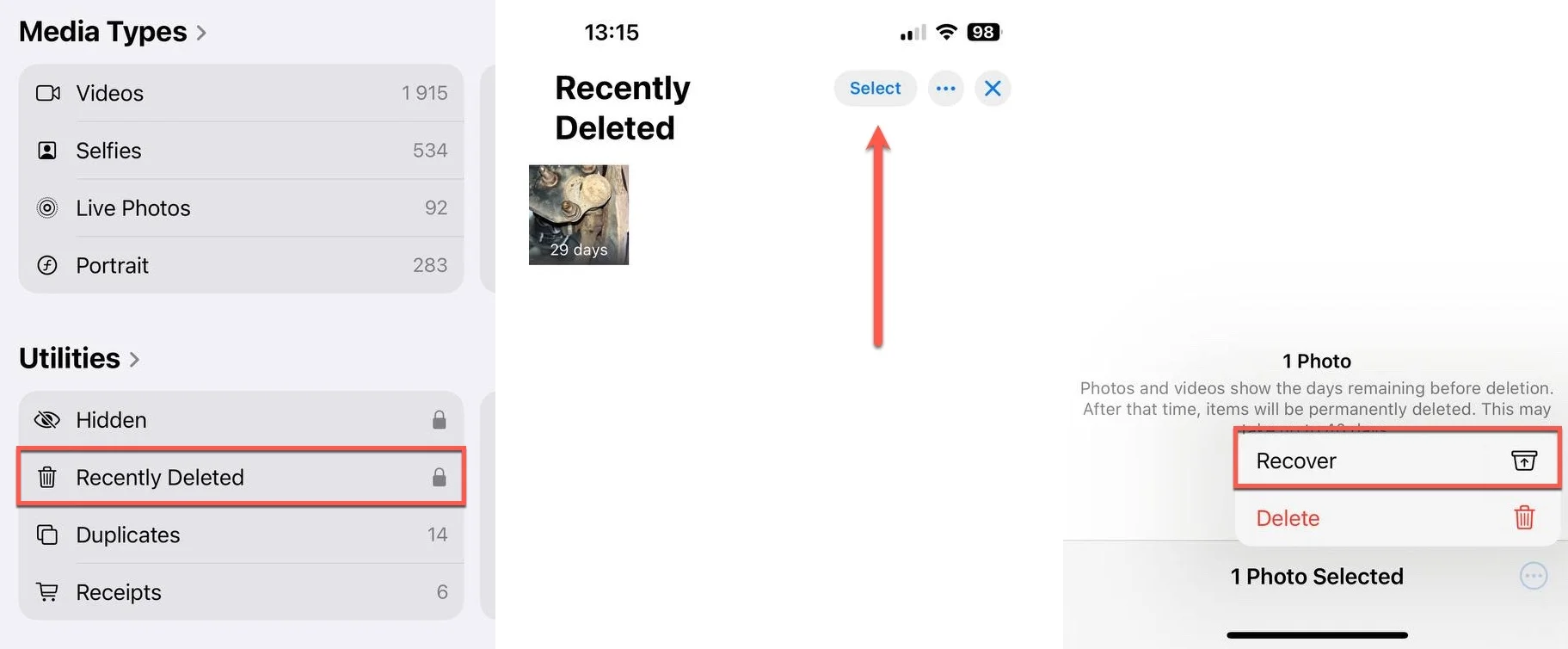
– In the “Recently Deleted” album, you’ll find all the photos and videos you’ve deleted within the last 30 days.
– Tap on the photo(s) you want to restore.
– Tap on the “Recover” option located at the bottom-right corner of the screen.
– Confirm by tapping “Recover Photo” to restore the selected photo(s) to their original album.
3. Restore from iCloud Photos:

– If you use iCloud Photos to sync your photos across devices, deleted photos may still be recoverable from your iCloud account.
– Open the Photos app and go to the “Albums” tab.
– Scroll down and select “Recently Deleted.”
– Tap on “Select” in the upper-right corner, then choose the photos you want to recover.
– Tap on “Recover” to restore the selected photos.
4. Use iCloud Backup:
– If you have an iCloud backup that includes the deleted photos, you can restore your iPhone from that backup to recover them.
– Go to Settings > [your name] > iCloud > Manage Storage > Backups.
– Select the relevant backup that contains the deleted photos.
– Erase your iPhone by going to Settings > General > Reset > Erase All Content and Settings.
– Set up your iPhone again and choose to restore from iCloud Backup during the setup process.
5. Use iTunes Backup:
How to restore deleted videos on Iphones
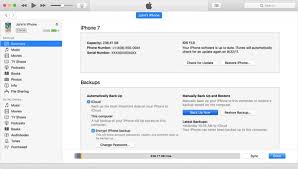
– If you regularly back up your iPhone to iTunes on your computer, you can restore deleted photos from a previous backup.
– Connect your iPhone to your computer and open iTunes.
– Select your device when it appears in iTunes.
– Choose “Restore Backup” and select the backup that contains the deleted photos.
– Click “Restore” and wait for the process to complete.
6. Third-Party Data Recovery Software:
– If you don’t have an iCloud or iTunes backup and the photos are not in the “Recently Deleted” album, you can try using third-party data recovery software.
– There are various software options available, such as Dr.Fone, PhoneRescue, and iMyFone D-Back, which can help recover deleted photos from iPhones. Ensure to choose a reputable software and follow the instructions provided.
Tips for Preventing Photo Loss in the Future:
How to restore deleted videos on Iphones
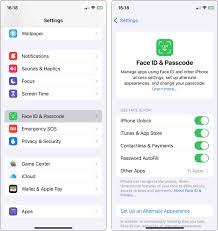
– Regularly back up your iPhone using iCloud or iTunes to ensure that your photos are safely stored.
– Enable iCloud Photos to automatically sync your photos and videos across all your Apple devices.
– Be cautious when deleting photos, and double-check before confirming deletion to avoid accidental loss.
Summary
Check the Recently Deleted album in the Photos app, which retains files for 30 days, to recover deleted videos on an iPhone. Choose the video and click “Recover” after opening Photos > Albums > Recently Deleted. Restore from a prior iCloud or computer backup if it’s not there.
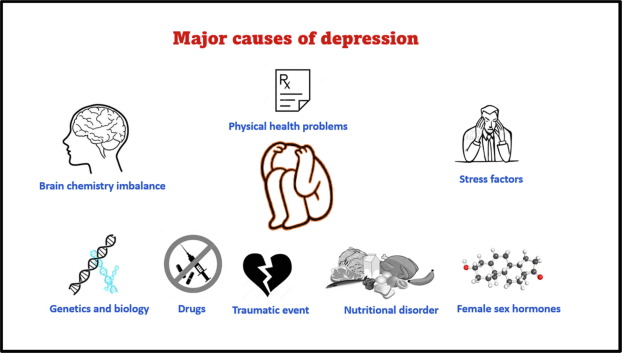
Depression factors. It is a prevalent, severe mood disease marked by poor energy, a loss of interest in activities, and a persistent sense of melancholy that lasts for at least two weeks. It is caused by a confluence of biological, psychological, environmental, and genetic variables, including traumatic life events and chemical imbalances. Psychotherapy, medicine, or lifestyle modifications are frequently used in effective treatment.
DEPRESSION FACTORS
A combination of professional care (medication, therapy), lifestyle modifications, and self-care are used to treat it. Keeping a schedule, exercising frequently, eating healthily, abstaining from alcohol and drugs, and keeping social connections are all effective tactics. Seeking expert assistance, dividing work into manageable chunks, and exercising patience while recovering are all important steps.
It has an impact on people’s thoughts, emotions, and behaviors. Depression makes daily management more difficult and interferes with relationships, employment, and school. A person may be diagnosed with it if, for more than two weeks, they have experienced at least three of the following orders’ signs and symptoms, felt sad, depressed, or miserable most of the time, or lost interest or enjoyment in most of their regular activities. It’s crucial to remember that everyone has some of these symptoms occasionally, and they may not always indicate depression. Conversely, not everyone experiencing it will exhibit all of these signs.
personality;

some people may be more at threat because of their personality, particularly if they tend to worry a lot, have low tone- regard, are perfectionists, are sensitive to particular review, or are tone-critical and negative
serious medical conditions;

Depression factors
these can spark it in two ways. Serious conditions can bring about depression directly or can contribute to depression through the associated stress and solicitude, especially if it involves long- term operation of a condition or habitual pain
medicine and alcohol use;

Depression factors
can both lead to and affect numerous people with depression also have medicine and alcohol problems.
Summary
Individuals who are habitually pessimistic, have a low tone of esteem, or are frequently overwhelmed by stress seem to be more susceptible to experience it. Some persons may be more susceptible to it due to environmental factors such as constant exposure to violence, abuse, neglect, or poverty.
Lyrics for sure thing. In 2008, it was revealed that the church’s pastor and former bassist for the Planetshakers band, Michael Guglielmucci, had falsely claimed to be dying of cancer. For the June 2007 release of the album Saviour of the World, he composed “Healer,” a hymn of support for believers battling cancer. Over the course of two years, Guglielmucci frequently played the song while wearing an oxygen tube in his nose. During this time, people who thought his condition was serious gave him money.
LYRICS FOR SURE THING
Guglielmucci then claimed that his long-term addiction to pornography was the cause of his behavior. The song was also included for Hillsong’s 2008 album This Is Our God, however it was subsequently taken from the record. The press was informed by representatives of Guglielmucci’s affiliated churches that they had no knowledge of this circumstance.

VERSE:
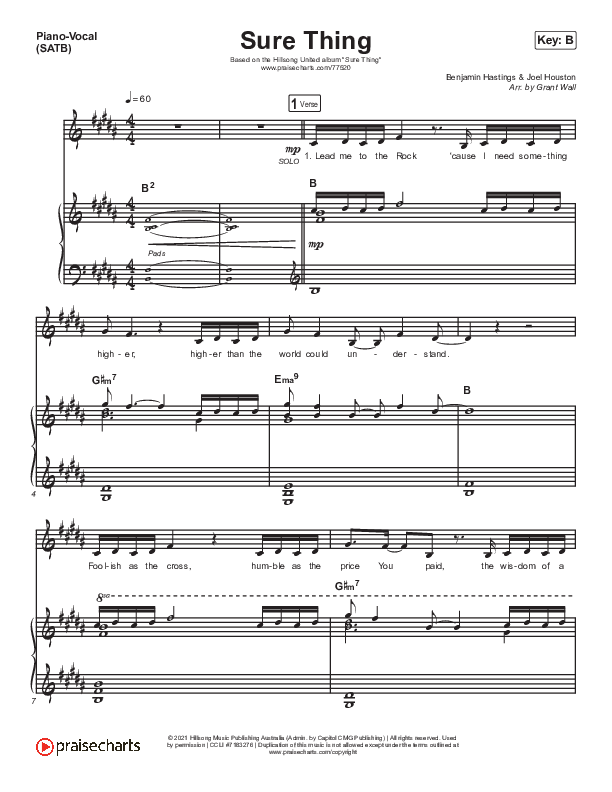
Lead me to the Rock
‘Cause I need som-ething higher
Higher than the world could understand
Foolish as the cross
Humble as the price You paid
The wisdom of a king-dom made to last
CHORUS:
‘Cause I don’t wan-na build this life
On Babylon’s of bricks and pride
Sitting on a fault line bou-nd to quake
I’d rather be a bedrock fool
Who trusts in nothing less than You
When ev-ery other sure thing surely fails
VERSE 2:
(Lead me to the Rock
Lift me from this sinking sand
I’m so-rry for the junk I took for grace
Don’t let it take a fall
To bring me to my knees again
But if it’s what I need
I’ll take my pl-ace)

Lyrics for sure thing
CHORUS 2:
‘Cause I don’t wanna build this house
With rub-ble from the same old ground
Sitting on a fault line bound to quake
I’m banking on a Roman frame
The bedrock of an empty grave
When every other sure thing sure-ly fails
BRIDGE:

(Lord through it all
Through the wind and the storm
On this Rock I’ll stand
Empi-res may fold
Pillars fail people fall
But Your Word still stands
Age after age
Till the earth fades away
Still Your kingd-om stands
Name above names
Jesus I need Your grace
‘Cause the world’s gone mad)

Lyrics for sure thing
CHORUS:
‘Cause I don’t wanna build this life
On Bab-ylon’s of bricks and pride
Sitting on a fault line bound to quake
I’d rather be a bedrock fool
Who trusts in nothing less than You
Whe-n every other sure thing sure-ly fails
Summary
The general manager of Hillsong, George Aghajanian, said in an email to the church’s members that Guglielmucci’s suspended pastor was seeking professional assistance and that the news even shocked his own family. The Australian Christian Churches stripped Guglielmucci of all his qualifications while promising to reimburse or contribute to charity any money paid by listeners who were moved by the song.

Tips for Emotional stress

Anxiety and stress reduction

Face cleansing tips

A Step-by-Step Guide to Deleting Reels on Instagram

A Comprehensive Guide to Setting Up a YouTube Premiere

How to Create a WhatsApp Group
-

 Social media2 weeks ago
How to Delete Reels on IG
-

 Social media2 weeks ago
Tips for likes and Followers on Facebook
-
 Music2 weeks ago
Lyrics for Iké Nilé
-
 Photography2 weeks ago
Photography and Outdoors
-

 Social media2 weeks ago
Guidelines for Creating a Facebook Page
-

 Social media2 weeks ago
Guidelines for Uploading Videos on Youtube