Videography
A Guide to Color Calibration and Essential Tools

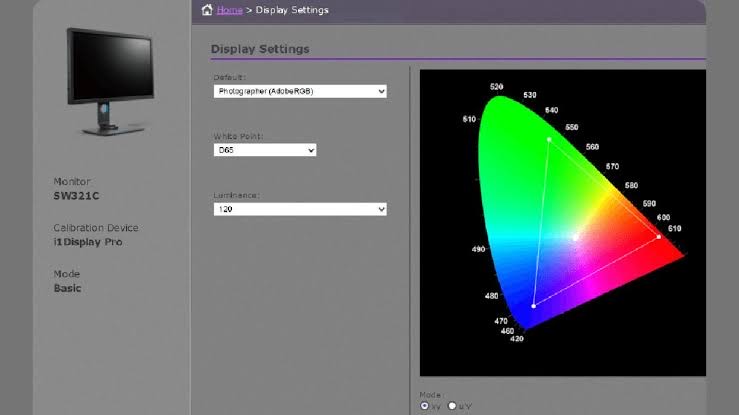
Color calibration is the cornerstone of ensuring accurate and consistent colors in visual media, whether it’s photography, filmmaking, graphic design, or any other creative endeavor. In this comprehensive guide, we’ll delve into the importance of color calibration and explore the essential tools needed to achieve precise color accuracy.
The Importance of Color Calibration
Color calibration is the process of adjusting and standardizing the colors displayed on a monitor or other display device to ensure accuracy and consistency. The integrity of colors must be preserved from creation to consumption in an increasingly digital environment where visual content is created and seen on a variety of devices. This requires color calibration.
For professionals in fields such as photography and video production, color accuracy is paramount. Inaccurate colors can lead to misinterpretation of images, inconsistencies in print or digital output, and ultimately, dissatisfaction among clients or viewers. By calibrating monitors and other display devices, professionals can trust that the colors they see accurately represent the colors in their images or videos, leading to more consistent and reliable results.
Essential Tools for Color Calibration
1. Hardware Colorimeter:
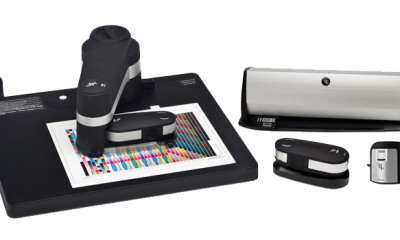
A tool for measuring and evaluating the colors shown on a monitor is a hardware colorimeter. In order to test color accuracy, it usually consists of a sensor that is mounted on the monitor screen and software that talks to the sensor. Popular brands include X-Rite and Datacolor, which offer a range of colorimeters suitable for different budgets and needs.
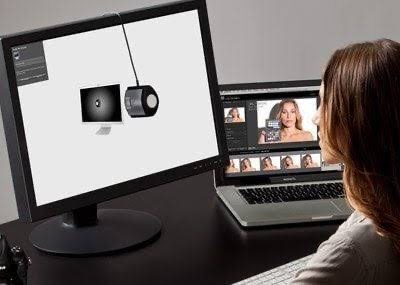
Xrite
2. Calibration Software:
Calibration software is used in conjunction with a hardware colorimeter to perform the calibration process. This software guides users through the calibration process, taking measurements of various color patches displayed on the screen and adjusting monitor settings accordingly. Examples of calibration software include X-Rite i1Profiler and Datacolor SpyderX software.
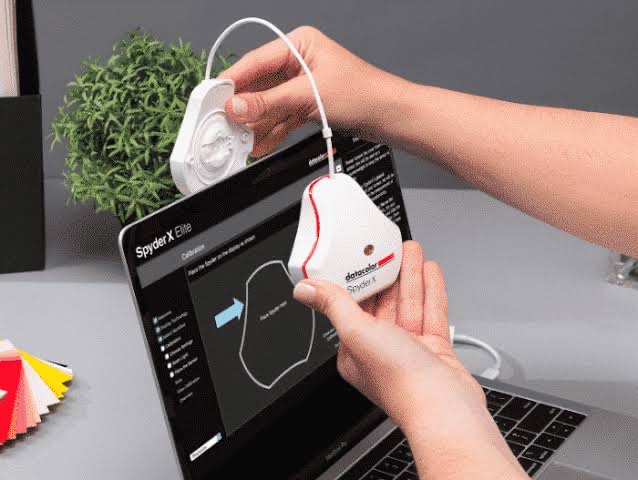
Datacolor SpyderX software
3. Reference Images:
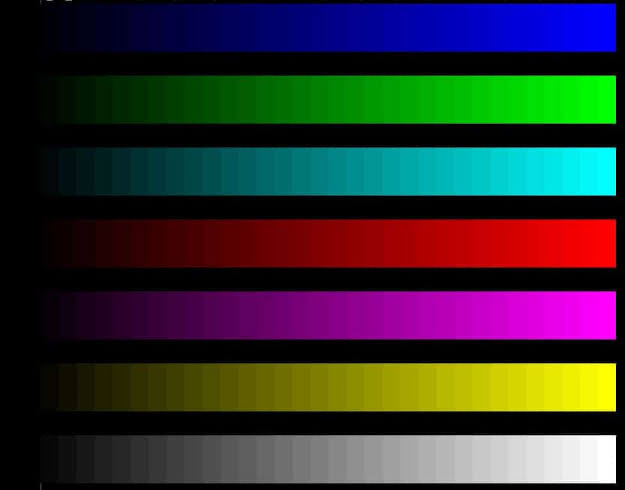
When assessing color accuracy throughout the calibration process, reference images—standardized photos with known color values—are utilized. These images typically include a range of colors, gradients. And patterns designed to test various aspects of color reproduction, such as hue, saturation, and brightness. Calibration software often includes built-in reference images for this purpose.
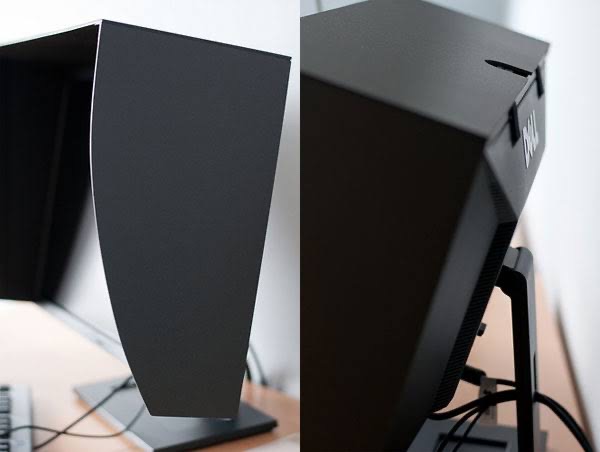
4. Monitor Hood:
A monitor hood is a shield that attaches to the monitor to reduce glare and ambient light. Ensuring more accurate color perception during the calibration process. By minimizing external light sources, a monitor hood helps create a controlled environment for color calibration, leading to more reliable results.
5. Color Calibration Targets:
Color is measured and calibrated using it targets, like grayscale and color patches. During the calibration procedure, these goals are shown on the monitor. Allowing the colorimeter to measure and analyze the displayed colors. Calibration software provides instructions for positioning and displaying these targets correctly.
Color accuracy is a fundamental aspect of maintaining color accuracy and consistency in visual media. By investing in the essential tools for color and following best practices. Professionals can ensure that their creative vision is accurately represented across different devices and platforms. Whether you’re a photographer, filmmaker, or graphic designer. Mastering it is essential for producing high-quality and visually compelling work.








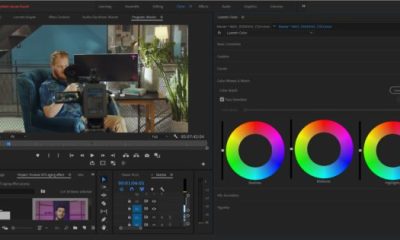

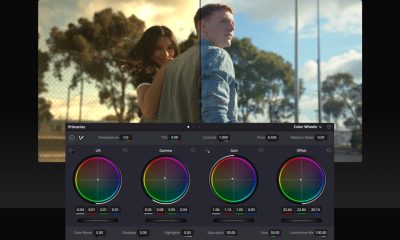




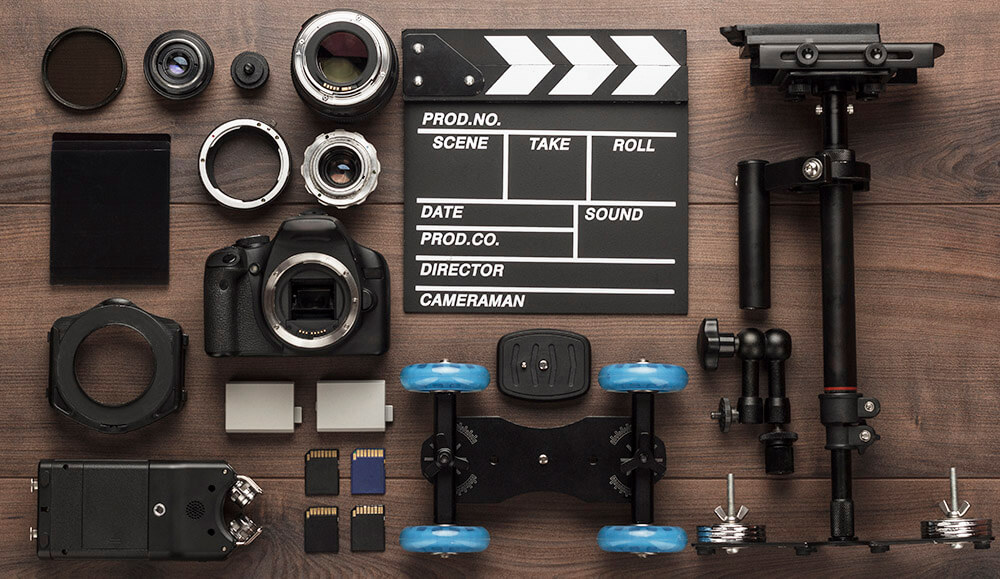
Professional video tools. You can produce high-caliber videos that enthrall and involve your viewers by investing in these necessary instruments and developing your abilities. It takes a combination of technical know-how, imagination, and the appropriate equipment to produce a quality video. The following are some necessary equipment for producing a high-quality video:
PROFESSIONAL VIDEO TOOLS
Industry standards for professional video editing include Final Cut Pro for high-performance Mac workflows, DaVinci Resolve for sophisticated color grading, and Adobe Premiere Pro for flexible editing. Other essential tools are Avid Media Composer for intricate, long-form, professional projects, CyberLink PowerDirector for quick, AI-driven editing, and After Effects for motion graphics.
1. Camera:
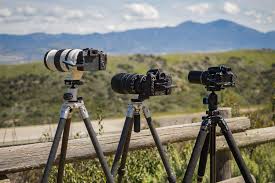
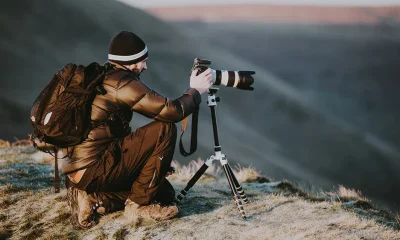
A high-quality camera is essential for capturing crisp, clear footage. Whether it’s a DSLR, mirrorless camera, or cinema camera, choose one that meets your needs in terms of resolution, frame rate, and low-light performance.
2. Lenses:
Invest in selection of lenses to achieve different focal lengths and perspectives. Wide-angle lenses are great for capturing expansive scenes, while telephoto lenses are ideal for close-ups and detail shots.
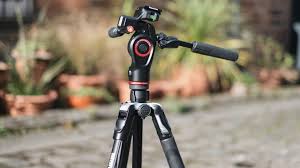
3. Tripod;
PROFESSIONAL VIDEO TOOLS
A sturdy tripod is essential for keeping your camera stable and ensuring smooth, shake-free shots. Look for one with adjustable legs and a fluid head for precise positioning and panning.
4. Microphone:
Good audio is just as important as good video quality. Invest in a high-quality microphone to capture clear, professional sound. Options include shotgun microphones for on-camera use, lavalier microphones for interviews, and boom microphones for capturing dialogue on set.
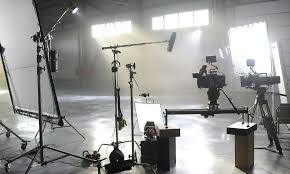
5. Lighting:
PROFESSIONAL VIDEO TOOLS
Proper lighting can make or break a video. Invest in a lighting kit with adjustable lights, softboxes, and diffusers to control the intensity and direction of light. Consider using natural light or LED panels for a soft, flattering look.
6. Editing Software:
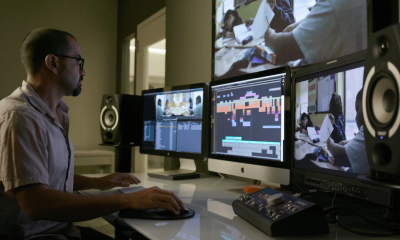
Choose a professional video editing software like Adobe Premiere Pro, Final Cut Pro, or DaVinci Resolve to edit and enhance your footage. These programs offer a wide range of editing tools, effects, and color grading capabilities to bring your vision to life.
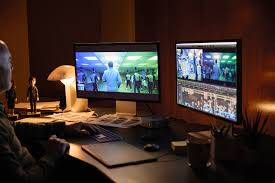
7. Computer:
PROFESSIONAL VIDEO TOOLS
A powerful computer with ample processing power and storage is essential for editing high-resolution video files. Make sure your computer meets the system requirements of your chosen editing software to ensure smooth performance.
8. External Hard Drive:
Invest in an external hard drive to store and backup your video files. This will not only free up space on your computer but also provide a safe and secure way to archive your footage.
9. Graphics and Animation Software:
Depending on your project, you may need graphics and animation software to create titles, lower thirds, and visual effects. Adobe After Effects is a popular choice for motion graphics and compositing.
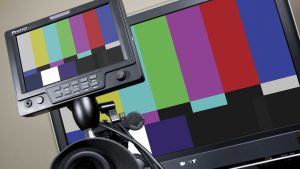
10. Color Calibration Tools:
PROFESSIONAL VIDEO TOOLS
Ensure color accuracy by using color calibration tools to calibrate your monitor and maintain consistent color throughout the editing process. This will help ensure that your video looks its best across different devices and platforms.
Summary
Make professional videos by using 4K resolution with steady camera movement, emphasizing high-quality lighting (key and backlighting), and making sure the audio is clear and directed. Using natural light or ring lights, planning with a structured screenplay, recording with a tripod for stability, and shooting on the shadow side for depth are important pointers.
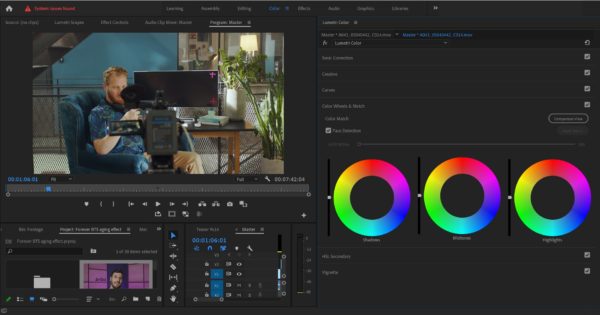
Color grading and calibrating. In visual media, color grading and color calibration are crucial steps in the creative process. Color grading lets artists express their creativity and flair while improving the visual impact of their work, whereas color calibration guarantees the precision and consistency of colors shown on monitors. Professionals can successfully balance the scientific and artistic parts of color modification by comprehending the distinctions between these two processes, ultimately creating visually appealing and emotionally impactful content.
COLOR GRADING AND CALIBRATING
Color grading and calibration are two different post-production procedures. Color grading is the creative, artistic styling of colors to create a mood, whereas calibration guarantees technical accuracy by normalizing video (Log to Rec.709) and aligning display displays for consistency. Exposure correction, white balance, contrast, saturation, and creative LUT application are the five steps that are often included in grading.
Color Calibration: Ensuring Accuracy and Consistency;
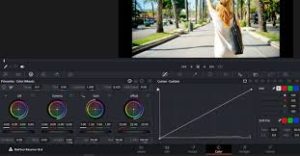
Color calibration is the technical process of adjusting and standardizing the colors displayed on a monitor or other display device to ensure accuracy and consistency. It involves using specialized hardware and software to measure and adjust various color settings such as brightness, contrast, gamma, and color temperature. The objective of color calibration is to ensure that the colors displayed on the monitor match the colors as they appear in real life or as intended by the content creator.
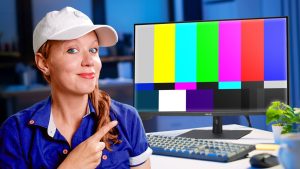
In practical terms, color calibration is crucial for tasks such as photo and video editing, where color accuracy is paramount. By calibrating monitors, professionals can trust that the colors they see on screen accurately represent the colors in their images or videos. This ensures that their creative decisions are based on reliable visual feedback, leading to more consistent and accurate results across different devices and platforms.
Color Grading: Unleashing Creativity and Style
COLOR GRADING AND CALIBRATING
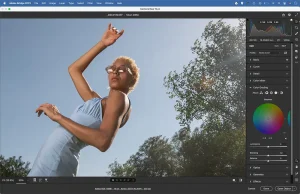
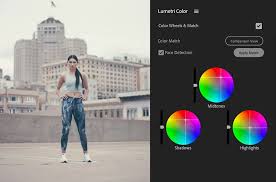
Color grading, on the other hand, is the creative process of manipulating and enhancing the colors of a video or image to achieve a desired aesthetic or mood. Unlike color calibration, which focuses on technical accuracy, color grading is an artistic endeavor that involves adjusting parameters such as exposure, contrast, saturation, hue, and color balance to create a cohesive and visually appealing look.
COLOR GRADING AND CALIBRATING
Color grading can serve multiple purposes, including correcting technical issues in footage, such as white balance or exposure problems, as well as stylizing and enhancing the overall visual presentation. It is a highly subjective process that often requires a deep understanding of color theory, storytelling techniques, and the intended emotional impact of the visual content.
Summary
A key component of visual media, color affects how we see and understand pictures and movies. Color calibration and color grading are words that are commonly used in the fields of photography, filmmaking, and graphic design. Despite the fact that they both entail color manipulation, they have different functions and roles in the creative process.
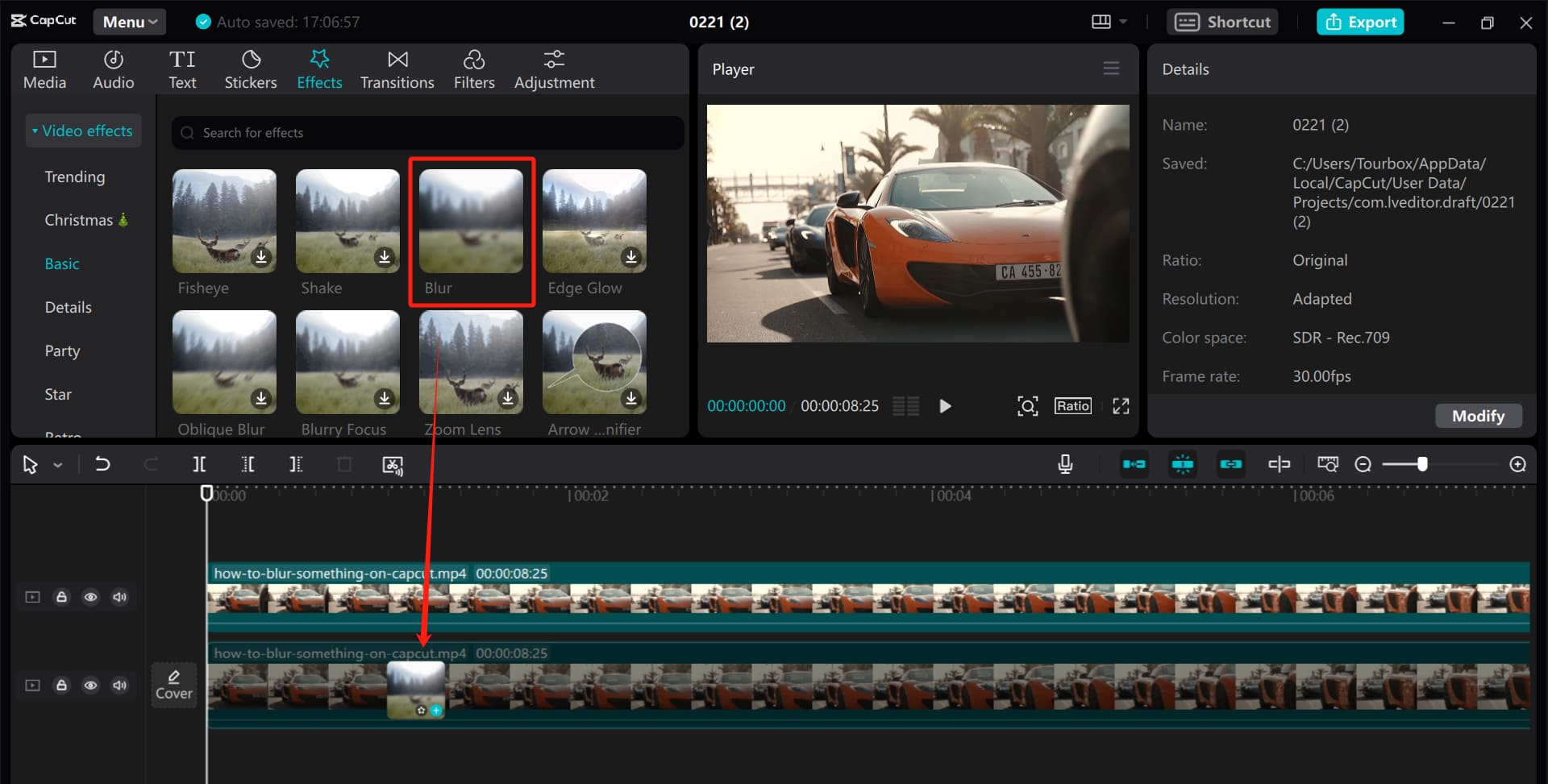
Blurring techniques for filming/editing. For visual storytellers who want to manage focus and direct the viewer’s attention, understanding the art of object blurring is crucial, whether it is accomplished through painstaking editing in post-production or careful preparation during filming. Filmmakers and editors can improve their art and produce captivating stories that enthrall and engage people by comprehending the various approaches and their benefits.
BLURRING TECHNIQUES FOR FILMING/EDITING
Managing focus and attention is crucial in the field of visual storytelling. It’s sometimes important to highlight some topics while discreetly hiding others. This can be accomplished by skillfully using blurring methods in both the editing room and during filming. We’ll examine several techniques for accomplishing selective object blurring in this post, along with the benefits of each.
1. Blurring During Filming:

• Depth of Field: Utilizing a shallow depth of field by adjusting aperture settings on the camera can naturally blur objects in the foreground or background while keeping the main subject sharp.
• Physical Obstructions: Strategically placing objects, such as foliage or furniture, between the camera and unwanted elements can create a natural blur effect, adding depth and interest to the composition.
2. Blurring During Editing:
BLURRING TECHNIQUES FOR FILMING/EDITING
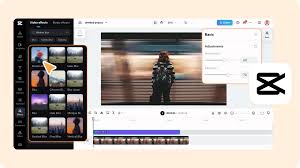
• Software Tools: Video editing software offers a myriad of tools for applying blur effects. Gaussian blur, lens blur, and radial blur filters can be precisely applied to specific areas of the frame to achieve the desired effect.
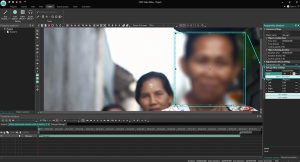
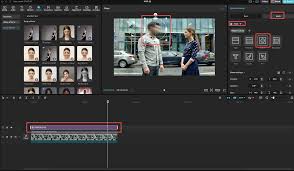
• Masking and Rotoscoping: Advanced editing techniques involve masking or rotoscoping to isolate objects or areas within the frame. Once isolated, blur effects can be applied selectively, allowing for precise control over which elements are blurred and to what extent.
3. Advantages of Each Approach:
BLURRING TECHNIQUES FOR FILMING/EDITING
• Filming: Blurring during filming can provide a more organic and authentic look, as it captures the blur effect in-camera. It also saves time in post-production, as less editing is required.
• Editing: Post-production blurring offers greater flexibility and control over the final result. Editors can fine-tune the blur effect, adjust its intensity, and even animate blurs for dynamic storytelling.
4. Considerations for Choosing the Right Method:
• Creative Vision: Consider the desired aesthetic and narrative impact of the blur effect. Sometimes, a natural, in-camera blur may be more appropriate, while other situations may call for the precision and control of post-production editing.
BLURRING TECHNIQUES FOR FILMING/EDITING
• Time and Resources: Evaluate the time constraints and resources available for the project. Blurring during filming may be more efficient for quick turnaround projects, while editing offers greater flexibility for more intricate effects.
Summary
When filming, a narrow depth of field, a subject-background distance of five to six feet, and wide apertures for soft backgrounds are all necessary for effective video blurring. Use Gaussian, Directional, or Channel blurs in editing programs like CapCut or Premiere Pro to increase cinematic emphasis, improve motion, or conceal important information.

The Causes of Political Apathy

Child Neglect and Causes

Environment Care Tips

A Step-by-Step Guide to Deleting Reels on Instagram

A Comprehensive Guide to Setting Up a YouTube Premiere

How to Create a WhatsApp Group
-

 Business3 weeks ago
How to Promote your Business
-

 Fashion3 weeks ago
Fashion Guide for Beginners
-

 Business2 weeks ago
Business Name Selection Tips
-

 Business3 weeks ago
Tips for Running Online Business
-

 TECHNOLOGY3 weeks ago
Artificial Intelligence and the Future
-

 Business1 week ago
Customers Satisfaction
Pingback: Is color calibration different from color grading? - SimplExplainer
Pingback: Understanding Techniques for Editing and Filming - SimplExplainer
Pingback: Colour Calibration and Grading Differences - SimplExplainer