Video editing
Blurring Techniques for Filming/Editing

Blurring techniques for filming/editing. For visual storytellers who want to manage focus and direct the viewer’s attention, understanding the art of object blurring is crucial, whether it is accomplished through painstaking editing in post-production or careful preparation during filming. Filmmakers and editors can improve their art and produce captivating stories that enthrall and engage people by comprehending the various approaches and their benefits.
BLURRING TECHNIQUES FOR FILMING/EDITING
Managing focus and attention is crucial in the field of visual storytelling. It’s sometimes important to highlight some topics while discreetly hiding others. This can be accomplished by skillfully using blurring methods in both the editing room and during filming. We’ll examine several techniques for accomplishing selective object blurring in this post, along with the benefits of each.
1. Blurring During Filming:
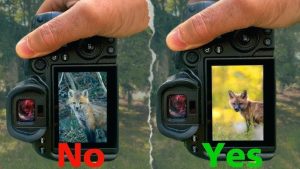

• Depth of Field: Utilizing a shallow depth of field by adjusting aperture settings on the camera can naturally blur objects in the foreground or background while keeping the main subject sharp.
• Physical Obstructions: Strategically placing objects, such as foliage or furniture, between the camera and unwanted elements can create a natural blur effect, adding depth and interest to the composition.
2. Blurring During Editing:

BLURRING TECHNIQUES FOR FILMING/EDITING
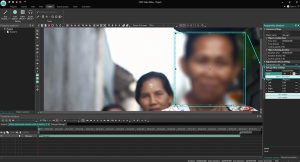
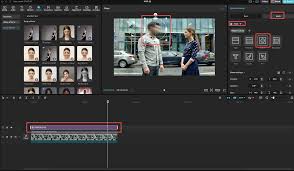
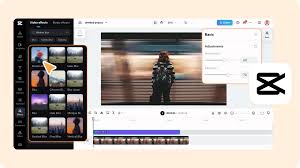
• Software Tools: Video editing software offers a myriad of tools for applying blur effects. Gaussian blur, lens blur, and radial blur filters can be precisely applied to specific areas of the frame to achieve the desired effect.
• Masking and Rotoscoping: Advanced editing techniques involve masking or rotoscoping to isolate objects or areas within the frame. Once isolated, blur effects can be applied selectively, allowing for precise control over which elements are blurred and to what extent.
3. Advantages of Each Approach:

BLURRING TECHNIQUES FOR FILMING/EDITING
• Filming: Blurring during filming can provide a more organic and authentic look, as it captures the blur effect in-camera. It also saves time in post-production, as less editing is required.
• Editing: Post-production blurring offers greater flexibility and control over the final result. Editors can fine-tune the blur effect, adjust its intensity, and even animate blurs for dynamic storytelling.
4. Considerations for Choosing the Right Method:
• Creative Vision: Consider the desired aesthetic and narrative impact of the blur effect. Sometimes, a natural, in-camera blur may be more appropriate, while other situations may call for the precision and control of post-production editing.

BLURRING TECHNIQUES FOR FILMING/EDITING
• Time and Resources: Evaluate the time constraints and resources available for the project. Blurring during filming may be more efficient for quick turnaround projects, while editing offers greater flexibility for more intricate effects.
Summary
When filming, a narrow depth of field, a subject-background distance of five to six feet, and wide apertures for soft backgrounds are all necessary for effective video blurring. Use Gaussian, Directional, or Channel blurs in editing programs like CapCut or Premiere Pro to increase cinematic emphasis, improve motion, or conceal important information.