
Camera
Demerits of Mirrorless Cameras in Photography


Demerits of mirrorless cameras in photography. Despite these drawbacks, many photographers find mirrorless cameras to be an appealing option because to their many benefits, which include silent shooting, real-time exposure previews, and compact design. Before purchasing a mirrorless camera system, it is crucial to carefully balance the benefits and drawbacks and take your unique shooting requirements and tastes into account.
DEMERITS OF MIRRORLESS CAMERAS IN PHOTOGRAPHY
Shorter battery life than DSLRs, possible electronic viewfinder latency, fewer native lens options, and possibly a less ergonomic grip for larger hands are some drawbacks of mirrorless cameras. Even though autofocus has greatly improved, some older or less expensive models could still have trouble tracking subjects as well as DSLRs in low light. These drawbacks might eventually go away as mirrorless technology continues to progress and camera makers’ support grows, making mirrorless cameras a more attractive choice for all skill levels of photographers.
1. Limited Battery Life;

Mirrorless cameras rely on electronic viewfinders (EVFs) or rear LCD screens for composing and reviewing images, which consume more power compared to optical viewfinders found in DSLR cameras. As a result, mirrorless cameras often have shorter battery life, requiring photographers to carry extra batteries or recharge more frequently, especially during extended shooting sessions or when using power-intensive features like continuous autofocus.
2. Limited Lens Selection and Availability;
While the lens ecosystems for mirrorless camera have expanded rapidly in recent years, they may still lag behind DSLR systems in terms of lens variety and availability, particularly for specialized or niche lenses. Additionally, some mirrorless camera manufacturers offer proprietary lens mounts, limiting compatibility with third-party lenses and accessories compared to the more established DSLR lens market.
3. Potential for Overheating;
Mirrorless camera employ electronic viewfinders and sensor-based autofocus systems that can generate heat during prolonged use, particularly when shooting high-resolution video or capturing bursts of images in rapid succession. In certain environmental conditions, such as extreme heat or direct sunlight, mirrorless cameras may be prone to overheating, leading to performance degradation or temporary shutdowns to prevent damage to internal components.
4. Ergonomic Considerations;
While mirrorless camera are praised for their compact size and lightweight design, these attributes can also be a double-edged sword in terms of ergonomics and handling comfort, especially for photographers with larger hands or those accustomed to the grip and balance of traditional DSLR cameras. The smaller form factor of mirrorless cameras may make them less stable when paired with larger lenses, leading to potential hand fatigue or difficulty maintaining steady shots over extended periods.
Summary
In recent years, mirrorless cameras have become more and more popular because of their small size, cutting-edge technology, and adaptability. However, they have disadvantages that photographers should take into account before making a purchase, just like any other camera system.








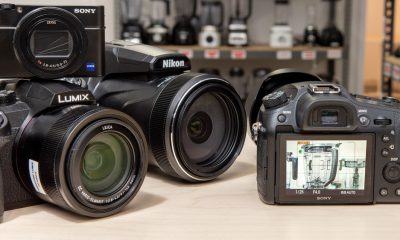


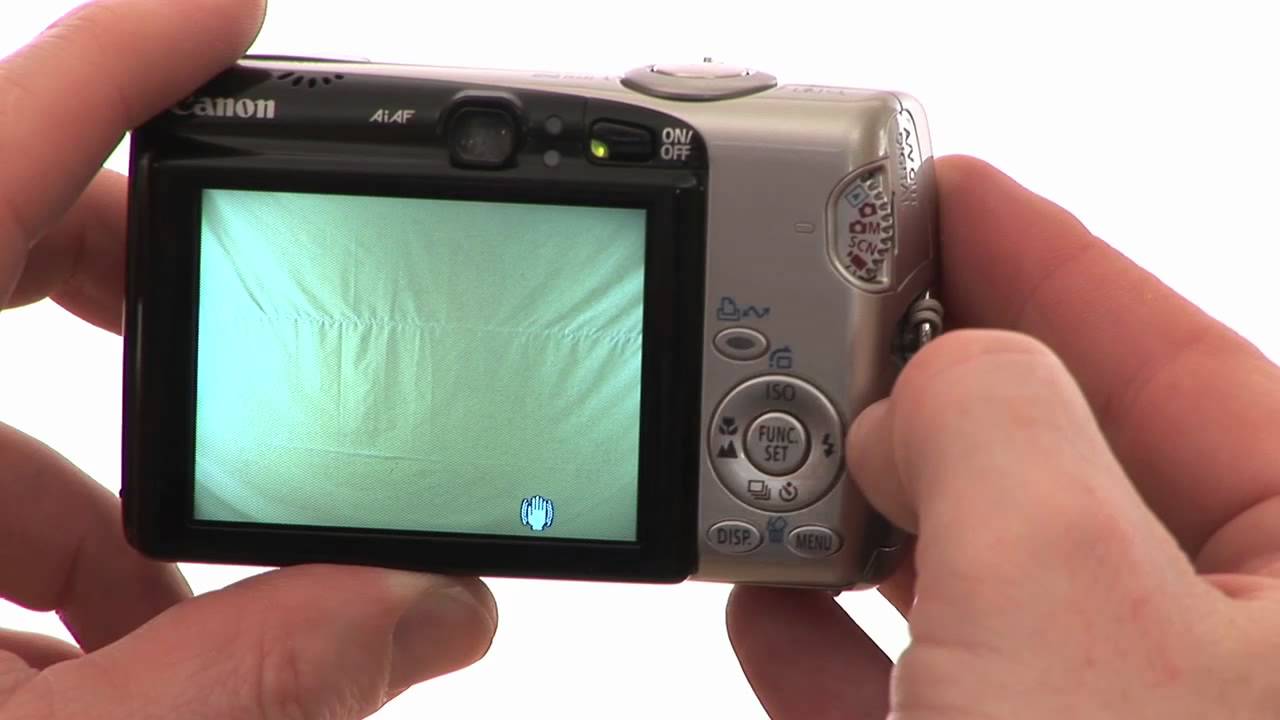
Digital camera usage. Film is no longer necessary thanks to digital cameras, which take, store, and edit photos electronically. Turning on the camera, turning on “auto” mode allowing novices to manage settings, composing using the screen or viewfinder, and half-pressing the shutter to focus before shooting a picture are the steps involved in using the camera. They provide rapid storage/transfer capabilities, superior low-light performance, instant photo review, and high-quality zoom.
DIGITAL CAMERA USAGE
Instead of utilizing film, a digital camera uses a sensor to electronically take pictures, which are then stored on memory cards. Mirrorless cameras for versatility, DSLRs for professional use, and small “point-and-shoot” cameras for convenience are common varieties. The market is dominated by well-known brands like Canon, Sony, and Nikon.
1) Turn the camera on:
Digital camera usage
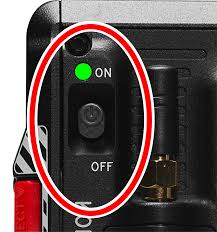
The first step to using a digital camera is simply turning the device on. utmost cameras have a small on button located nearly on the side of thecamera.However, read your manufacturer’s instructions, If you do not see your camera’s on button. They should explain how to find the on button.
2) Fit a memory card;
utmost digital cameras only have enough storehouse to hold a many filmland on their own. You will need to fit a memory card into your camera so it can hold a large quantum of prints. You can buy a memory card at most electronic stores or supermarkets.
3) Familiarize yourself with the buttons;

Digital camera usage
Digital cameras come with a variety of buttons. You should spend some time familiarizing yourself with what these buttons do. Some buttons help you zoom heft and take filmland. Others allow you to acclimate settings on your cam-era.
5) View your filmland;
Once you’ve taken a many practice filmland, review your filmland. Press down on the play button. The filmland you just took should appear on your camera’s screen. You can scroll through the filmland using the scroll wheel
6) Transfer your prints to your computer:
Digital camera usage
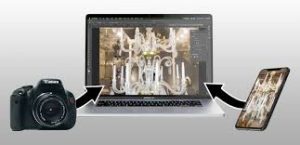
Once you’ve taken enough prints, you can upload your prints onto your computer. The process is generally fairly tone– explicatory and depends on the type of camera youhave.However, relate to your instruction primer, If you are confused.
Summary
An excellent investment is a digital camera. A digital camera can be used to capture footage of people, locations, and scenery.However, if you’ve never used a digital camera before, it can be difficult to know how to use it stylishly.
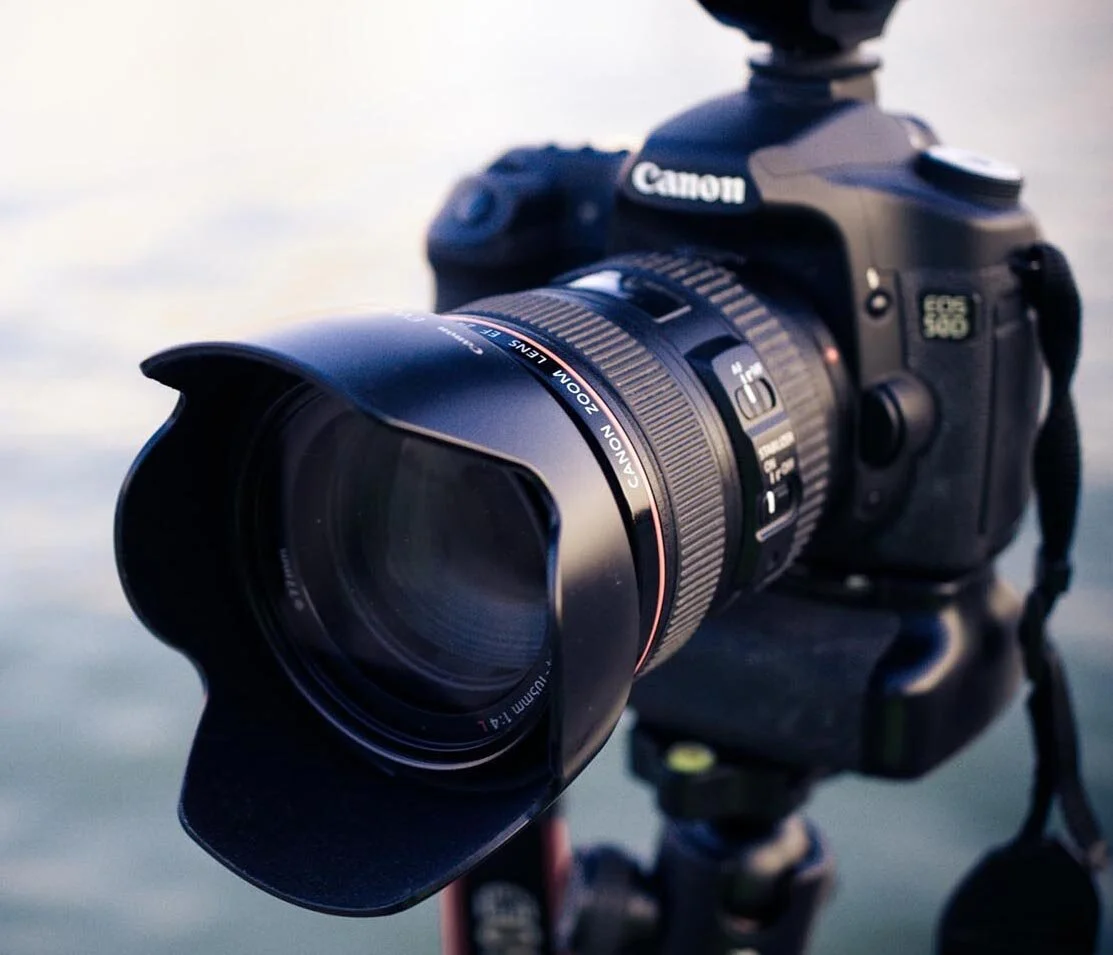
Types of lens hoods. Lens hoods are necessary additions that increase contrast and reduce lens flare by keeping undesired stray light out of the lens. The three main varieties—square/rectangular, petal (tulip), and cylindrical (round)—are selected according to lens type and focal length to avoid vignetting.
TYPES OF LENS HOOD
An essential camera accessory is a lens hood, which fastens to the front of a lens to prevent stray light, lessen lens flare, and enhance contrast. In addition to improving image quality, it serves as a shield against rain, snow, fingerprints, scratches, and unintentional impacts. They are square, petal, or round in shape.
Lens hoods are essential accessories for photographers, serving a dual purpose of enhancing image quality and protecting the lens. In this article, we’ll explore the types of lens hoods available and their various uses.
Types of Lens Hood:
1. Tulip Hood:

– Features a petal-like shape.
– Ideal for wide-angle lenses to prevent vignetting.
– Effective in blocking stray light from different angles.
2. Round Hood:
– Traditional cylindrical shape.
– Commonly used for standard and telephoto lenses.
– Offers basic protection against flare and stray light.
3. Petal Hood:

– Resembles a tulip with curved edges.
– Suited for zoom lenses with varying focal lengths.
– Minimizes vignetting and provides efficient light blocking.
Uses of Lens Hoods:
1. Flare Reduction:
• Lens hoods shield the lens from direct sunlight, reducing lens flare and ghosting.
• This is particularly crucial when shooting towards a bright light source.
2. Contrast Improvement:
• By preventing unwanted light from entering the lens, hoods enhance image contrast.
• This is beneficial in capturing scenes with a wide range of light intensities.
3. Protection:

TYPES OF LENS HOOD
• Lens hoods act as a physical barrier, safeguarding the lens from accidental bumps and scratches.
• They help maintain the lens’s pristine condition over time.
4. Vignetting Prevention:
• Properly designed hoods, such as tulip and petal hoods, prevent vignetting, especially on wide-angle lenses.
• Ensures consistent illumination across the frame.

TYPES OF LENS HOOD
Understanding the types and uses of lens hood is essential for photographers seeking to optimize their equipment. Whether it’s reducing flare, improving contrast, or providing physical protection, the right lens hood can significantly enhance the overall photography experience. Choose the appropriate hood for your lens and shooting conditions to maximize image quality. Read more interesting articles on photography here..
Summary
An essential camera accessory, a lens hood fastens to the front of a lens to prevent glare, low contrast, and undesired lens flare. Additionally, it offers the front element vital physical defense against bumps, scratches, fingerprints, and elements like rain and snow.

 Business registration tips. Choose a distinctive name (with backups!), use a business email, collect legitimate IDs (JPEG/PDF), fill out forms carefully to prevent mistakes, and be prepared for online payments and document uploads via your nation’s corporate register (such as Nigeria’s CAC) for a seamless business registration process. To avoid time wastage and expensive errors, always start with a name search and think about hiring an expert for complicated structures.
BUSINESS REGISTRATION TIPS
Choosing a structure (sole proprietorship, partnership, company), choosing and reserving a unique name, preparing documents (ID, address, objectives), applying online through a portal such as Nigeria’s CAC, paying fees (stamp duty, filing), and submitting everything for approval to obtain your legal certificate, granting your business legal identity and enabling financial/market access, are all steps in the business registration process.
Steps To Register Business;

Step 1:
Also, Look Up Names in CAC No two companies may operate under the same name.
You can simply perform a public check on the official website to make sure the name you have proposed is not already in use.
Step 2:

However, verify Availability and Make a Name Reservation It is imperative to acknowledge.
This is only the beginning and not the end. you have to apply for confirmation and permission that the name is not in use following the public search.
These are referred to as availability checks.
More;
Step 3:

BUSINESS REGISTRATION TIPS
However, Provide Information A variety of documents and certain information must be submitted with the Statutory form for registration.
These are listed in the following order: The approved name, the basic nature of the business,
the entire address of the main office and each subsidiary location, the projected start date of the firm,
passport-size photos of the proprietors, and the proficiency certificate are the first six requirements.
More Steps:
Step 4:

BUSINESS REGISTRATION TIPS
Upload Document CAC You must upload the application form.
Although, The application will be authorized after the reviews the supporting materials, and you will be notified of this.
Meanwhile, in Phase Five, Registration Certificate On the website, the owner of the newly registered business name would be able to download the following documents;
First, Certificate of Business Name Registration. Second, The Certificate of Trade Name Registration Application
In Nigeria, Renaming Business;

BUSINESS REGISTRATION TIPS
Also, prompt download of the documents and safe storage on a cloud storage account that you may later access is crucial.
Following an introductory period. After your business has been registered successfully, it is very important to register the domain name
Summary
Although, Nigerian business names and registrations. CAC in Nigeria may be the easy answer if you want to formalize your business at a fair price. The requirements are straightforward, there aren’t many technicalities, and there aren’t many compliance reporting requirements.

Exam success tips for waec

Tips for jamb success

Plastic water bottle hazards

A Step-by-Step Guide to Deleting Reels on Instagram

A Comprehensive Guide to Setting Up a YouTube Premiere

How to Create a WhatsApp Group
-

 Social media2 weeks ago
How to Delete Reels on IG
-

 Social media1 week ago
Tips for likes and Followers on Facebook
-

 Social media1 week ago
Guidelines for Creating a Facebook Page
-
 Photography1 week ago
Photography and Outdoors
-
 Social media1 week ago
Tips on how to Archive Instagram Post
-

 Social media2 weeks ago
Guidelines for Uploading Videos on Youtube