Photography
Reviewing Panasonic Lumix LX100 II


Reviewing Panasonic Lumix LX100 II
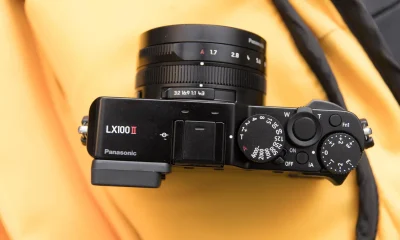
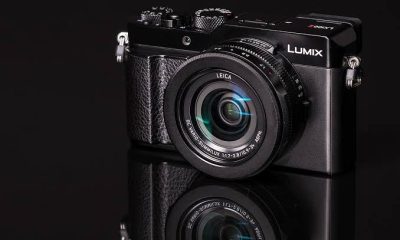
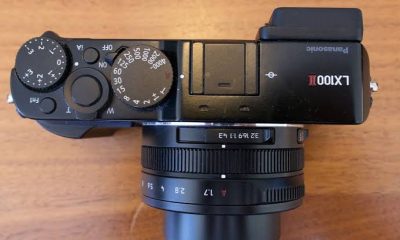
Reviewing Panasonic lumix lx100 ii. A portable powerhouse with remarkable image quality, cutting-edge functionality, and seamless connectivity is the Panasonic Lumix LX100 II. The LX100 II offers performance and versatility that surpass expectations, whether you’re a professional looking for a multipurpose tool for daily shooting or an experienced hobbyist searching for a travel-friendly companion. Anyone wishing to take their photography to the next level should invest in the Panasonic Lumix LX100 II because of its sophisticated features, superb image quality, and elegant style.
REVIEWING PANASONIC LUMIX LX100 II
In the world of compact cameras, the Panasonic Lumix LX100 II is a small camera that has been hailed for its superb image quality, quick operation, and traditional manual controls. Its shortcomings include a poor autofocus technology for following moving objects and a fixed screen that can be uncomfortable for filming at high or low angles. Although it is portable, most pants cannot fit it in their pockets, and some users may find the small controls unappealing.
1. Design and Build Quality:

Reviewing Panasonic Lumix LX100 II
The Panasonic Lumix LX100 II features a sleek and retro-inspired design that exudes elegance and sophistication. Despite its compact size, the camera feels solid and well-built, with a durable construction that can withstand the rigors of everyday use. The ergonomic grip and intuitive button layout make it comfortable to hold and operate, while the tactile dials and manual controls provide a satisfying shooting experience reminiscent of classic film cameras.
2. Image Quality:
Equipped with a 17-megapixel Four Thirds sensor and a fast Leica DC Vario-Summilux lens, the Panasonic Lumix LX100 II delivers impressive image quality with rich detail, accurate colors, and excellent dynamic range. The camera’s multi-aspect sensor allows for flexible aspect ratios and cropping options, while its fast maximum aperture ensures excellent low-light performance and beautiful background blur for artistic portraits and shallow depth-of-field effects.
3. Performance and Features:

Reviewing Panasonic Lumix LX100 II
The Panasonic Lumix LX100 II is packed with advanced features and shooting modes that cater to the needs of enthusiasts and professionals alike. With a versatile focal range of 24-75mm (35mm equivalent) and an aperture range of f/1.7-2.8, the camera offers flexibility in framing and composition, allowing users to capture a wide range of subjects and scenes with ease. The LX100 II also features advanced autofocus technology, including Depth from Defocus (DFD) and face/eye detection, ensuring fast and accurate focusing in various shooting conditions.
4. Video Capabilities:
In addition to still photography, the Panasonic Lumix LX100 II excels in video recording, offering impressive 4K UHD recording at up to 30fps with full manual control and advanced video features. The camera’s built-in microphone and external microphone input allow for high-quality audio capture, while features such as focus peaking and zebra patterns help ensure precise focusing and exposure control for professional-quality video production.
5. Connectivity and Sharing:

Connectivity is another area where the Panasonic Lumix LX100 II shines, with built-in Wi-Fi and Bluetooth technology enabling seamless sharing and remote control functionality. The Panasonic Image App allows users to transfer images and videos to their smart devices, remotely control the camera, and geotag images for easy sharing and organization. With the ability to connect to compatible smart devices and social media platforms, the LX100 II ensures that you can stay connected and share your creativity with the world.
Summary
For both pros and enthusiasts, the Panasonic Lumix LX100 II is a notable choice due to its versatility and capability. With its strong sensor, remarkable image quality, and cutting-edge features, the LX100 II provides an alluring blend of performance and portability. In order to better understand the Panasonic Lumix LX100 II’s potential as a little powerhouse in the field of digital photography, we will examine its features, performance, and general user experience in this review.




Income and Photography. The allure of photography is that it appeals to those who wish to achieve something creative, enjoyable, and worthwhile. Although some photographers don’t think about money when working, it’s something to think about when things are tight.
INCOME AND PHOTOGRAPHY
Using a camera to collect light, typically on film or a digital sensor, is the art of photography as a source of revenue. People become photographers for a variety of reasons. Most of them start out as hobbies and don’t consider money at all.
What is photography?

The Greek words “photo” (light) and “graph” (to draw) are the roots of the English word “photography,” which means “drawing with light.”
However, Joseph Nicéphore Niépce took the first ever permanent photograph in France in 1826 (other accounts date it to 1827). It depicts the sun shining on a building’s roof.
Photography in StoneAge
Below indicates an example of photography in modern world;
Photography in Modern Era
However, there are different types of photography;
Types;
Income and Photography
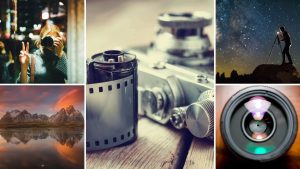
Nature photography; This involves taking pictures of wildlife and the great outdoors
Landscape photography: This entails lighting requirements of taking pictures of expansive deserts, deep forests, or stunning vistas.
Astography: long exposure photography, is an excellent type of photography to go into if you find yourself gazing up at the night sky in awe.
Pet photography: Get up close and personal with animals and take photos of people’s pets. Animal photography comes with its special challenges,
How can photography be a source of income?

Income and Photography
- Sell prints on your website
- sell prints with a curated online shop
- offer digital editing services
- become an affiliate for brands you love to promote
- create digital downloads of your photography for passive income.
Summary
Combining digital products, recurring packages, and client services is necessary to make money from photography. Digital sales, recurrent content development, and client picture shoots are the primary sources of income.
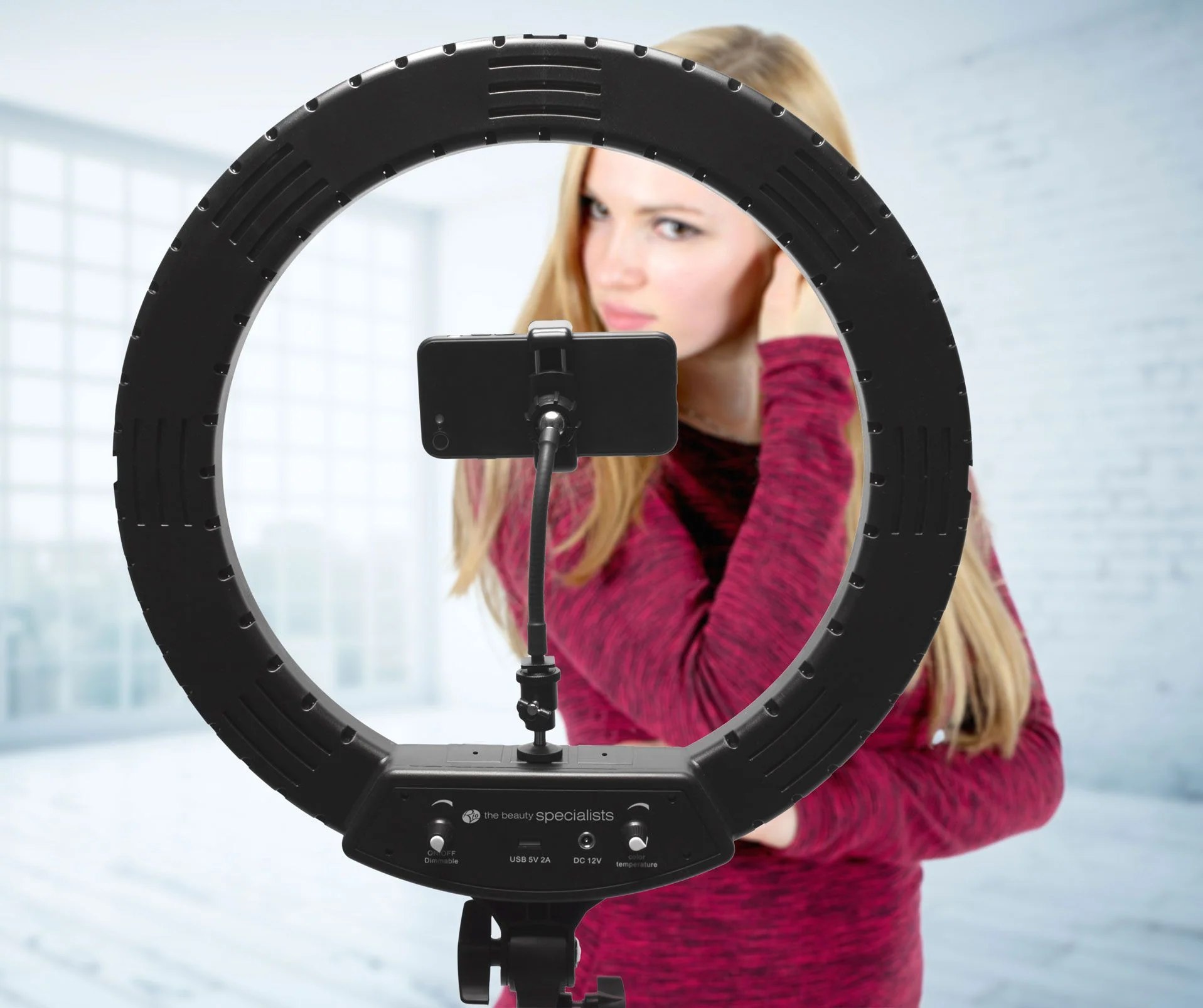
Ring light usage. By evenly distributing light around the subject’s face, a ring lamp creates illumination that is both pleasing and shadow-free. It reduces wrinkles and imperfections, distinguishes the subject from the background, and produces an eye-catching, eye-catching circular reflection.
RING LIGHT USAGE
For uniform, shadow-free illumination, ring lights are crucial circular lighting instruments used by professionals, photographers, and artists. Standard 12–14″ USB-powered models typically cost ₦15,000 in Nigeria, while large 18″ RGB models with stands and batteries cost more than ₦45,000.
HOW TO USE A RING LIGHT

A ring light is a simple, relatively inexpensive way to get started with studio photography – and with the right approach, it can look really, really good. Here are just a few photos I’ve taken using a ring light:
But how can you use a ring light to create portraits like these? And furthermore, how can you go beyond standard ring light photography to capture photos that stand out from the crowd?
What is a ring light?

A ring light is a circular, ring-shaped light designed to be placed directly in front of a subject. You then position your camera in the center of the ring and capture your photos.
Here is a standard external ring light, photographed from the back (left) and front (right):
There are two types of rings lights you should be familiar with:
Off-camera ring lights, which attach to an external light stand, offer a wide band of illumination, and include a large aperture into which a camera can fit.
TWO EXAMPLES OF RING LIGHT;
Smartphone ring lights

Ring light usage
These compact ring lights are designed to be attached to smartphones so they are ideal if you enjoy taking photos on the go with your phone. They are typically lightweight and portable, making them convenient for spontaneous content creation
Macro ring lights;

Ring light usage
These are specialised ring lights designed for macro photography. They attach to the front of macro lenses and provide close-up illumination for small subjects. Hard light is poor for macro photography so ring lights are essential for reducing shadows and emiting a soft light perfect for capturing intricate details.
Summary
A ring light is a circular lighting device used to directly illuminate a subject with uniform, shadowless light. Makeup applications, portrait photography, multimedia production, and live broadcasting are among its common uses.

Video editing and photography comparison. Photography and video editing both have their own special difficulties and benefits. The intricacy and technical demands of video editing may make it more difficult for some people, while the artistic vision and accuracy needed for photography may be difficult for others. In the end, each discipline’s level of difficulty varies depending on a person’s strengths, interests, and experience. Both offer chances for artistic expression and personal development, regardless of whether you’re inclined to the timeless beauty of photography or the dynamic storytelling of video production.
VIDEO EDITING AND PHOTOGRAPHY COMPARISON
Comparing the difficulty of video editing and photography is subjective and depends on various factors, including individual skills, experience, and preferences. Both disciplines require creativity, technical knowledge, and attention to detail, but they involve different processes and challenges.
Video Editing:

Video editing involves assembling and manipulating video footage to create a cohesive and compelling narrative. It requires proficiency in editing software, understanding of pacing, rhythm, and storytelling techniques, and the ability to synchronize audio and visual elements effectively. Video editing can be complex and time-consuming, especially for projects with multiple scenes, special effects, and intricate timelines. Additionally, video making often involves working with large files and managing storage space, which can pose logistical challenges.
Photography:

Video editing and photography comparison
Photography, on the other hand, involves capturing still images that convey a message, evoke emotions, or tell a story. While photography requires technical knowledge of camera settings, composition, and lighting, it also relies heavily on creativity and artistic vision. Photographers must have a keen eye for detail, patience to wait for the perfect moment, and the ability to work with natural or artificial light to create visually stunning images. Post-processing techniques, such as editing in software like Adobe Lightroom or Photoshop, are also integral to the photography process and require skill and precision.
Summary
While both video editing and photography are potent visual media, photography is mainly static and spatial, with an emphasis on capturing “decisive moments.” Since video editing is sequential and temporal, you must create pacing, rhythm, and continuity over a timeline.

Music Recording Apps for Phones

Review of Bandlab Music App

N-Track Studio Review

A Step-by-Step Guide to Deleting Reels on Instagram

A Comprehensive Guide to Setting Up a YouTube Premiere