Photography
Reviewing Panasonic Lumix LX100 II


Reviewing Panasonic Lumix LX100 II
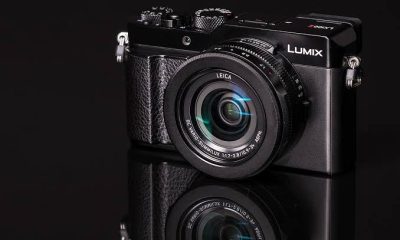
Reviewing Panasonic lumix lx100 ii. A portable powerhouse with remarkable image quality, cutting-edge functionality, and seamless connectivity is the Panasonic Lumix LX100 II. The LX100 II offers performance and versatility that surpass expectations, whether you’re a professional looking for a multipurpose tool for daily shooting or an experienced hobbyist searching for a travel-friendly companion. Anyone wishing to take their photography to the next level should invest in the Panasonic Lumix LX100 II because of its sophisticated features, superb image quality, and elegant style.
REVIEWING PANASONIC LUMIX LX100 II
In the world of compact cameras, the Panasonic Lumix LX100 II is a small camera that has been hailed for its superb image quality, quick operation, and traditional manual controls. Its shortcomings include a poor autofocus technology for following moving objects and a fixed screen that can be uncomfortable for filming at high or low angles. Although it is portable, most pants cannot fit it in their pockets, and some users may find the small controls unappealing.
1. Design and Build Quality:

Reviewing Panasonic Lumix LX100 II
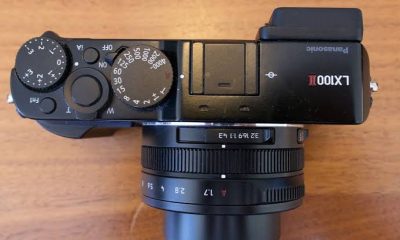
The Panasonic Lumix LX100 II features a sleek and retro-inspired design that exudes elegance and sophistication. Despite its compact size, the camera feels solid and well-built, with a durable construction that can withstand the rigors of everyday use. The ergonomic grip and intuitive button layout make it comfortable to hold and operate, while the tactile dials and manual controls provide a satisfying shooting experience reminiscent of classic film cameras.
2. Image Quality:
Equipped with a 17-megapixel Four Thirds sensor and a fast Leica DC Vario-Summilux lens, the Panasonic Lumix LX100 II delivers impressive image quality with rich detail, accurate colors, and excellent dynamic range. The camera’s multi-aspect sensor allows for flexible aspect ratios and cropping options, while its fast maximum aperture ensures excellent low-light performance and beautiful background blur for artistic portraits and shallow depth-of-field effects.
3. Performance and Features:

Reviewing Panasonic Lumix LX100 II
The Panasonic Lumix LX100 II is packed with advanced features and shooting modes that cater to the needs of enthusiasts and professionals alike. With a versatile focal range of 24-75mm (35mm equivalent) and an aperture range of f/1.7-2.8, the camera offers flexibility in framing and composition, allowing users to capture a wide range of subjects and scenes with ease. The LX100 II also features advanced autofocus technology, including Depth from Defocus (DFD) and face/eye detection, ensuring fast and accurate focusing in various shooting conditions.
4. Video Capabilities:
In addition to still photography, the Panasonic Lumix LX100 II excels in video recording, offering impressive 4K UHD recording at up to 30fps with full manual control and advanced video features. The camera’s built-in microphone and external microphone input allow for high-quality audio capture, while features such as focus peaking and zebra patterns help ensure precise focusing and exposure control for professional-quality video production.
5. Connectivity and Sharing:

Connectivity is another area where the Panasonic Lumix LX100 II shines, with built-in Wi-Fi and Bluetooth technology enabling seamless sharing and remote control functionality. The Panasonic Image App allows users to transfer images and videos to their smart devices, remotely control the camera, and geotag images for easy sharing and organization. With the ability to connect to compatible smart devices and social media platforms, the LX100 II ensures that you can stay connected and share your creativity with the world.
Summary
For both pros and enthusiasts, the Panasonic Lumix LX100 II is a notable choice due to its versatility and capability. With its strong sensor, remarkable image quality, and cutting-edge features, the LX100 II provides an alluring blend of performance and portability. In order to better understand the Panasonic Lumix LX100 II’s potential as a little powerhouse in the field of digital photography, we will examine its features, performance, and general user experience in this review.


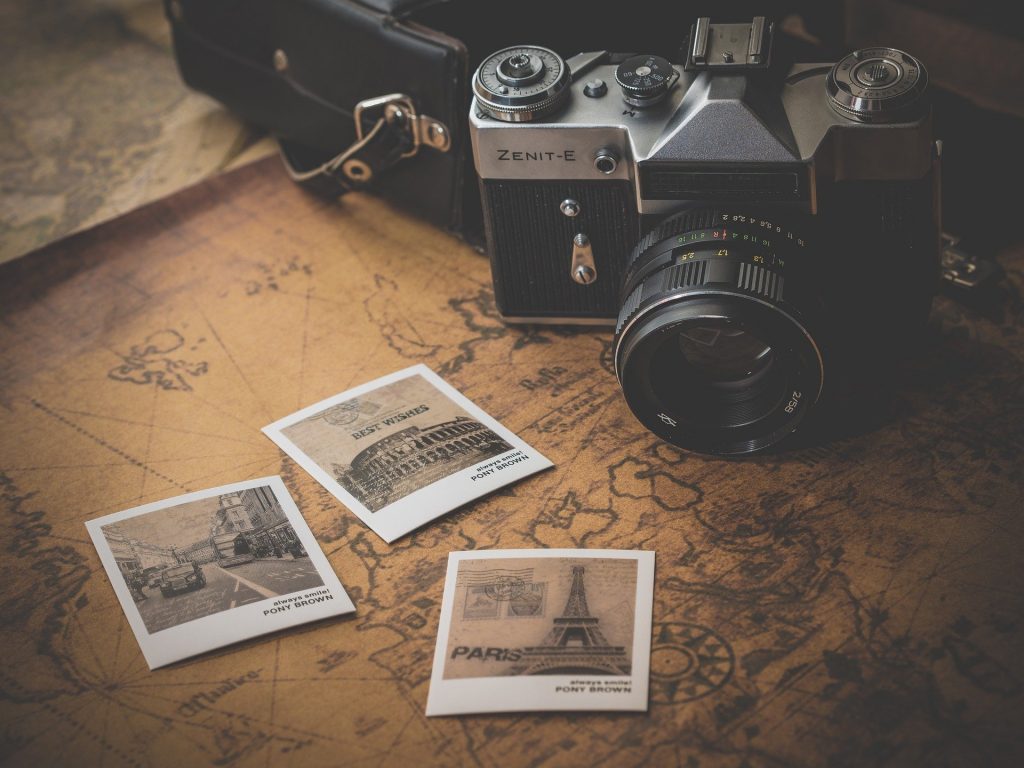
Photography and camera exploration. A wide variety of camera types are available in the photography industry to accommodate every taste, ability level, and style. even if you work as a professional photographer. Whether you’re an aficionado or just a casual shooter, there is a camera out there to help you express your creativity and capture your vision. From small point-and-shoot cameras and film cameras to DSLRs and mirrorless cameras. To encourage photographers to use their lenses to explore the world, each kind offers a unique combination of characteristics and capabilities.
PHOTOGRAPHY AND CAMERA EXPLORATION
Photography has evolved significantly over the years. With advancements in technology leading to a wide range of camera types suited to various preferences, skill levels, and photographic needs. From compact point-and-shoot cameras to professional-grade DSLRs and mirrorless cameras, each type offers unique features and capabilities.
1. Digital Single-Lens Reflex (DSLR) Cameras;
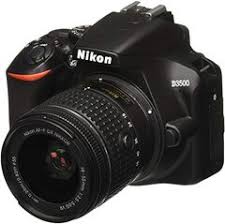
– DSLR cameras are popular among professional photographers and enthusiasts for their versatility, excellent image quality, and interchangeable lens system.
– They feature a mirror mechanism that reflects light from the lens to an optical viewfinder. Allowing photographers to preview the scene directly through the lens.
– DSLRs offer manual control over exposure settings, autofocus capabilities, and compatibility with a wide range of lenses. Making them ideal for various genres of photography, including portraits, landscapes, and sports.
2. Mirrorless Cameras for photography;
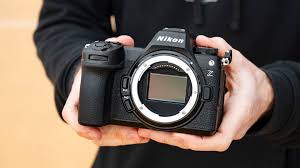
– Mirrorless cameras, as the name suggests, lack the mirror mechanism found in DSLRs, resulting in a more compact and lightweight design.
– Instead of an optical viewfinder, mirrorless cameras use electronic viewfinders (EVFs) or rear LCD screens to display a digital preview of the scene.
– Mirrorless cameras offer similar image quality and performance to DSLRs but often feature advanced autofocus systems, 4K video capabilities, and in-body image stabilization (IBIS).
3. Compact Point-and-Shoot Cameras for photography;
Photography and camera exploration
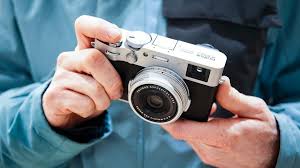
– Compact cameras are small, portable, and easy to use, making them popular among casual photographers and travelers.
– They typically feature fixed lenses with zoom capabilities and automatic exposure modes, making them suitable for everyday snapshots and casual photography.
– While compact cameras may not offer the same level of control or image quality as DSLRs or mirrorless cameras, they are convenient for capturing spontaneous moments on the go.
4. Bridge Cameras;
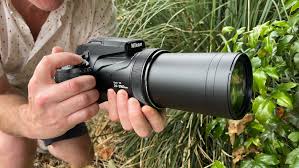
– Bridge cameras bridge the gap between compact point-and-shoot cameras and interchangeable lens systems, offering a versatile all-in-one solution.
– They feature fixed, long-range zoom lenses with a wide focal range, allowing photographers to capture a variety of subjects without changing lenses.
– Bridge cameras often include advanced features such as manual exposure modes, electronic viewfinders, and image stabilization, making them suitable for amateur photographers looking for more control and versatility.
5. Medium Format Cameras;
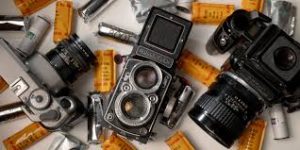
– Medium format cameras use larger image sensors than traditional DSLRs and mirrorless cameras, resulting in higher resolution and superior image quality.
– They are favored by professional photographers for commercial, studio, and landscape photography, where detail and dynamic range are critical.
– Medium format cameras are available in both digital and film formats, with digital medium format cameras offering features such as high-resolution sensors, interchangeable digital backs, and advanced autofocus systems.
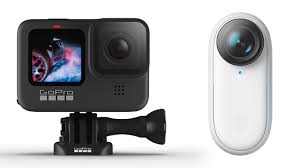
6. Action Cameras;
Photography and camera exploration
– Action cameras are designed for capturing fast-paced action and extreme sports in challenging environments.
– They are compact, rugged, and waterproof, making them ideal for mounting on helmets, bikes, or vehicles to capture immersive POV (point-of-view) footage.
Summary
Through a variety of viewpoints and technical experimentation, photographers are able to record, examine, and interpret the world, making photography an essential instrument for exploration. Walking, observing, and employing strategies like slow-shutter panning, low-angle shots, and silhouette creation are important ways to discover new compositions.
Photography and video editing comparison. Both both have their own special difficulties and benefits. The intricacy and technical demands of video editing may make it more difficult for some people, while the artistic vision and accuracy needed for photography may be difficult for others. In the end, each discipline’s level of difficulty varies depending on a person’s strengths, interests, and experience. Both offer chances for artistic expression and personal development, regardless of whether you’re inclined to the timeless beauty of photography or the dynamic storytelling of video production.
PHOTOGRAPHY AND VIDEO EDITING COMPARISON
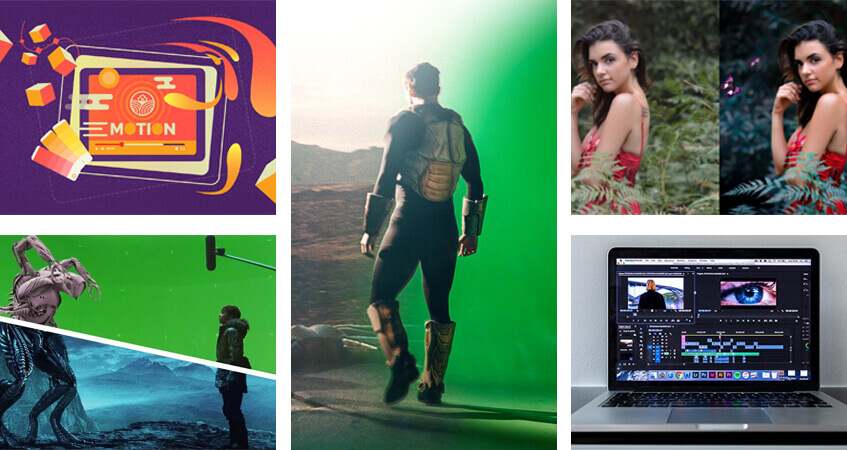
While video editing entails organizing several clips to build a narrative, including audio, pace, and color grading, photography concentrates on capturing a single, flawless moment, necessitating, for example, intricate retouching in Lightroom. While videography handles motion continuity, sound, and extensive file management, photography deals with static composition. Comparing the difficulty of video editing and photography is subjective and depends on various factors, including individual skills, experience, and preferences. Both disciplines require creativity, technical knowledge, and attention to detail, but they involve different processes and challenges.
Video Editing:

PHOTOGRAPHY AND VIDEO EDITING COMPARISON
Video editing involves assembling and manipulating video footage to create a cohesive and compelling narrative. It requires proficiency in editing software, understanding of pacing, rhythm, and storytelling techniques, and the ability to synchronize audio and visual elements effectively. Video editing can be complex and time-consuming, especially for projects with multiple scenes, special effects, and intricate timelines. Additionally, video making often involves working with large files and managing storage space, which can pose logistical challenges.
Photography:
PHOTOGRAPHY AND VIDEO EDITING COMPARISON
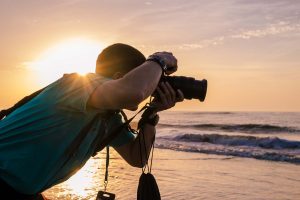
Photography, on the other hand, involves capturing still images that convey a message, evoke emotions, or tell a story. While photography requires technical knowledge of camera settings, composition, and lighting, it also relies heavily on creativity and artistic vision. Photographers must have a keen eye for detail, patience to wait for the perfect moment, and the ability to work with natural or artificial light to create visually stunning images. Post-processing techniques, such as editing in software like Adobe Lightroom or Photoshop, are also integral to the photography process and require skill and precision.
Summary
Professional photography and video editing, which frequently call for proficiency with programs like Adobe Premiere Pro, DaVinci Resolve, or Lightroom, combine technical know-how with imaginative storytelling to enhance visual content. For video to reach high standards, color correction, beauty retouching, and pace are essential duties. Because clients often require entire graphic packages, providing both services boosts revenue possibilities.
Photography and outdoors. Photography is the art, application, and practice of using light to create images, either chemically using a light-sensitive substance like photographic film or electronically using an image sensor. In addition to its more obvious applications in art, film and video production, leisure, hobbies, and mass communication, it is used in many branches of science, manufacturing (such as photolithography), and commerce. A photographer is a person who uses a camera to take pictures, and a photograph is the end product of the camera.
PHOTOGRAPHY AND OUTDOORS
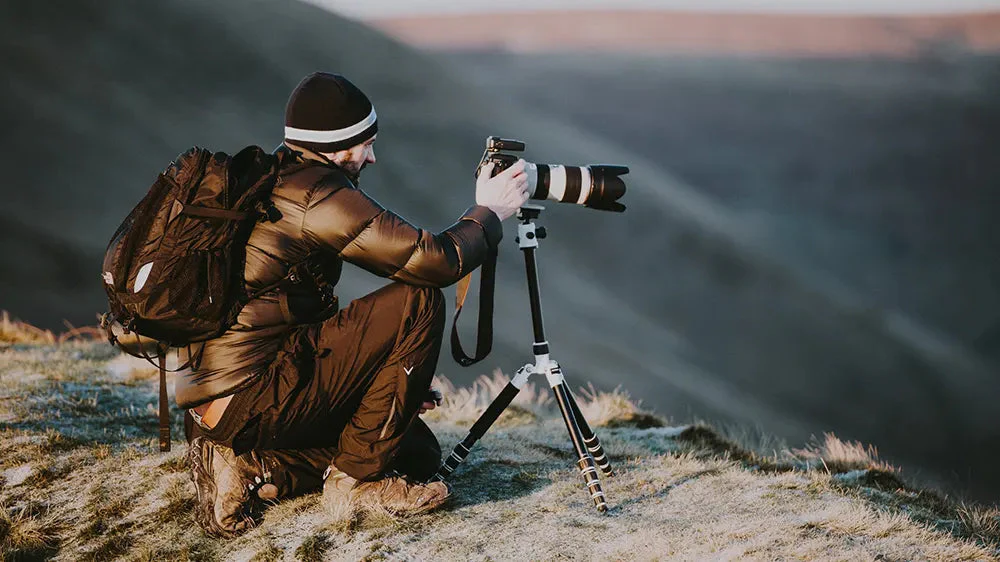
By utilizing natural light and surroundings, outdoor photography captures metropolitan views, nature, and portraits. Use shade or diffusers to prevent harsh daytime shadows or shoot at the golden hour (sunrise/sunset) for soft, warm lighting to get the best effects. Using a tripod, exploring areas, protecting gear with weather sealing, and composing using the rule of thirds are important strategies. Outdoor photography is a great idea, but it requires high-quality equipment. The following are essential outdoor photography equipment:
1. Camera:
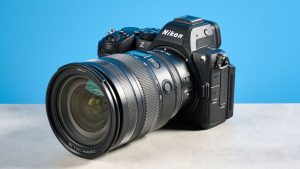
Nikon Z 5 II
Choose a camera with manual settings and good low-light performance. Both DSLRs and mirrorless cameras are popular choices.
2. Lenses:
Carry a versatile lens kit, including a wide-angle lens for landscapes and a telephoto lens for wildlife or distant subjects.
3. Tripod:
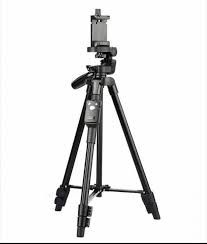
A sturdy tripod is crucial for long-exposure shots, capturing details, and ensuring stability in various outdoor conditions.
4. Camera BagInvest in a durable and weather-resistant camera bag to protect your gear and make it easy to carry during outdoor adventures.
5. Filters:
Consider using filters like polarizers for reducing reflections, ND filters for controlling exposure, and UV filters for lens protection.
6. Lens Cleaning Kit:

Keep your lenses pristine with a cleaning kit to remove dust, smudges, and other contaminants.
7. Weather Protection:
Bring rain covers or weather-resistant gear to protect your camera and equipment in unpredictable outdoor conditions.
8. Remote Shutter Release:
Photography and outdoors
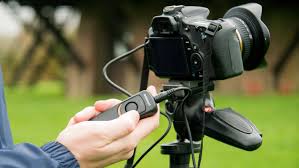
A remote shutter release minimizes camera shake, especially in situations requiring long exposures or capturing wildlife discreetly.
9. Extra Batteries and Memory Cards:
Ensure you have ample power and storage for extended outdoor shooting sessions.
10. Lighting Equipment:
Photography and outdoors
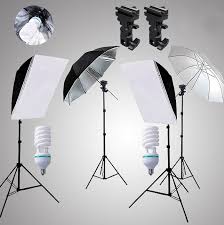
Consider portable lighting options like a speedlight or LED panel for adding fill light in challenging lighting conditions. And it’s of the important outdoor photography gears you every photographers need.
11. Lens Hood:
A lens hood helps prevent lens flare and protects your lens from stray light.
12. Navigation Tools:
Carry a map, compass, or GPS device to navigate outdoor locations safely.
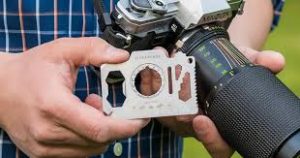
13. Multi-Tool:
Photography and outdoors
A multi-tool can be handy for various outdoor tasks and minor equipment adjustments, and it’s of the important outdoor photography gears you every photographers need.
Summary
Remember, the specific gear you need may vary based on your photography style, preferences, and the outdoor environment you’re exploring. Adapt your kit to suit the unique challenges and opportunities presented by nature. Read other interesting articles here.

Agricultural sector of the economy

Agricultural forms

Tips for successful proofreading

A Step-by-Step Guide to Deleting Reels on Instagram

A Comprehensive Guide to Setting Up a YouTube Premiere