
Social media
Tips on how to Archive Instagram Post

Tips on how to archive instagram post. Instagram post archiving is a useful tool for controlling the information on your profile and upholding a carefully chosen look. Archiving gives you freedom and control over your Instagram material, whether you’re organizing your digital memories, clearing up your feed, or temporarily hiding items from public view. You can easily manage and archive your Instagram posts by following these simple steps, making sure that your profile represents your best online persona.
TIPS ON HOW TO ARCHIVE INSTAGRAM POST
Instagram is a digital scrapbook of memories as well as a platform for sharing ephemeral moments. You don’t have to keep all of your posts visible on your profile, though. Archiving provides a practical method for decluttering your feed, maintaining a consistent look, or temporarily hiding content from public view. In this guide, we’ll walk you through the simple steps to archive posts on Instagram.
Step 1: Open Instagram and Navigate to Your Profile
Tips on how to archive instagram post
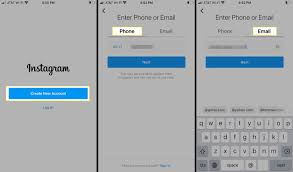
Launch the Instagram app on your mobile device and log in to your account. Once logged in, tap on your profile picture or username at the bottom right corner of the screen to access your profile.
Step 2: Select the Post You Want to Archive
Scroll through your profile to find the post you wish to archive. Tap on the post to open it and view the full details.
Step 3: Archive the Post
Tips on how to archive instagram post
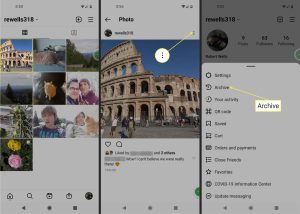
In the top right corner of the post, you’ll see three dots arranged vertically. Tap on these dots to open a menu of options. From the menu, select “Archive” (iOS) or “Archive post” (Android). Instagram will then confirm that the post has been successfully archived.
Step 4: Access Your Archived Posts
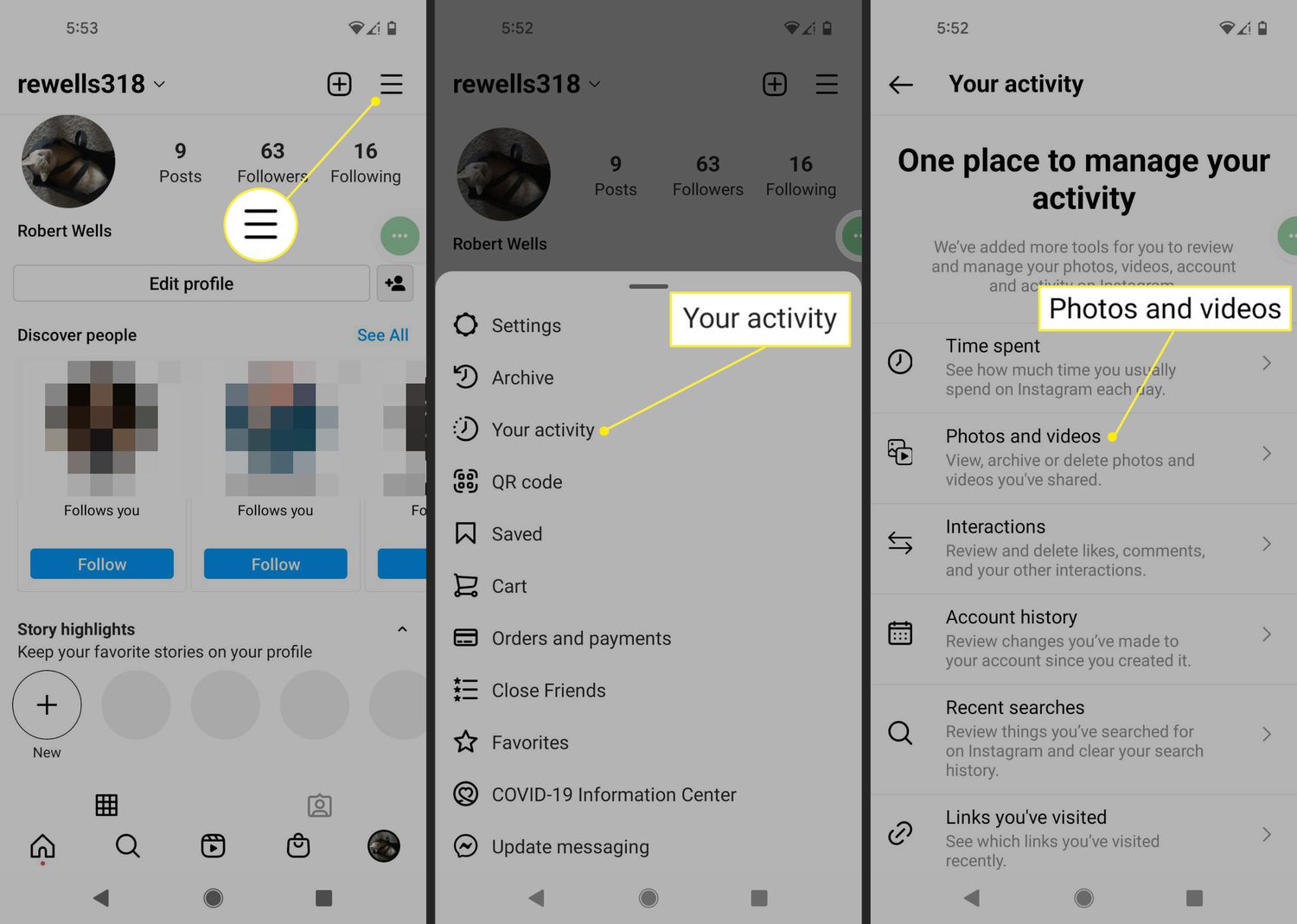
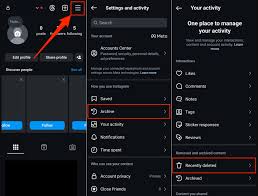
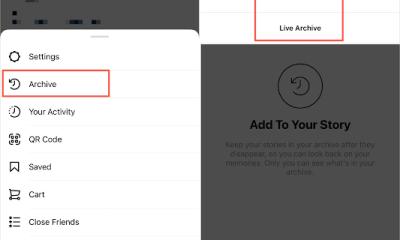
To access your archived posts, navigate back to your profile and tap on the menu icon (three horizontal lines) at the top right corner of the screen. From the menu, select “Archive.” Here, you’ll find two tabs: “Posts” and “Stories.” Tap on “Posts” to view all your archived posts.
Step 5: Restore or Permanently Delete Archived Posts
Tips on how to archive instagram post
In the “Posts” tab of your archive, you’ll see a collection of all the posts you’ve archived. To restore a post to your profile, tap on it to open it, then tap on the three dots at the top right corner and select “Show on Profile” (iOS) or “Show on profile” (Android). The post will be restored to its original location on your profile.
If you wish to permanently delete an archived post, follow the same steps to open the post, but this time select “Delete” (iOS) or “Delete post” (Android) from the menu. Confirm the deletion, and the post will be removed from your archive permanently.
Summary
By archiving an Instagram post, you may save its likes, comments, and insights while removing it from your public profile. To archive a post, tap its three dots (…) and choose “Archive.” You can “Show on Profile” or permanently remove archived items by using Your Activity in the settings.





Tips for growing instagram. By putting these tactics into practice, you’re creating a community that is passionate about your content in addition to increasing numbers. Recall that genuine interactions and dialogues are at the core of Instagram. Watch your Instagram engagement grow as you continue to evolve and stay loyal to your business.
TIPS FOR GROWING INSTAGRAM
Instagram is a powerful tool for both individuals and businesses in the busy world of social media. Gaining followers is a necessary first step, but creating genuine engagement is where the true magic happens. This is a thorough approach to improving your Instagram presence and building a vibrant community.
1. Craft Compelling Content:
Tips for growing instagram
• Quality reigns supreme. Develop visually appealing and meaningful content that resonates with your target audience.
• Utilize high-resolution images, captivating captions, and storytelling elements to create a lasting impact.
2. Embrace Consistency:
• Establish a consistent posting schedule to keep your audience engaged.
• Consistency not only maintains visibility but also builds anticipation among your followers.
3. Know Your Audience:

• Understand the demographics and interests of your audience.
• Tailor your content to cater to their preferences, ensuring it aligns with their expectations.
4. Leverage Hashtags Strategically:
• Research and use relevant hashtags to expand the reach of your posts.
• Mix popular and niche hashtags to tap into broader and targeted audiences.
5. Engage in Conversations:

Tips for growing instagram
• Respond promptly to comments and direct messages.
• Encourage conversations by posing questions in captions and engaging with your audience’s responses.
6. Host Giveaways and Contests:
• Create excitement and engagement by hosting giveaways or contests.
• Encourage participants to tag friends and share your content, amplifying your reach.
7. Utilize Instagram Stories and Reels:

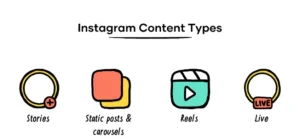
• Take advantage of Instagram’s features like Stories and Reels to diversify your content.
• Use interactive elements like polls, quizzes, and countdowns to boost engagement. Read more on how to get more engagements on your instagram reels here
8. Collaborate with Others:
• Partner with influencers or other accounts in your niche for shoutouts or collaborations.
• Cross-promotion introduces your content to new audiences.
9. Post at Optimal Times:

Tips for growing instagram
• Understand your audience’s active hours and schedule posts accordingly.
• Use Instagram Insights to identify peak engagement times.
10. Share User-Generated Content:
• Feature content created by your followers.
• This not only acknowledges your community but also encourages others to contribute.
11. Create Shareable Content:

• Craft content that compels users to share with their followers.
• Whether it’s informative, entertaining, or relatable, shareable content broadens your audience.
12. Optimize Your Instagram Bio:
• Craft a concise and engaging bio with a clear call-to-action.
• Include relevant keywords to enhance discoverability.
13. Run Instagram Ads:
• Invest in targeted Instagram ads to reach a broader audience.
• Use compelling visuals and concise captions to convey your message effectively.
14. Analyze and Adjust:

• Regularly review Instagram Insights to gauge the performance of your content.
• Adjust your strategy based on what works best for your audience.
Summary
In order to expand on Instagram in 2026, concentrate on maintaining a regular publishing schedule of three to five times a week, giving priority to Reels for reach, and interacting with your audience to increase loyalty. Use pertinent hashtags, optimize your profile with a clear bio and searchable keywords, and examine your data to determine which material generates the most interaction.

Tips for creating tiktok ads. Monitoring your advertisements is crucial since it gives you insight into their audience reach and analysis. Recall that producing engaging and genuine content is essential for TikTok advertisements. Make your company stand out in the active TikTok community, get attention fast, and follow the platform’s creative trends.
TIPS FOR CREATING TIKTOK ADS
Produce vertical, native-looking content (lo-fi/iPhone style) that feels genuine rather than like a polished commercial to make high-converting TikTok commercials. Within the opening three seconds, concentrate on a compelling hook; use popular sounds; keep videos fast-paced with rapid cuts; and incorporate clear, on-screen text.
Creating ads on TikTok involves a few straightforward steps:
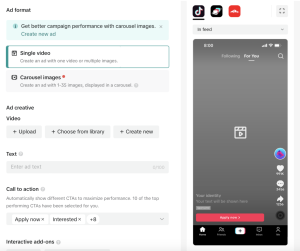
TikTok Ads Manager:
• Open TikTok Ads Manager on your web browser.
• Sign in or create an account if you don’t have.
2. Campaign Creation
• Click on “Create” to start a new campaign.
• Choose your campaign objective, such as Traffic, Conversions, App Installs, or Video Views.
Ad Group Setup:

TIPS FOR CREATING TIKTOK ADS
• Define your target audience by selecting demographics, interests, and behaviors.
• Set your budget and schedule for the ad group.
Ad Creative:
• Choose the ad format: In-Feed Ads, Branded Hashtag Challenges, Branded Effects, or TopView.
• Upload your creative elements, including images, videos, captions, and relevant links.
Tracking and Optimization:
• Set up tracking pixels for conversion tracking.
• Optimize your ad delivery based on performance data.
Review and Launch:

TIPS FOR CREATING TIKTOK ADS
• Double-check all details and settings.
• Click “Submit” to launch your TikTok ad campaign.
Monitor and Adjust:
• Regularly check your campaign’s performance in TikTok Ads Manager.
• Adjust targeting, budget, and creative elements based on data and audience response.
Summary
Instead of overly polished advertisements, make content that seems natural to the platform—fast-paced, amusing, and relatable—if you want to thrive with TikTok Ads. To avoid fatigue, concentrate on a compelling 3-second hook, employ vertical video, make use of popular noises, and update creatives every one to two weeks.

Tiktok engagement. With a good rate usually exceeding 5%, TikTok engagement gauges how users engage with content through likes, comments, shares, saves, and watch time. Strong hooks, popular music, and regular posting all contribute to high engagement, which is typically 5.6% or higher for smaller creators. Using TikTok’s Spark Ads and encouraging interaction are important tactics.
TIKTOK ENGAGEMENT
Greetings from the dominance of TikTok! You’re in the right place if you’re keen to improve your visibility on this dynamic platform and draw in a sizable audience. Here are effective strategies to help you become a TikTok sensation, from creating captivating content to learning the art of participation. Let’s get started and let your creative journey reach its full potential!
1. Engaging Content is the first Key:

Create content that captivates your audience, whether it’s through humor, relatability, or uniqueness.
2. Consistent Posting Schedule:
Regularly upload content to keep your audience engaged and maintain visibility on the platform.
3. Stay Trendy:
Keep an eye on TikTok trends and participate in challenges or use trending sounds to stay relevant and boost discoverability.
4. Optimize Profile:
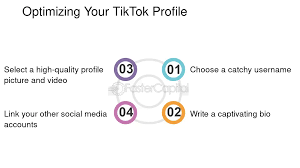
Craft a compelling bio, choose an eye-catching profile picture, and use relevant keywords to optimize your profile forsearchability.
5. Use Hashtags;

Wisely: Incorporate popular and niche hashtags to increase the discoverability of your videos.
6. Collaborate with Others:
Partner with fellow TikTokers to expand your reach and tap into their audience.
7. Create Duet Videos:
Respond to popular videos with duets to engage with the creator and potentially gain exposure to their followers.
8. Leverage TikTok Effects:

Experiment with creative effects to make your content visually appealing and stand out.
9. Interactive Content:
Encourage viewer interaction through polls, questions, and challenges to boost engagement.
10. Know Your Audience:
Understand your target audience and tailor your content to their preferences for better resonance.
11. Quality over Quantity:
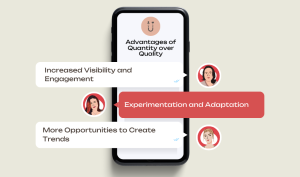
While consistency is crucial, prioritize quality content that reflects your creativity and style.
12. Storytelling Techniques:
Use storytelling techniques to create engaging narratives that keep viewers hooked.
13. Eye-Catching Thumbnails:
Design compelling thumbnails to entice users to click on your videos in the ‘For You’ page.
14. Cross-Promote on Other Platforms:

Share your TikTok content on other social media platforms to attract a broader audience.
15. Educational Content:
Share valuable information or teach something new to establish yourself as an authority in your niche. Learn from successful Tiktokers
16. Respond to Comments:
Engage with your audience by responding to comments, fostering a sense of community around your content.
17. Utilize TikTok Analytics:

TIKTOK ENGAGEMENT
Review TikTok analytics to understand your audience’s preferences and tailor your content accordingly.
18. Experiment with Video Lengths:
Test different video lengths to see what works best for your audience – shorter attention spans often favor concise content.
19. Create Series or Themes:
Develop ongoing series or themes to build anticipation and keep viewers coming back for more.
20. TikTok Ads:

TIKTOK ENGAGEMENT
Consider using TikTok’s advertising features to reach a wider audience and promote your content strategically. Check here to learn how to create tikTok ads
Finally; 21. Stay Authentic:
Be yourself and let your personality shine through – authenticity attracts and retains followers.
Summary
You may dominate your niche and build a strong presence on TikTok by combining these tactics and remaining flexible in response to the platform’s constantly changing trends.

Chatgpt side effects

Causes of nasal swelling

Lyrics for i will be here

A Step-by-Step Guide to Deleting Reels on Instagram

A Comprehensive Guide to Setting Up a YouTube Premiere

How to Create a WhatsApp Group
-

 Flight4 weeks ago
Plane Tickets Relevance
-

 Flight4 weeks ago
Airline Travellers and Baggage Allowances
-

 Social media1 week ago
Tips for likes and Followers on Facebook
-

 Social media2 weeks ago
How to Delete Reels on IG
-

 Music4 weeks ago
Lyrics for wetin you no fit do
-

 Photography1 week ago
Photography and Outdoors