Social media
How to keep an online conversations?

What about online conversations?

We could all use some principles for improved digital communication in the online world of today.
1. Use the technology at your disposal
Utilize the technology at your disposal. Use emojis and gifs in your emails or alter the background of your messages.
These will inject some personality into your online discussions and make you stand out from the crowd of people who use the preset options.
2. Ensure there are no distractions
When communicating online, you should pay attention in the same way that you would in a face-to-face conversation.
Pay attention to what you’re saying. Avoid multitasking by avoiding talking on the phone and typing at the same time, as the recipient will see that you are distracted. You are also more prone to communicate incorrectly when there are outside distractions.
3. Don’t waste people’s time
Verify that you have a good cause for communicating. Make a quick phone call to handle the issue or query if that is the most convenient option.
It could take some experience to know when to call and when to email. However, the benefits to the caliber and efficiency of your professional connections will be immeasurable.
4. Take notes
Making notes during especially significant in the moment online conversations guarantees that you won’t overlook any critical information later
Taking notes will also mean that you won’t waste additional time by having to re-contact the people involved in the online meeting to get information that was presented.
5. Do an activity together online
Since many of us work from home, we frequently experience feelings of loneliness and disconnection. We can participate in online activities to assist reduce this.
Taking a virtual tour or engaging in online gaming with friends or coworkers can also foster connection development.
6. Know when to end the conversation
Another aspect of the art of effective communication is knowing when and how to cut a conversation short. It is applicable to every discussion we have, whether it be online or in person. But sometimes it can be a little more difficult to conclude an online conversation.
Try to read the other person’s body language when you are having a video conversation. Look for nonverbal clues that indicate it’s time to conclude the conversation. For instance, you both might be beginning to repeat yourself or they might be seeming bored.



Networking Sites for Social Media. Social networking services are meant to help people who have similar interests and hobbies interact and form networks. These websites let users to create online profiles that include personal information such as name, age, hobbies, place of origin, and, sometimes in the case of Myspace, musical preferences. This allows users to search for specific types of people to connect with.
NETWORKING SITES FOR SOCIAL MEDIA
Internet-based tools and platforms that enable individuals to interact, exchange ideas, and create online communities are referred to as social media. Most social networking sites have a messaging feature that allows users to share information and communicate with friends.
Positive Implications;

1. Improved Interaction and Communication In the study, enhanced communication is defined as “the kind of communication that is more improved, advanced in a certain way,” while connectivity is defined as “the capacity to be connected to the various forms of communication in various ways at various times.” It’s clear that social networking has improved and progressed communication beyond all previous levels.
2. Although, chances for Development on the Personal and Professional Level First of all, it is acknowledged that the different experiences and opportunities offered by social networking sites can promote and enhance both professional and personal growth.
Negative implications;

Networking Sites for Social Media
1. However, dependency and Time Investment The first section of the study focuses on the excessive usage of social networking sites and highlights many of their harmful effects. Numerous people have been reported to have developed an addiction to social media platforms including Facebook, Instagram, and Twitter.
More Implications;

Networking Sites for Social Media
2. Also, concerns about Security and Privacy Social media contributes to privacy invasions in addition to the privacy issues already discussed. Users provide their personal information voluntarily, however any information obtained without consent raises a privacy breach complaint. Due to the online discussion that social networking sites foster, younger users may not grasp or may not understand the importance of privacy. The amount of time spent on social sites is astounding.
Summary
Social networking sites are online platforms that facilitate communication, content sharing, and community building.

Social Media Influencer Requirements. To become a social media influencer, pick a topic you are passionate about, pick one or two platforms, such as Instagram or TikTok, and regularly share entertaining or useful videos. Responding to comments can help you establish a genuine relationship with your audience. You can also master audience building tactics by taking digital marketing courses.
SOCIAL MEDIA INFLUENCER REQUIREMENTS
A social media user who has built credibility in a particular area is known as a social media influencer. Because of their reach and credibility, these content producers can influence others and increase social media engagement by disseminating information to a wide audience.
Who is an Influencer?

An influencer, often known as a social media influencer, What Are Influencers? is a person who uses social media platforms to sway purchasing decisions. Promising influencers usually provide value on social media by way of high-quality material.
How to Become an Influencer
1. Finish the fundamental business tasks. Starting your influencer brand with the same mindset as a business is a crucial first step. Using business strategies will help you consistently draw in customers and make money. 2. Determine your specialty. An influencer can target a highly precise consumer market segment online by creating a niche. In addition to the demographics (age, geography, income, etc.) and psychographics (values, beliefs, interests, etc.) of your target audience, your niche may be founded on a certain type of material that you would post on social media.

2. Learn about your target group. After you’ve determined your specialty, study your target market through market research. In this manner, you can establish a strong relationship with your audience and provide insightful material that aligns with their objectives and areas of interest.
3. Establish your influencer company. Consider your influencer brand as an extension of your own personality, values, and passions; it’s a logical way to showcase your expertise in a certain field and open doors to commercial opportunities.
4. Examine your approach to content creation. Your social media posts are a major component of your influencer brand. Create a list of distinct content pieces that address various aspects of your category to begin developing a content strategy.
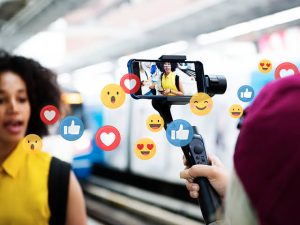
Social Media Influencer Requirements
5. Influencers can stimulate business expansion. The marketing potential is what gives influencers their power.
6. Write an outline of a business plan that meets your goals, summarizes what you offer, and analyzes competitor influencers in your category.
Summary
Discover how to develop your brand, motivate an audience, and understand the current social media landscape in order to become a social media influencer.

Social Media Exploration. In the digital age, social media has fundamentally altered how we interact, communicate, and consume content. These websites have grown into online marketplaces with tremendous potential for businesses seeking to engage with their target audience, raise brand awareness, and improve sales. Businesses can now connect with a global network of potential customers thanks to social media marketing. This article will examine social media marketing and teach us about its significance, key strategies, and impact on modern businesses.
SOCIAL MEDIA EXPLORATION
An examination of social media uncovers a digital ecosystem that has radically changed politics, economy, culture, and human communication. Today’s networks function as enormous, algorithm-driven venues where billions of individuals simultaneously participate as consumers and creators, going much beyond basic text-based chat rooms or early bulletin board systems.
Exploring The World of Social Media;

1. Although, Global Reach: Social media offers unrivaled access to a wide and varied audience, with billions of individuals actively using sites like Facebook, Instagram, Twitter, LinkedIn, and YouTube. Businesses may engage with people from many locations, cultures, and demographics thanks to their worldwide reach.
2. Also, Brand Awareness: Businesses can establish a distinctive identity and strong online presence using social media channels. User recognition and recall of a brand can be increased by active contact, consistent branding, and engaging content.
3. Meanwhile, Social media platforms provide businesses with sophisticated targeting options for targeted advertising, which enables them to contact consumers based on their demographics, interests, habits, and geographic location. Marketing efforts are guaranteed to reach the most relevant potential clients thanks to this focused approach.
More Exploration:

Social Media Exploration
4. However, Enhanced Customer Engagement: Social media facilitates direct communication between businesses and their customers in both directions. Positive customer experiences, loyalty, and trust are all increased when comments, messages, and feedback are addressed.

Social Media Exploration
5. Although, influencer marketing: Brand exposure and credibility can be increased by partnering with influencers and micro-influencers who have sizable fan bases in specialized areas. Influencers can increase traffic and conversions by promoting goods and services to their interested audiences. Important Techniques for Successful Social Media Marketing. advertising.
Summary
Social media include digital applications and websites such as Facebook, Instagram, and WhatsApp that facilitate communication, content sharing, and community building. Every day, billions of people use these platforms for commerce, leisure, and private conversation.

Torchlight Selection

Best Practices for Face Exfoliation

Chemical Face Exfoliation

A Step-by-Step Guide to Deleting Reels on Instagram

A Comprehensive Guide to Setting Up a YouTube Premiere