WRITING
Academic Writing and Mistakes

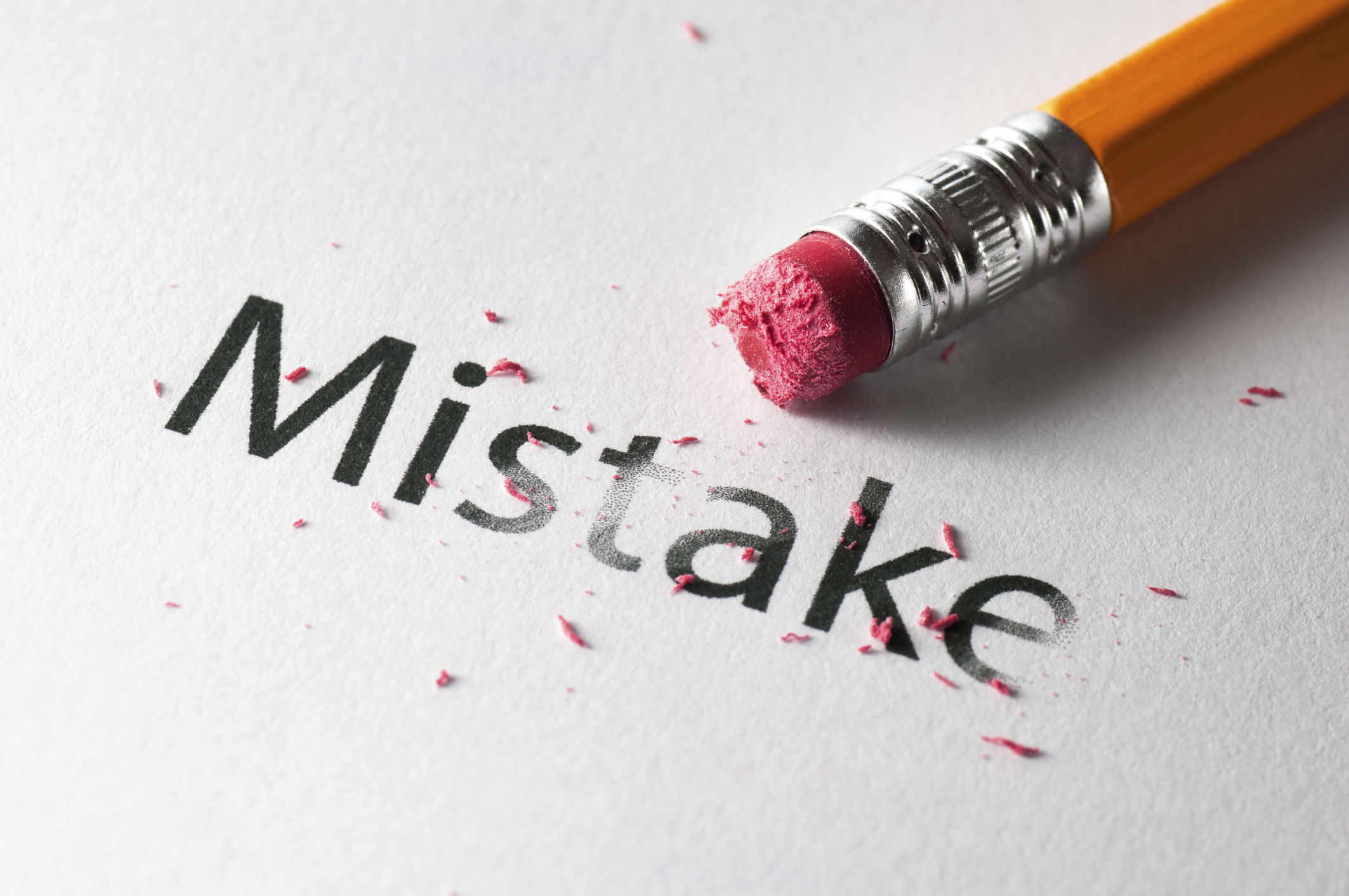
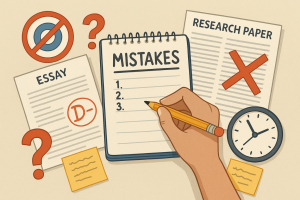
Academic writing and mistakes. Research-based arguments and evidence are the main focus of academic writing, a formal, objective writing style utilized in academic institutions and publications. It frequently uses technical vocabulary unique to a subject of study and is well-structured, precise, and easy to understand. Important features include a formal tone, the use of the third person, and an emphasis on concepts and facts rather than feelings or personal judgments.
ACADEMIC WRITING AND MISTAKES
Poor thesis statements, informal language, a lack of grasp of the assignment, and a weak framework are all common errors in academic writing. Citations, plagiarism, ambiguous and wordy sentences, excessive use of passive voice, and improper editing and proofreading are other frequent mistakes. Academic writing requires clarity, precision, and adherence to specific conventions. Avoiding common mistakes can significantly improve the quality of your work. Here are key pitfalls and how to avoid them:
1. Lack of Clarity and Precision;

The Common Mistakes: Using vague language and complex sentences.
Solution: Use specific terms and clear, concise language. Break down complex ideas into simpler parts.
2. Poor Structure and Organization;
Mistake: Disorganized content that lacks logical flow.
Solution: Outline your paper before writing. Follow a clear structure with an introduction, body, and conclusion. Use headings and subheadings to guide the reader.
3. Weak Thesis Statement;
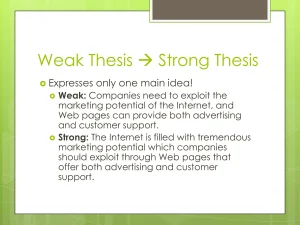
The Common Mistakes: An unclear or unfocused thesis statement.
Solution: Develop a strong, clear thesis statement. Ensure all content supports and relates to your thesis.
4. Insufficient Evidence and Analysis;

The Common Mistakes: Making claims without adequate support.
Solution: Back up claims with robust evidence from credible sources. Analyze the evidence and explain its relevance.
5. Overuse of Passive Voice;
Mistake: Excessive use of passive voice, making the writing indirect.
Solution: Use active voice to make sentences more dynamic and clear. For example, use “The researchers conducted the experiment” instead of “The experiment was conducted by the researchers.”
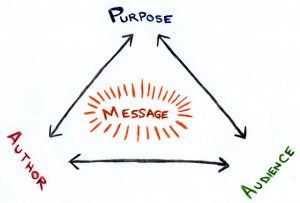
6. Ignoring Audience and Purpose;
Academic writing and mistakes
Mistake: Not considering the audience’s knowledge level.
Solution: Tailor your writing to your audience. Use a formal tone and avoid colloquial language unless appropriate.
7. Poor Citation Practices;
Mistake: Failing to properly cite sources.
Solution: Always cite sources according to the required style (APA, MLA, Chicago). Use plagiarism detection tools to ensure originality.
8. Inadequate Editing and Proofreading;

Academic writing and mistakes
Mistake: Submitting work with grammatical errors and typos.
Solution: Edit and proofread meticulously. Check for grammar, spelling, and punctuation errors. Have someone else review your work.
9. Overloading with Jargon;
Mistake: Using excessive jargon and technical terms.
Solution: Use jargon sparingly. Provide definitions for terms that may not be widely known.
10. Lack of Critical Thinking and Originality;

Academic writing and mistakes
Mistake: Merely summarizing existing literature without original insights.
Solution: Engage critically with sources. Offer original insights and suggest areas for further research.
Summary
Your academic work will be of higher quality and have greater impact if you avoid these typical errors. Focus on clarity, structure, evidence, and critical analysis to produce captivating, well-organized works. Keep in mind that academic writing is a skill that gets better with practice and criticism.









Portfolio writing tips. A well-designed portfolio is an effective way to highlight your abilities and achievements. You may successfully show prospective employers or clients how valuable you are by carefully selecting your material, creating a polished layout, and updating it frequently. Make a portfolio that accurately reflects your skills and career path by following this instructions.
PORTFOLIO WRITING TIPS
An exceptional writing portfolio should be well-curated, user-friendly, and customized for your intended audience. Prioritize quality over quantity, exhibit a distinct specialty to draw in particular clientele, and highlight your top four to six writing samples.
1. Determine the Purpose;
Identify why you’re creating the portfolio. Is it for job applications, freelance work, academic purposes, or personal branding? Understanding the purpose will help you tailor the content and presentation.
2. Gather Your Materials;
Collect all relevant documents, projects, and materials that demonstrate your skills and achievements. This can include:
– Resumé or CV: A detailed document of your work history, education, and skills.
– Work Samples: Examples of your best work. This can include reports, projects, articles, designs, or any work product that showcases your abilities.
– Certifications and Awards: Any certifications, awards, or recognitions that highlight your achievements.
– Letters of Recommendation: Testimonials or reference letters from previous employers, colleagues, or clients.
– Personal Statement or Bio: A brief introduction about yourself, your career goals, and your professional philosophy.
3. Organize Your Content;
Structure your portfolios in a logical and coherent manner. Common sections include:
– Title Page: Your name, professional title, and contact information.
– Table of Contents: A clear list of the sections and materials in your portfolio.
– Introduction or Personal Statement: A concise overview of who you are and what you aim to achieve.
– Resumé or CV: Detailed work history and qualifications.
– Work Samples: Organized by relevance or type, each accompanied by a brief description.
– Certifications and Awards: Copies or images of certificates and awards.
– Testimonials: Quotes or letters from references.
– Conclusion: A closing statement or call to action, such as how to contact you for further information.
4. Design and Format;
Portfolio writing tips
The design and layout of your portfolio should be clean, professional, and easy to navigate.
– Digital vs. Print: Decide whether your portfolio will be digital, print, or both. Digital portfolios can be created as PDFs or websites.
– Visual Appeal: Use a consistent color scheme, fonts, and layout. Ensure your portfolio is visually appealing but not overly flashy.
– Navigation: Include hyperlinks in digital portfolios for easy navigation. Ensure each section is easy to find and access.
5. Craft Compelling Descriptions;

Portfolio writing tips
For each work sample or project, write a brief description that includes:
– Context: Background information about the project.
– Your Role: What specific tasks you performed or contributions you made.
– Outcomes: The results or impact of your work. Use metrics or data where possible to quantify success.
6. Proofread and Edit;
Ensure your portfolio is free from errors and inconsistencies.
– Spelling and Grammar: Double-check for any spelling or grammatical mistakes.
– Formatting: Ensure consistent formatting throughout the document.
– Clarity: Make sure descriptions and explanations are clear and concise.
7. Create an Online Portfolio;

For wider reach and accessibility, consider creating an online portfolio.
– Website Builders: Use platforms like WordPress, Wix, or Squarespace to create a professional website.
– Content Management: Organize content similarly to your physical or PDF portfolio, but take advantage of multimedia options like videos, links, and interactive elements.
– SEO Optimization: Use keywords and metadata to improve search engine visibility.
Summary
Building a professional portfolio can be an effective approach to highlight your abilities, successes, and experiences to prospective clients or employers. Here’s how to build an outstanding portfolio step-by-step:
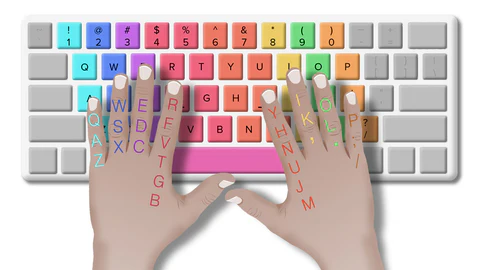
Tips for typing speeds. Learn to touch-type utilizing the home row keys (A-S-D-F for your left hand, J-K-L-; for your right hand) to quickly speed up your typing. Prioritize precision above everything else, and speed will come easily. For suggestions on intentional practice, see the Louis Kruger Medium Blog; for further practical assistance, see the Saint Leo University and Herzing University blogs.
TIPS FOR TYPING SPEEDS
Since words differ in length, the definition of each “word” in English is frequently defined to be five characters or keystrokes long, including punctuation and spaces, for the purpose of measuring text entry. For instance, “I run” counts as one word when using this method on plain English text, but “rhinoceros” and “let’s discuss” both count as two.
1. Test your typing speed;
What you are unable to measure, you cannot improve. It also holds true for typing. Check your typing speed to see where you stand right now.
You may assess your typing accuracy and speed using websites like 10FastFingers.com and TypingTest.com. You may take a timed test on these websites by typing a passage.
Your findings will show you how many words you type in a minute (WPM) and how many mistakes you make (your accuracy) when you’ve finished typing.
2. Use proper posture and ergonomics;
Your posture and ergonomics play a hugely underestimated role in determining how quickly you type. Your physique and typing skills can be negatively impacted by hunching over the keyboard or sitting in an uncomfortable position.
3. Use more than two fingers;
Tips for typing speeds
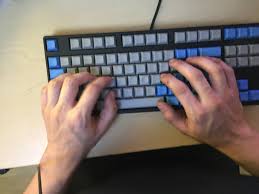
Do you still type with just two fingers? It’s time to get more hands-on experience and pick up touch typing. When you touch type, you can easily type with more than two fingers and not look at the keyboard. You can increase your typing speed and hit more keys by using multiple fingers
4. Aim to be more efficient, not faster;
When attempting to increase their typing speed, one typical error people do is to concentrate just on speed, ignoring other important aspects like readability, accuracy, and quality. This results in mistakes, subpar notes, and miscommunications.
5. Avoid distractions;

Tips for typing speeds
6. Use keyboard shortcuts
Reduce your reliance on the mouse in order to increase your typings speed. Even though you might not notice it, using a mouse slows you down. You’ll need to become familiar with keyboard shortcuts in order to prevent this. They make tasks like copying, pasting, deleting, changing, and switching between apps quick and simple.
- Ctrl + C: Copy
- Ctrl + V: Paste
- Ctrl + X: Cut
- Ctrl + Z: Undo
- Ctrl + Y: Redo
- Ctrl + F: Find
- Ctrl + B: Bold
- Ctrl + I: Italic
Summary
Typing is the act of pressing keys to enter text into a computer, typewriter, or mobile device. Learning it as a 21st-century skill improves communication and productivity.
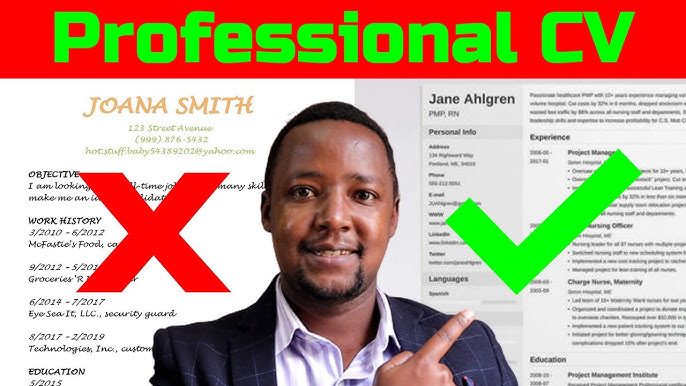
Writing a professional Curriculum Vitae. Particularly in academia, the word “curriculum vitae” and its acronym, “CV,” are also used to describe lengthy or even comprehensive summaries of an individual’s work, schooling, and credentials, including publications and other data. This has led to the common misperception that short CVs should be referred to as resumes rather than CVs in American English, despite the fact that American dictionaries do not support this.
WRITING A PROFESSIONAL CURRICULUM VITAE
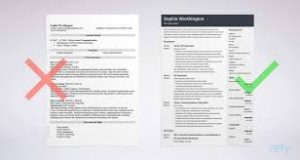
Many people struggle to write a résumé that will get them an interview. Human resource managers and recruiters get a lot of resumes from job applicants.How do you draft one that stands out? The most crucial advice for creating a CV is to emphasize your selling point and stand out. It’s crucial to keep in mind that there is no one right technique to construct a resume. But one thing to remember is that your CV should emphasize your qualifications for the job you’re looking for.This will assist the recruiter or HR manager in determining whether to set up an interview with you.
What is a CV?
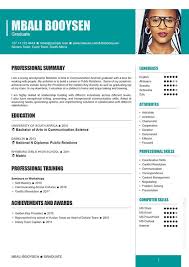
Writing a professional Curriculum Vitae
Let’s start with your CV. This is usually the first document any hiring manager will see before you will be called for an interview and when applying online, your first priority is that your CV gets you that interview.
A curriculum vitae popularly known as CV is brief synopsis or account of your educational, professional experience, skills and more typically used for job applications.
Some Tips How to write a good CV;
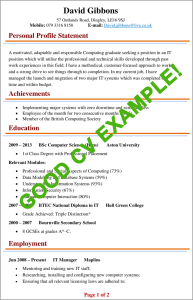
Make sure your resume is tailored to the position and employer by checking the company’s website, the local newspaper, and the job advertisement.
Employ active verbs whenever you can. Words like “created,” “analyzed,” and “devised,” for instance, can help you come out as a proactive person.
Your resume should be error-free in spelling and punctuation. Check it over with a second set of eyes and a spell checker.
The CV Writing Format;
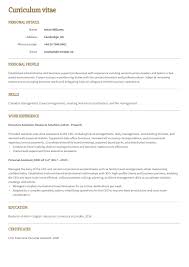
1. Personal Details
Your name, address, phone number, email, and age (if applicable) are all included in this area. Place these in a prominent spot with readable fonts so the recruiter or HR manager can see them easily. Make sure the data is accurate and up to date.
2. Education
Writing a professional Curriculum Vitae
Always start with the most recent educational qualification. Professional certification that is relevant to the job should also be added to this section.
E.g. University of Abuja– 2023
Qualification: B.A. Banking and finace.
- Excellent diplomatic skills and versed in three foreign languages – French, Portuguese and Chinese
- Graduated with a second class upper grade of 3.55.
3. Work Experience
Writing a professional Curriculum Vitae
Start with your most recent job role. For each job role, it’s important to state your role and achievements. An example would be:
Infinty Trust Mortage Bank 2016 – (Present)
Job Title: Marketing Executive
Achievement:
- Individually increased the monthly revenue from N10 million to N20 million in 8 months.
- Worked with the marketing team to spread our products from Lagos to all the 6 states of the Western Nigeria within a year.
- Won the ‘Best Marketer of the Year” award consecutively for November and December 2018.
Summary
A professional CV should be one or two pages long, well-structured, and suited to a particular position. It should emphasize accomplishments rather than just tasks with measurable outcomes. In order to pass ATS filters, it must have a compelling profile summary, a reverse-chronological job history, talents, and education. Save as a PDF and use clean fonts (Calibri, Arial).

Teenage girls fashion guide

Review for La Vie Est Belle

Reviewing Dior J’adore

A Step-by-Step Guide to Deleting Reels on Instagram

A Comprehensive Guide to Setting Up a YouTube Premiere